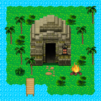
Clay Island survival games

Clay Island survival games

Adventure

| BAIBAI, Inc.

Play on PC with BlueStacks or from our cloud

  • Overview
  • Game Features
  • How to Play

Page Modified On: August 10, 2026

Play Clay Island survival games on PC or Mac

Clay Island survival games brings the Adventure genre to life, and throws up exciting challenges for gamers. Developed by BAIBAI, Inc., this Android game is best experienced on BlueStacks, the World’s #1 app player for PC and Mac users.

About the Game

Clay Island survival games drops you on a lonely island where everything you need… keeps falling from the sky. It’s a quirky, hands-on Adventure about staying alive, crafting what you can, and figuring out a way off the beach one smart decision at a time. Expect quick bursts of scavenging, a bit of problem-solving, and plenty of “well, that actually worked” moments.

Game Features

  • Scavenge the Unexpected: Keep an eye out—random items tumble onto the island. Snag what looks useful and stash it for later. That weird thing you picked up? It might save you.
  • Craft and Improvise: Turn scraps into survival gear. Build tools that open new paths, help you gather resources, and push deeper into unexplored spots.
  • Cook to Stay Alive: Forage, grill, and keep your energy up. Simple meals go a long way when you’re trying not to pass out mid-explore.
  • Go Fishing: Make a fishing rod and reel in your next meal. It’s calm, reliable, and a great backup when other resources run low.
  • Set Clever Traps: Meat’s on the menu if you’re patient. Place traps, check back later, and use what you catch to power your next trek.
  • Beat Environmental Obstacles: Boulders, blocked trails, tricky terrain—use the right tool at the right time to push forward.
  • Explore for an Exit: Every new area hints at a way off the island. Piece it together bit by bit.
  • Play Your Way: Short sessions or longer runs both work great—and if you prefer keyboard and mouse, it plays smoothly on PC with BlueStacks.

Ready to top the leaderboard? We bet you do. Let precise controls and sharp visuals optimized on BlueStacks lead you to victory.


Game Features

Enhancements

  • Macros
  • Multi Instance
  • Multi Instance Sync
  • Script
  • Enhancements
Macros

Macros

Automate the predictable in Clay Island survival games and transform your gameplay with Macros. Get access to inventive Macros in the BlueStacks Macro Community
Multi Instance

Multi Instance

Play Clay Island survival games on one window. And chat with your friend on the other. Press CTRL + Shift + 8 to open the Multi-Instance Manager. And start creating fresh instances or clone an existing one.
Multi Instance Sync

Multi Instance Sync

Play Clay Island survival games with the power of Multi-Instance Sync. Replicate what you are doing on the main instance on all other instances. Level up faster, play more.
Script

Script

Script your way to gaming glory in Clay Island survival games with BlueStacks Script. Write and run a set of commands to automate repeated tasks. Trigger the command by assigning it to any key.
Read More

How to Download and Play Clay Island survival games on PC or Mac

  • Download and install BlueStacks on your PC or Mac

  • Complete Google sign-in to access the Play Store, or do it later

  • Look for Clay Island survival games in the search bar at the top right corner

  • Click to install Clay Island survival games from the search results

  • Complete Google sign-in (if you skipped step 2) to install Clay Island survival games

  • Click the Clay Island survival games icon on the home screen to start playing

video
Watch Video

Minimum System Requirements

With BlueStacks 5, you can get started on a PC that fulfills the following requirements.

  • Operating System

    Microsoft Windows 7 or above, macOS 11 (Big Sur) or above

  • Processor

    Intel, AMD or Apple Silicon Processor

  • RAM

    at least 4GB

  • HDD

    10GB Free Disk Space

Note:

* You must be an Administrator on your PC. Up to date graphics drivers from Microsoft or the chipset vendor.

Clay Island survival games - FAQs

  • How to play Clay Island survival games on Windows PC & Mac?

    Play Clay Island survival games on your PC or Mac by following these simple steps.

    • Click on 'Play Clay Island survival games on PC’ to download BlueStacks
    • Install it and log-in to Google Play Store
    • Launch and play the game.
  • Why is BlueStacks the fastest and safest platform to play games on PC?

    BlueStacks respects your privacy and is always safe and secure to use. It does not carry any malware, spyware, or any sort of additional software that could harm your PC.

    It is engineered to optimize speed and performance for a seamless gaming experience.

  • What are Clay Island survival games PC requirements?

    Minimum requirement to run Clay Island survival games on your PC

    • OS: Microsoft Windows 7 or above MacOS 11 (Big Sur) or above
    • Processor: Intel, AMD or Apple Silicon Processor
    • RAM: Your PC must have at least 4GB of RAM. (Note that having 4GB or more disk space is not a substitute for RAM)
    • HDD: 10GB Free Disk Space.
    • You must be an Administrator on your PC.