Dad's Monster House 2: MEDAL

Dad's Monster House 2: MEDAL

Adventure

| CottonGame

Play on PC with BlueStacks or from our cloud

  • Overview
  • Game Features
  • How to Play

Page Modified On: January 06, 2026

Play Dad's Monster House 2: MEDAL on PC or Mac

Join millions to experience Dad’s Monster House 2: MEDAL, an exciting Adventure game from CottonGame. With BlueStacks App Player, you are always a step ahead of your opponent, ready to outplay them with faster gameplay and better control with the mouse and keyboard on your PC or Mac.

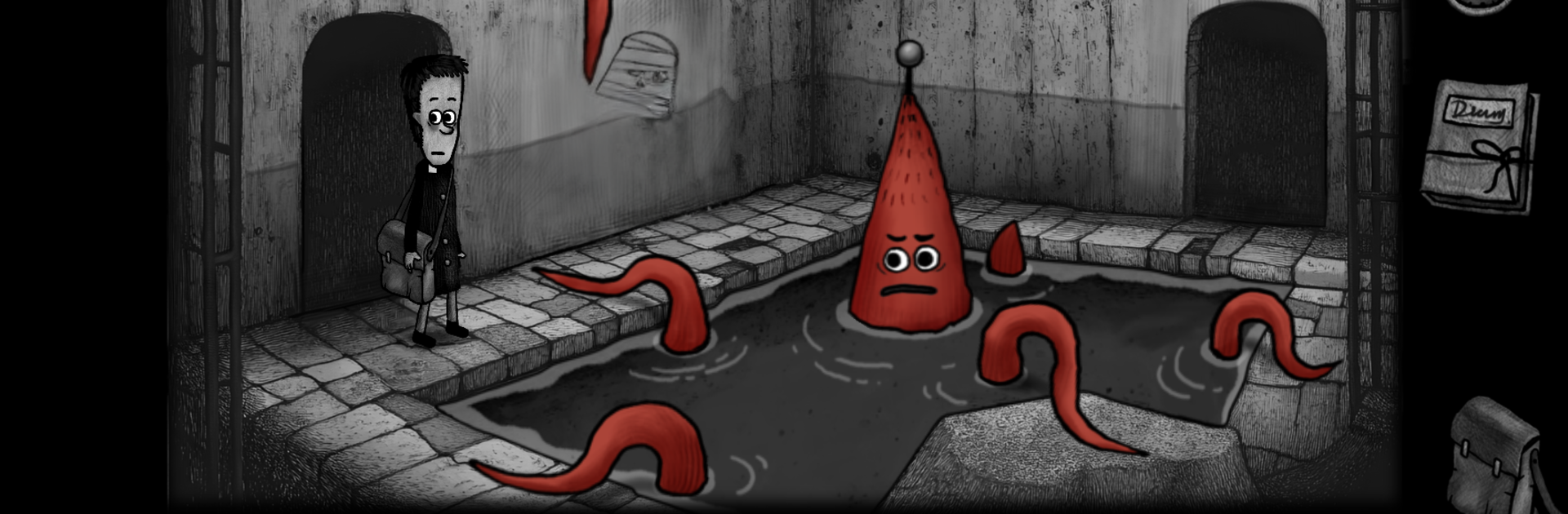
Dad’s Monster House 2: MEDAL feels like a creepy storybook puzzle adventure where every room has something off about it. The player ends up in a run-down house again, with giant eyes watching from the window and weird knocks coming from inside the walls. It is not just an escape room. The place is packed with odd residents who actually want things, and getting through the house means figuring out how to deal with them without making a mess of the route forward. The mood is eerie without shouting at the screen, more slow-burn unsettling, so it draws attention to tiny details and strange noises.

The puzzles are the main event. Wiring boards, jigsaw bits, number locks, and even musical rhythm moments show up, and clues hide in corners you would normally ignore. Progress depends on trading favors with creatures, like feeding a caterpillar, helping Pear-Head saw wood, or swapping items with a Spider-Person. Choices nudge the path, so paying attention pays off. There is a fun side hunt for hidden portraits of famous figures, and an astronaut-helmet mode that makes scanning rooms and solving faster once it unlocks. The story keeps poking with questions about who brought the player here and what the medals actually mean as new doors open. On PC with BlueStacks, the mouse makes dragging wires and tapping rhythmic notes feel clean, and the bigger screen helps spot small clues that are easy to miss on a phone.

Ready to top the leaderboard? We bet you do. Let precise controls and sharp visuals optimized on BlueStacks lead you to victory.


Game Features

Enhancements

  • Macros
  • Multi Instance
  • Multi Instance Sync
  • Script
  • Enhancements
Macros

Macros

Automate the predictable in Dad's Monster House 2: MEDAL and transform your gameplay with Macros. Get access to inventive Macros in the BlueStacks Macro Community
Multi Instance

Multi Instance

Play Dad's Monster House 2: MEDAL on one window. And chat with your friend on the other. Press CTRL + Shift + 8 to open the Multi-Instance Manager. And start creating fresh instances or clone an existing one.
Multi Instance Sync

Multi Instance Sync

Play Dad's Monster House 2: MEDAL with the power of Multi-Instance Sync. Replicate what you are doing on the main instance on all other instances. Level up faster, play more.
Script

Script

Script your way to gaming glory in Dad's Monster House 2: MEDAL with BlueStacks Script. Write and run a set of commands to automate repeated tasks. Trigger the command by assigning it to any key.
Read More

How to Download and Play Dad's Monster House 2: MEDAL on PC or Mac

  • Download and install BlueStacks on your PC or Mac

  • Complete Google sign-in to access the Play Store, or do it later

  • Look for Dad's Monster House 2: MEDAL in the search bar at the top right corner

  • Click to install Dad's Monster House 2: MEDAL from the search results

  • Complete Google sign-in (if you skipped step 2) to install Dad's Monster House 2: MEDAL

  • Click the Dad's Monster House 2: MEDAL icon on the home screen to start playing

video
Watch Video

Minimum System Requirements

With BlueStacks 5, you can get started on a PC that fulfills the following requirements.

  • Operating System

    Microsoft Windows 7 or above, macOS 11 (Big Sur) or above

  • Processor

    Intel, AMD or Apple Silicon Processor

  • RAM

    at least 4GB

  • HDD

    10GB Free Disk Space

Note:

* You must be an Administrator on your PC. Up to date graphics drivers from Microsoft or the chipset vendor.

Dad's Monster House 2: MEDAL - FAQs

  • How to play Dad's Monster House 2: MEDAL on Windows PC & Mac?

    Play Dad's Monster House 2: MEDAL on your PC or Mac by following these simple steps.

    • Click on 'Play Dad's Monster House 2: MEDAL on PC’ to download BlueStacks
    • Install it and log-in to Google Play Store
    • Launch and play the game.
  • Why is BlueStacks the fastest and safest platform to play games on PC?

    BlueStacks respects your privacy and is always safe and secure to use. It does not carry any malware, spyware, or any sort of additional software that could harm your PC.

    It is engineered to optimize speed and performance for a seamless gaming experience.

  • What are Dad's Monster House 2: MEDAL PC requirements?

    Minimum requirement to run Dad's Monster House 2: MEDAL on your PC

    • OS: Microsoft Windows 7 or above MacOS 11 (Big Sur) or above
    • Processor: Intel, AMD or Apple Silicon Processor
    • RAM: Your PC must have at least 4GB of RAM. (Note that having 4GB or more disk space is not a substitute for RAM)
    • HDD: 10GB Free Disk Space.
    • You must be an Administrator on your PC.