Green Pond Town
Green Pond Town

Green Pond Town

Adventure

| CottonGame

Play on PC with BlueStacks or from our cloud

  • Overview
  • Game Features
  • How to Play

Page Modified On: April 21, 2026

Play Green Pond Town on PC or Mac

Bring your A-game to Green Pond Town, the Adventure game sensation from CottonGame. Give your gameplay the much-needed boost with precise game controls, high FPS graphics, and top-tier features on your PC or Mac with BlueStacks.

About the Game

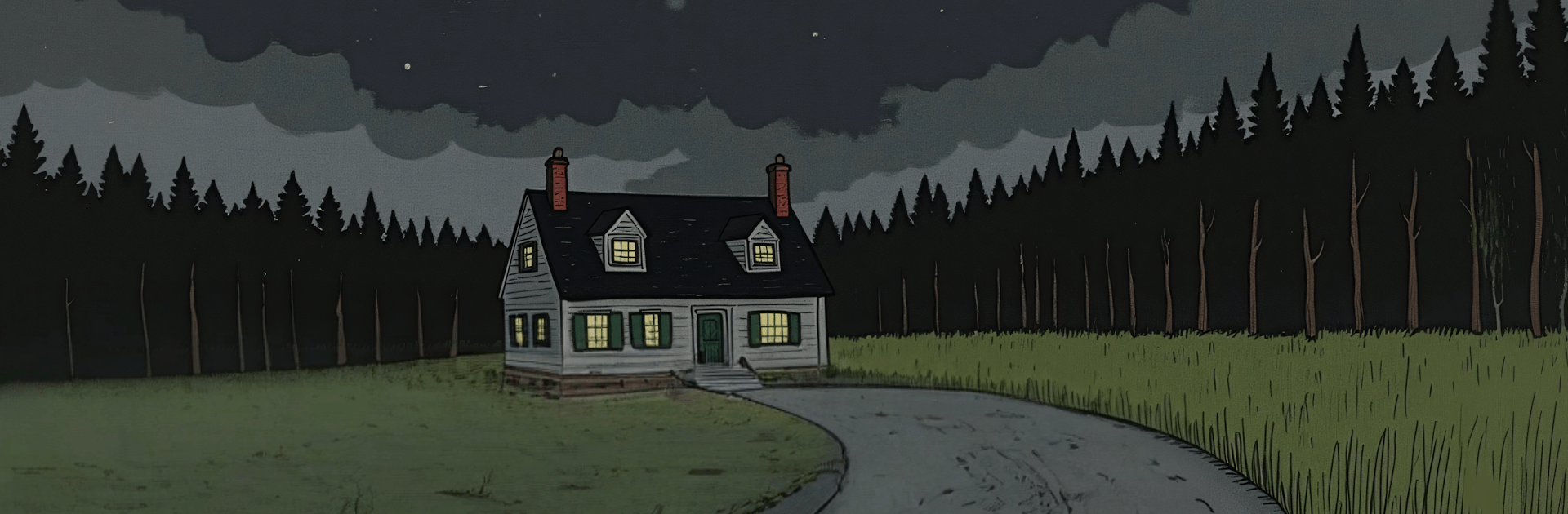
Green Pond Town is an Adventure from CottonGame where a cryptic letter and a faceless black-and-white photo push you toward a rain-soaked town that really doesn’t want to be understood. You explore in first person—checking glove compartments, peeking behind curtains, and fiddling with odd mechanisms—as each solved riddle nudges a larger truth into view. If a mouse and a bigger display sound nicer, you can play on PC with BlueStacks.

Game Features

  • Gripping Mystery: Start with a single unsettling photo and follow the thread as the story tangles, separates, and slowly makes sense.
  • First-Person Exploration: Walk the streets and interiors yourself, spotting what others might miss—scratches on a doorframe, a light that shouldn’t be on.
  • Thoughtful Puzzles: Collect, examine, combine, and use items in logical ways; every step forward feels earned, not guessed.
  • Interconnected Scenes: A solution in one spot unlocks new possibilities elsewhere, keeping momentum steady and satisfying.
  • Thick Atmosphere: Monochrome photos, faceless figures, steady rain, and uneasy audio design keep your nerves humming the whole time.
  • Tactile Interactions: Tap, drag, rotate, and try things out—the interface stays out of the way so curiosity can lead.
  • Detail-Rich Environments: Rooms and streets are packed with small clues and visual hints that reward slow, careful looking.
  • Suspense That Builds: Quiet moments stretch, revelations land hard, and the town’s secrets feel just out of reach—until they aren’t.

Get ready for a buttery smooth, high-performance gaming action only on BlueStacks.

Game Features

Enhancements

  • Macros
  • Multi Instance
  • Multi Instance Sync
  • Script
  • Enhancements
Macros

Macros

Automate the predictable in Green Pond Town and transform your gameplay with Macros. Get access to inventive Macros in the BlueStacks Macro Community
Multi Instance

Multi Instance

Play Green Pond Town on one window. And chat with your friend on the other. Press CTRL + Shift + 8 to open the Multi-Instance Manager. And start creating fresh instances or clone an existing one.
Multi Instance Sync

Multi Instance Sync

Play Green Pond Town with the power of Multi-Instance Sync. Replicate what you are doing on the main instance on all other instances. Level up faster, play more.
Script

Script

Script your way to gaming glory in Green Pond Town with BlueStacks Script. Write and run a set of commands to automate repeated tasks. Trigger the command by assigning it to any key.
Read More

How to Download and Play Green Pond Town on PC or Mac

  • Download and install BlueStacks on your PC or Mac

  • Complete Google sign-in to access the Play Store, or do it later

  • Look for Green Pond Town in the search bar at the top right corner

  • Click to install Green Pond Town from the search results

  • Complete Google sign-in (if you skipped step 2) to install Green Pond Town

  • Click the Green Pond Town icon on the home screen to start playing

video
Watch Video

Minimum System Requirements

With BlueStacks 5, you can get started on a PC that fulfills the following requirements.

  • Operating System

    Microsoft Windows 7 or above, macOS 11 (Big Sur) or above

  • Processor

    Intel, AMD or Apple Silicon Processor

  • RAM

    at least 4GB

  • HDD

    10GB Free Disk Space

Note:

* You must be an Administrator on your PC. Up to date graphics drivers from Microsoft or the chipset vendor.

Green Pond Town - FAQs

  • How to play Green Pond Town on Windows PC & Mac?

    Play Green Pond Town on your PC or Mac by following these simple steps.

    • Click on 'Play Green Pond Town on PC’ to download BlueStacks
    • Install it and log-in to Google Play Store
    • Launch and play the game.
  • Why is BlueStacks the fastest and safest platform to play games on PC?

    BlueStacks respects your privacy and is always safe and secure to use. It does not carry any malware, spyware, or any sort of additional software that could harm your PC.

    It is engineered to optimize speed and performance for a seamless gaming experience.

  • What are Green Pond Town PC requirements?

    Minimum requirement to run Green Pond Town on your PC

    • OS: Microsoft Windows 7 or above MacOS 11 (Big Sur) or above
    • Processor: Intel, AMD or Apple Silicon Processor
    • RAM: Your PC must have at least 4GB of RAM. (Note that having 4GB or more disk space is not a substitute for RAM)
    • HDD: 10GB Free Disk Space.
    • You must be an Administrator on your PC.