Deer Hunt Gun Games Offline

Deer Hunt Gun Games Offline

Adventure

| AppsZoo

Play on PC with BlueStacks or from our cloud

  • Overview
  • Game Features
  • How to Play

Page Modified On: May 11, 2026

Play Deer Hunt Gun Games Offline on PC or Mac

Explore a whole new adventure with Deer Hunt Gun Games Offline, a Adventure game created by AppsZoo. Experience great gameplay with BlueStacks, the most popular gaming platform to play Android games on your PC or Mac.

About the Game

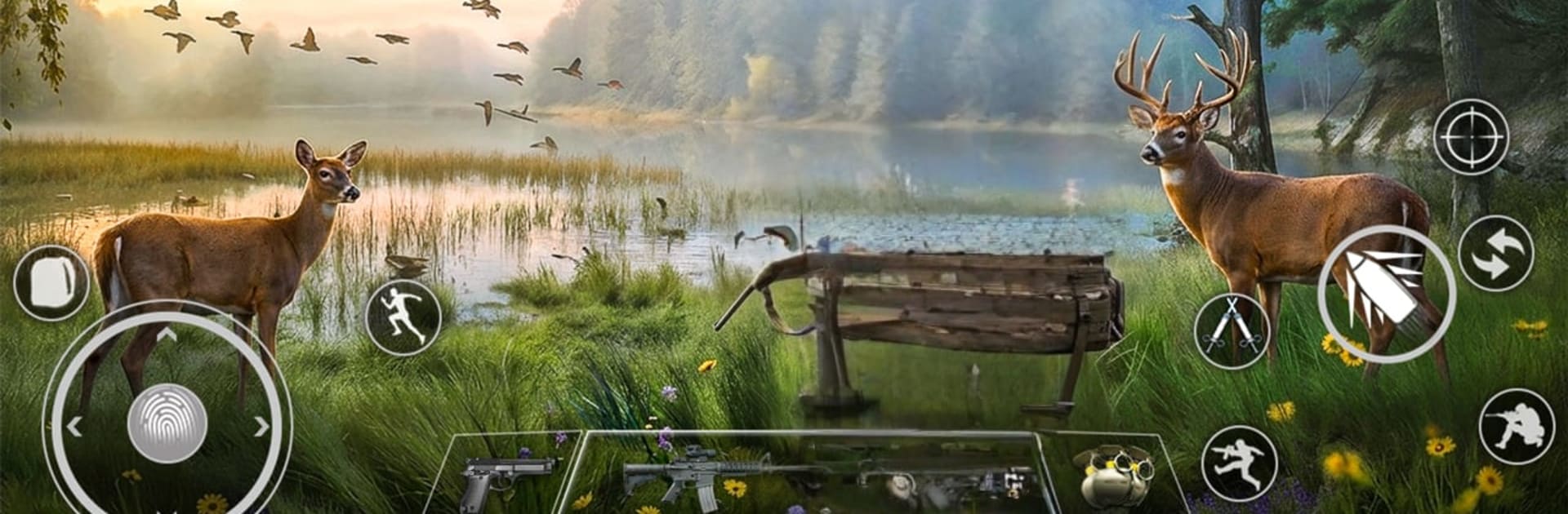
Deer Hunt Gun Games Offline from AppsZoo takes the quiet tension of the woods and puts it right in your hands. This first-person Adventure is all about patience, clean shots, and reading the brush for movement before you even touch the trigger. Work through changing seasons and rugged terrain, upgrade your gear, and see if you can keep steady when the antlers finally appear.

Game Features

  • Realistic wildlife behavior: Deer spook easily and won’t wait around. Stay low, watch the wind, and be ready for surprises—predators like wolves and bears can crash your perfect setup.
  • Varied hunting grounds: Trek through dense forests, open clearings, and seasonal maps that change visibility and pacing.
  • Precision shooting: Use scoped sniper rifles, slow your breathing, and squeeze off measured shots. Missed chances are hard to get back.
  • Weapons variety: Pick from a range of sniper rifles and hunting guns, each with its own feel for distance and recoil.
  • Customization and upgrades: Tune your loadout with scope options and attachments from the in-game store to match your style.
  • Clean zoom and tracking: A responsive zoom lets you settle the crosshairs, check distance, and lock in vital shots without rushing.
  • Mission-based progression: Stack points, complete objective-driven hunts, and face tougher outings as the number of prey and challenges increase.
  • Survival tools: Pack a simple kit, manage ammo, and keep your head on a swivel—some encounters aren’t just about deer.
  • Offline play: No signal? No problem. Run missions and chase high scores anywhere.
  • Plays well on PC: Prefer mouse precision? Deer Hunt Gun Games Offline feels right at home on PC with BlueStacks.

Ready to top the leaderboard? We bet you do. Let precise controls and sharp visuals optimized on BlueStacks lead you to victory.


Game Features

Enhancements

  • Macros
  • Multi Instance
  • Multi Instance Sync
  • Script
  • Enhancements
Macros

Macros

Automate the predictable in Deer Hunt Gun Games Offline and transform your gameplay with Macros. Get access to inventive Macros in the BlueStacks Macro Community
Multi Instance

Multi Instance

Play Deer Hunt Gun Games Offline on one window. And chat with your friend on the other. Press CTRL + Shift + 8 to open the Multi-Instance Manager. And start creating fresh instances or clone an existing one.
Multi Instance Sync

Multi Instance Sync

Play Deer Hunt Gun Games Offline with the power of Multi-Instance Sync. Replicate what you are doing on the main instance on all other instances. Level up faster, play more.
Script

Script

Script your way to gaming glory in Deer Hunt Gun Games Offline with BlueStacks Script. Write and run a set of commands to automate repeated tasks. Trigger the command by assigning it to any key.
Read More

How to Download and Play Deer Hunt Gun Games Offline on PC or Mac

  • Download and install BlueStacks on your PC or Mac

  • Complete Google sign-in to access the Play Store, or do it later

  • Look for Deer Hunt Gun Games Offline in the search bar at the top right corner

  • Click to install Deer Hunt Gun Games Offline from the search results

  • Complete Google sign-in (if you skipped step 2) to install Deer Hunt Gun Games Offline

  • Click the Deer Hunt Gun Games Offline icon on the home screen to start playing

video
Watch Video

Minimum System Requirements

With BlueStacks 5, you can get started on a PC that fulfills the following requirements.

  • Operating System

    Microsoft Windows 7 or above, macOS 11 (Big Sur) or above

  • Processor

    Intel, AMD or Apple Silicon Processor

  • RAM

    at least 4GB

  • HDD

    10GB Free Disk Space

Note:

* You must be an Administrator on your PC. Up to date graphics drivers from Microsoft or the chipset vendor.

Deer Hunt Gun Games Offline - FAQs

  • How to play Deer Hunt Gun Games Offline on Windows PC & Mac?

    Play Deer Hunt Gun Games Offline on your PC or Mac by following these simple steps.

    • Click on 'Play Deer Hunt Gun Games Offline on PC’ to download BlueStacks
    • Install it and log-in to Google Play Store
    • Launch and play the game.
  • Why is BlueStacks the fastest and safest platform to play games on PC?

    BlueStacks respects your privacy and is always safe and secure to use. It does not carry any malware, spyware, or any sort of additional software that could harm your PC.

    It is engineered to optimize speed and performance for a seamless gaming experience.

  • What are Deer Hunt Gun Games Offline PC requirements?

    Minimum requirement to run Deer Hunt Gun Games Offline on your PC

    • OS: Microsoft Windows 7 or above MacOS 11 (Big Sur) or above
    • Processor: Intel, AMD or Apple Silicon Processor
    • RAM: Your PC must have at least 4GB of RAM. (Note that having 4GB or more disk space is not a substitute for RAM)
    • HDD: 10GB Free Disk Space.
    • You must be an Administrator on your PC.