Fractal Space HD
Fractal Space HD

Fractal Space HD

Adventure

| Haze Games

Play on PC with BlueStacks or from our cloud

  • Overview
  • Game Features
  • How to Play

Page Modified On: December 05, 2025

Play Fractal Space HD on PC or Mac

Fractal Space HD brings the Adventure genre to life, and throws up exciting challenges for gamers. Developed by Haze Games, this Android game is best experienced on BlueStacks, the World’s #1 app player for PC and Mac users.

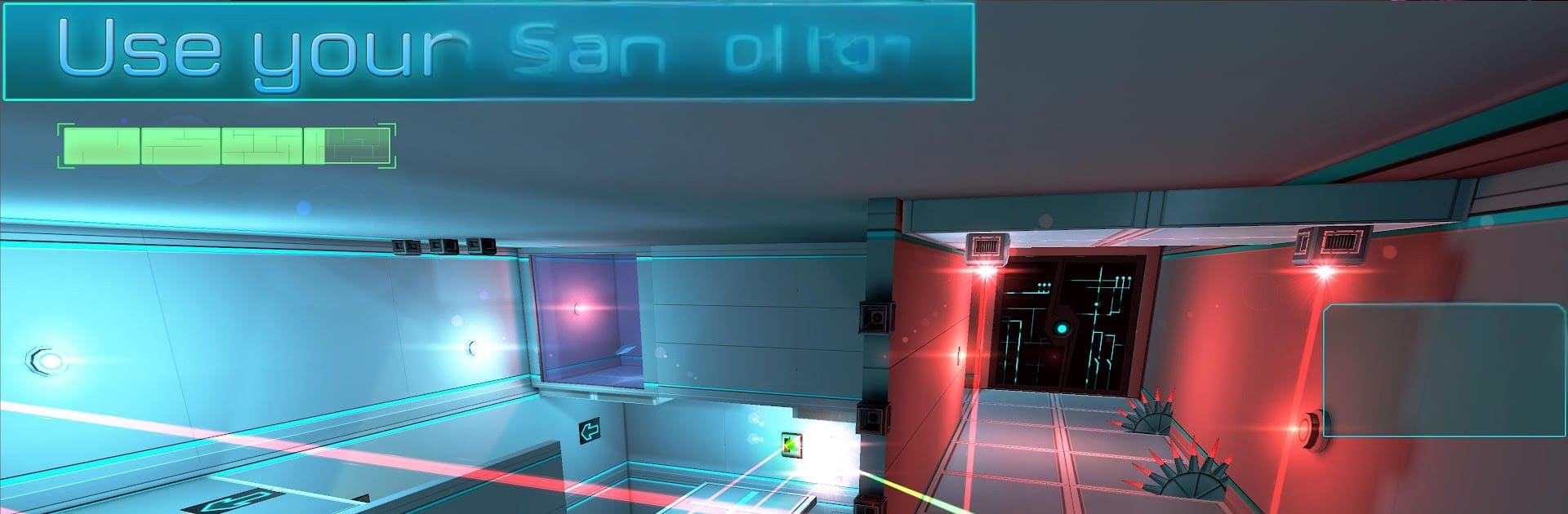
Fractal Space HD feels like a first person puzzle adventure set inside a clean, hostile space station that keeps trying to slice, crush, or laser the player while a chatty AI comments from the sidelines. The twist is a jetpack and a taser. The taser pops switches from a distance and plays into a lot of room tricks, while the jetpack lets players float across gaps or thread through laser grids, as long as fuel holds. Rooms mix timing and logic: mirrors that steer beams, portals and moving platforms, cubes to stack or carry, little code panels, and those classic hazard hallways that look impossible until one small detail clicks. There are hidden recordings to find, a story that gets stranger the more pieces are gathered, and multiple endings if exploration is thorough.

The HD edition does the visuals right. Dynamic lighting, extra particles, nicer textures, 4K support, and high refresh up to 90 or 120 Hz make it sharp on PC. Running it through BlueStacks gives a tidy, console like feel without hassle. Gamepad support is solid, mouse and keyboard work fine too, and performance stays smooth. Customization is a fun surprise: there are several taser color sets, a few legendary ones that pop, small charms to hang on the weapon, and even the option to recolor station parts so the place looks less cold. Cloud saves and cross save are there, so progress follows wherever. Extras like wallpapers, the soundtrack, and an alternate ending video are included, and there are achievements plus leaderboards for anyone who likes speedrun routing. The rhythm alternates between calm puzzle tinkering and tense platforming, with fair checkpoints and the occasional sudden oops. It rewards attention and a bit of patience more than brute force, and when a room finally opens up, that aha moment feels earned.

Start your journey now. Download the game on BlueStacks, invite your friends, and march on a new adventure.


Game Features

Enhancements

  • Macros
  • Multi Instance
  • Multi Instance Sync
  • Script
  • Enhancements
Macros

Macros

Automate the predictable in Fractal Space HD and transform your gameplay with Macros. Get access to inventive Macros in the BlueStacks Macro Community
Multi Instance

Multi Instance

Play Fractal Space HD on one window. And chat with your friend on the other. Press CTRL + Shift + 8 to open the Multi-Instance Manager. And start creating fresh instances or clone an existing one.
Multi Instance Sync

Multi Instance Sync

Play Fractal Space HD with the power of Multi-Instance Sync. Replicate what you are doing on the main instance on all other instances. Level up faster, play more.
Script

Script

Script your way to gaming glory in Fractal Space HD with BlueStacks Script. Write and run a set of commands to automate repeated tasks. Trigger the command by assigning it to any key.
Read More

How to Download and Play Fractal Space HD on PC or Mac

  • Download and install BlueStacks on your PC or Mac

  • Complete Google sign-in to access the Play Store, or do it later

  • Look for Fractal Space HD in the search bar at the top right corner

  • Click to install Fractal Space HD from the search results

  • Complete Google sign-in (if you skipped step 2) to install Fractal Space HD

  • Click the Fractal Space HD icon on the home screen to start playing

video
Watch Video

Minimum System Requirements

With BlueStacks 5, you can get started on a PC that fulfills the following requirements.

  • Operating System

    Microsoft Windows 7 or above, macOS 11 (Big Sur) or above

  • Processor

    Intel, AMD or Apple Silicon Processor

  • RAM

    at least 4GB

  • HDD

    10GB Free Disk Space

Note:

* You must be an Administrator on your PC. Up to date graphics drivers from Microsoft or the chipset vendor.

Fractal Space HD - FAQs

  • How to play Fractal Space HD on Windows PC & Mac?

    Play Fractal Space HD on your PC or Mac by following these simple steps.

    • Click on 'Play Fractal Space HD on PC’ to download BlueStacks
    • Install it and log-in to Google Play Store
    • Launch and play the game.
  • Why is BlueStacks the fastest and safest platform to play games on PC?

    BlueStacks respects your privacy and is always safe and secure to use. It does not carry any malware, spyware, or any sort of additional software that could harm your PC.

    It is engineered to optimize speed and performance for a seamless gaming experience.

  • What are Fractal Space HD PC requirements?

    Minimum requirement to run Fractal Space HD on your PC

    • OS: Microsoft Windows 7 or above MacOS 11 (Big Sur) or above
    • Processor: Intel, AMD or Apple Silicon Processor
    • RAM: Your PC must have at least 4GB of RAM. (Note that having 4GB or more disk space is not a substitute for RAM)
    • HDD: 10GB Free Disk Space.
    • You must be an Administrator on your PC.