Gugu Gaga Penguin Obby Parkour

Gugu Gaga Penguin Obby Parkour

Adventure

| Kids Games LLC

Play on PC with BlueStacks or from our cloud

  • Overview
  • Game Features
  • How to Play

Page Modified On: October 30, 2026

Play Gugu Gaga Penguin Obby Parkour on PC or Mac

Explore a whole new adventure with Gugu Gaga Penguin Obby Parkour, a Adventure game created by Kids Games LLC. Experience great gameplay with BlueStacks, the most popular gaming platform to play Android games on your PC or Mac.

About the Game

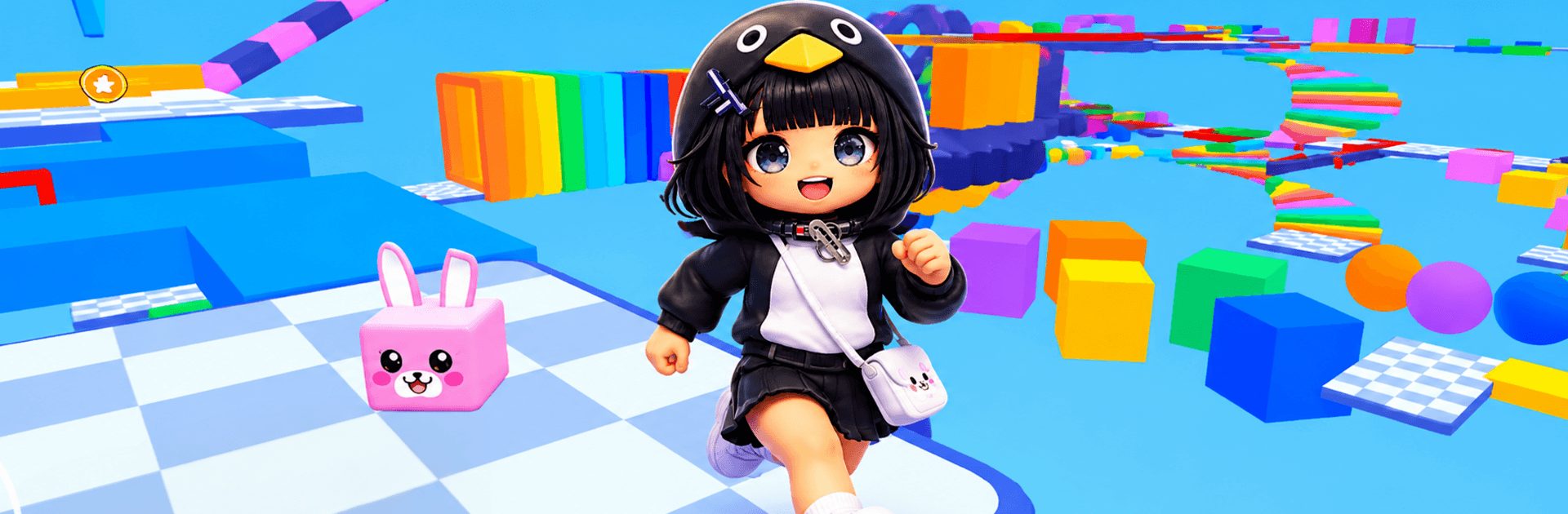
Gugu Gaga Penguin Obby Parkour is an Adventure built for players who can’t resist a clean jump, a narrow ledge, and a perfectly timed sprint. It’s a colorful, 3D obby parkour run where simple controls meet snappy movement, letting you choose between a relaxed stroll or a fast, sweaty chase for a new personal best. Prefer a bigger screen? It plays smoothly on BlueStacks, too.

Game Features

  • Smooth movement, crisp jumps: Responsive controls make every hop, wall-touch, and platform switch feel natural and tight.
  • Quick restarts, no waiting: Missed the landing? Reset in a flash and try again without breaking your flow.
  • Dynamic obstacles: Navigate moving platforms, sneaky traps, and gap-to-gap routes that test timing without feeling punishing.
  • Multiple paths, your pace: Pick easy parkour lines to learn the rhythm, or take risky shortcuts when you’re ready to push it.
  • Short-and-addictive stages: Bite-size runs fit quick sessions, yet there’s always one more route to tackle when you’ve got time.
  • Built for replay: Chase cleaner lines, shave seconds, and set fresh records as you master each course.
  • Bright 3D vibe: Clear layouts and poppy visuals make it easy to read the path and spot the next landing.
  • Learnable now, skillful later: The obby design teaches timing fast, then ramps up to satisfy seasoned runner fans.

Get ready for a buttery smooth, high-performance gaming action only on BlueStacks.

Game Features

Enhancements

  • Macros
  • Multi Instance
  • Multi Instance Sync
  • Script
  • Enhancements
Macros

Macros

Automate the predictable in Gugu Gaga Penguin Obby Parkour and transform your gameplay with Macros. Get access to inventive Macros in the BlueStacks Macro Community
Multi Instance

Multi Instance

Play Gugu Gaga Penguin Obby Parkour on one window. And chat with your friend on the other. Press CTRL + Shift + 8 to open the Multi-Instance Manager. And start creating fresh instances or clone an existing one.
Multi Instance Sync

Multi Instance Sync

Play Gugu Gaga Penguin Obby Parkour with the power of Multi-Instance Sync. Replicate what you are doing on the main instance on all other instances. Level up faster, play more.
Script

Script

Script your way to gaming glory in Gugu Gaga Penguin Obby Parkour with BlueStacks Script. Write and run a set of commands to automate repeated tasks. Trigger the command by assigning it to any key.
Read More

How to Download and Play Gugu Gaga Penguin Obby Parkour on PC or Mac

  • Download and install BlueStacks on your PC or Mac

  • Complete Google sign-in to access the Play Store, or do it later

  • Look for Gugu Gaga Penguin Obby Parkour in the search bar at the top right corner

  • Click to install Gugu Gaga Penguin Obby Parkour from the search results

  • Complete Google sign-in (if you skipped step 2) to install Gugu Gaga Penguin Obby Parkour

  • Click the Gugu Gaga Penguin Obby Parkour icon on the home screen to start playing

video
Watch Video

Minimum System Requirements

With BlueStacks 5, you can get started on a PC that fulfills the following requirements.

  • Operating System

    Microsoft Windows 7 or above, macOS 11 (Big Sur) or above

  • Processor

    Intel, AMD or Apple Silicon Processor

  • RAM

    at least 4GB

  • HDD

    10GB Free Disk Space

Note:

* You must be an Administrator on your PC. Up to date graphics drivers from Microsoft or the chipset vendor.

Gugu Gaga Penguin Obby Parkour - FAQs

  • How to play Gugu Gaga Penguin Obby Parkour on Windows PC & Mac?

    Play Gugu Gaga Penguin Obby Parkour on your PC or Mac by following these simple steps.

    • Click on 'Play Gugu Gaga Penguin Obby Parkour on PC’ to download BlueStacks
    • Install it and log-in to Google Play Store
    • Launch and play the game.
  • Why is BlueStacks the fastest and safest platform to play games on PC?

    BlueStacks respects your privacy and is always safe and secure to use. It does not carry any malware, spyware, or any sort of additional software that could harm your PC.

    It is engineered to optimize speed and performance for a seamless gaming experience.

  • What are Gugu Gaga Penguin Obby Parkour PC requirements?

    Minimum requirement to run Gugu Gaga Penguin Obby Parkour on your PC

    • OS: Microsoft Windows 7 or above MacOS 11 (Big Sur) or above
    • Processor: Intel, AMD or Apple Silicon Processor
    • RAM: Your PC must have at least 4GB of RAM. (Note that having 4GB or more disk space is not a substitute for RAM)
    • HDD: 10GB Free Disk Space.
    • You must be an Administrator on your PC.