Infinity Nikki (CBT)

Infinity Nikki (CBT)

Adventure

| InFold Pte. Ltd.

Play on PC with BlueStacks or from our cloud

  • Overview
  • Game Features
  • How to Play

Page Modified On: October 21, 2026

Play Infinity Nikki (CBT) on PC or Mac

Play Infinity Nikki (CBT) by InFold Pte. Ltd. on PC or Mac with BlueStacks. Use a bigger screen, mouse and keyboard controls, and smoother performance while you play.

About the Game

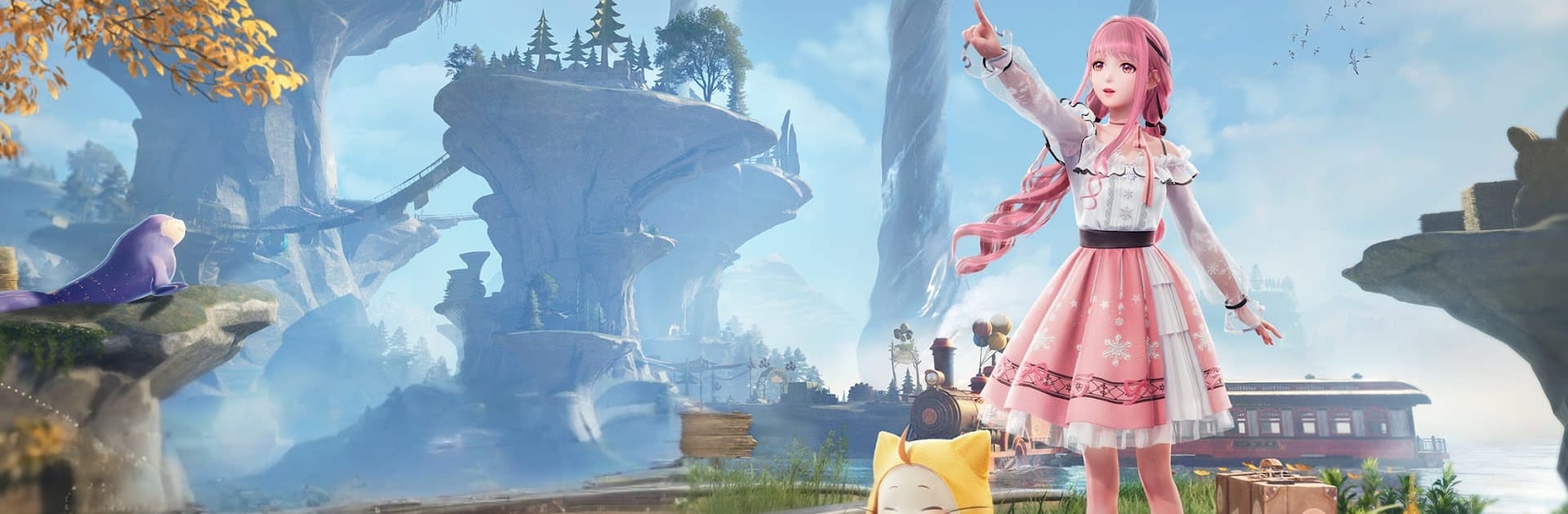
Infinity Nikki (CBT) is a cozy Adventure where fashion is more than flair—it’s your toolkit. You’ll travel with Nikki and her cat, Momo, across Miraland’s storybook nations, collecting outfits that unlock clever ways to move, solve puzzles, and uncover secrets. Prefer a larger display? It runs nicely on BlueStacks without stealing the spotlight from the world.

Game Features

  • Ability Outfits: Magical ensembles let Nikki float, glide on a blooming flower, or shrink to perch on Momo, opening new paths and playful solutions.
  • Freeform exploration: Run, hop, glide, and plunge through vibrant landscapes that blend open-world wandering with smooth 3D platforming.
  • Puzzles with personality: Swap outfits to trigger unique powers, outsmart environmental obstacles, and reveal hidden shortcuts.
  • Living world rhythms: Sunrises, shifting weather, and a full day-night cycle change when creatures show up and where they roam.
  • Creatures and characters: Meet quirky locals and whimsical beings across distinct nations, each brimming with its own culture and charm.
  • Gather and craft: Forage, fish, and net bugs to stock up on materials, then turn your finds into fresh outfits and useful gear.
  • Fashion your way: Build a wardrobe of standout styles, mix and match for exploration or photos, and switch fast when challenges pop up.
  • Momo’s Camera: Pick backgrounds and frames, then capture sweet snapshots of Nikki’s looks and the moments that make them special.
  • Hidden set pieces: Chase paper cranes, ride rickety minecarts, and brave ghost trains to uncover secrets tucked off the main road.
  • Helpful sidekick: Momo lends a paw with traversal and tight squeezes, making tricky routes feel friendlier and more fun.

Get ready for a buttery smooth, high-performance gaming action only on BlueStacks.

Game Features

Enhancements

  • Macros
  • Multi Instance
  • Multi Instance Sync
  • Script
  • Enhancements
Macros

Macros

Automate the predictable in Infinity Nikki (CBT) and transform your gameplay with Macros. Get access to inventive Macros in the BlueStacks Macro Community
Multi Instance

Multi Instance

Play Infinity Nikki (CBT) on one window. And chat with your friend on the other. Press CTRL + Shift + 8 to open the Multi-Instance Manager. And start creating fresh instances or clone an existing one.
Multi Instance Sync

Multi Instance Sync

Play Infinity Nikki (CBT) with the power of Multi-Instance Sync. Replicate what you are doing on the main instance on all other instances. Level up faster, play more.
Script

Script

Script your way to gaming glory in Infinity Nikki (CBT) with BlueStacks Script. Write and run a set of commands to automate repeated tasks. Trigger the command by assigning it to any key.
Read More

How to Download and Play Infinity Nikki (CBT) on PC or Mac

  • Download and install BlueStacks on your PC or Mac

  • Complete Google sign-in to access the Play Store, or do it later

  • Look for Infinity Nikki (CBT) in the search bar at the top right corner

  • Click to install Infinity Nikki (CBT) from the search results

  • Complete Google sign-in (if you skipped step 2) to install Infinity Nikki (CBT)

  • Click the Infinity Nikki (CBT) icon on the home screen to start playing

video
Watch Video

Minimum System Requirements

With BlueStacks 5, you can get started on a PC that fulfills the following requirements.

  • Operating System

    Microsoft Windows 7 or above, macOS 11 (Big Sur) or above

  • Processor

    Intel, AMD or Apple Silicon Processor

  • RAM

    at least 4GB

  • HDD

    10GB Free Disk Space

Note:

* You must be an Administrator on your PC. Up to date graphics drivers from Microsoft or the chipset vendor.

Infinity Nikki (CBT) - FAQs

  • How to play Infinity Nikki (CBT) on Windows PC & Mac?

    Play Infinity Nikki (CBT) on your PC or Mac by following these simple steps.

    • Click on 'Play Infinity Nikki (CBT) on PC’ to download BlueStacks
    • Install it and log-in to Google Play Store
    • Launch and play the game.
  • Why is BlueStacks the fastest and safest platform to play games on PC?

    BlueStacks respects your privacy and is always safe and secure to use. It does not carry any malware, spyware, or any sort of additional software that could harm your PC.

    It is engineered to optimize speed and performance for a seamless gaming experience.

  • What are Infinity Nikki (CBT) PC requirements?

    Minimum requirement to run Infinity Nikki (CBT) on your PC

    • OS: Microsoft Windows 7 or above MacOS 11 (Big Sur) or above
    • Processor: Intel, AMD or Apple Silicon Processor
    • RAM: Your PC must have at least 4GB of RAM. (Note that having 4GB or more disk space is not a substitute for RAM)
    • HDD: 10GB Free Disk Space.
    • You must be an Administrator on your PC.