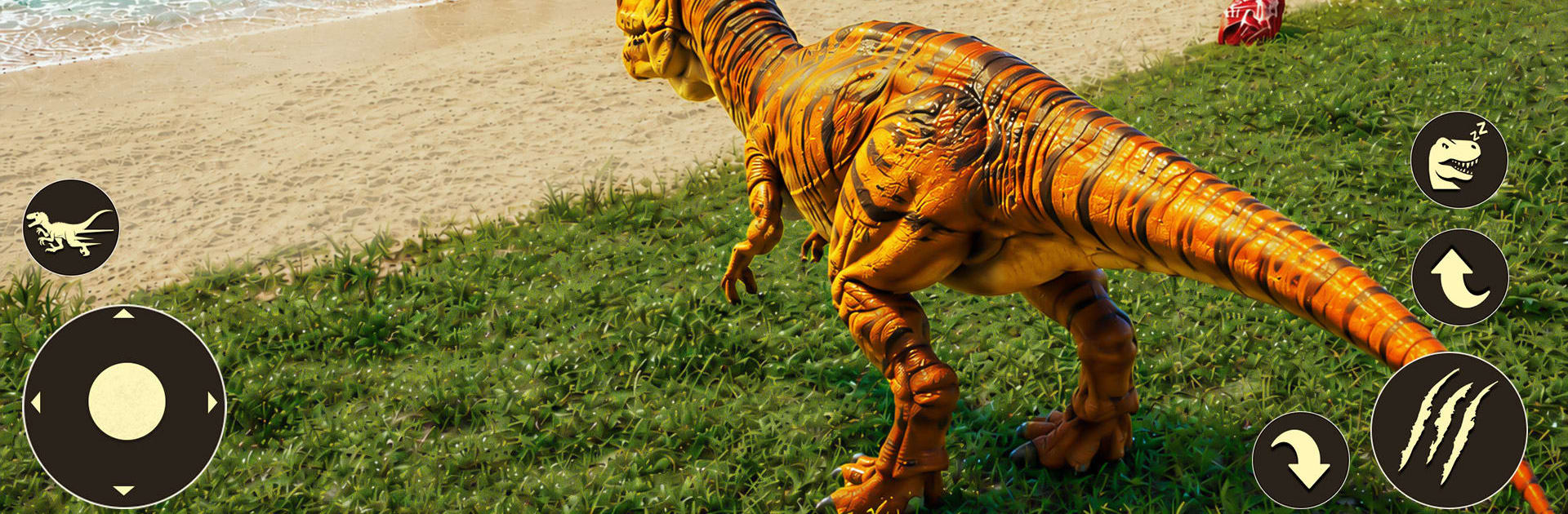
Jurassic Dino: Dinosaur Battle

Jurassic Dino: Dinosaur Battle

Adventure

| Ruling Games

Play on PC with BlueStacks or from our cloud

  • Overview
  • Game Features
  • How to Play

Page Modified On: October 08, 2026

Play Jurassic Dino: Dinosaur Battle on PC or Mac

Step into the World of Jurassic Dino: Dinosaur Battle, a thrilling Adventure game from the house of Ruling Games. Play this Android game on BlueStacks App Player and experience immersive gaming on PC or Mac.

About the Game

Jurassic Dino: Dinosaur Battle throws you into a raw, prehistoric sandbox where you play as the predator (or flyer, or swimmer) you’ve always wanted to be. This Adventure is all about growing from a scrappy youngster into a true apex threat while battling through dangerous biomes. Expect hard-hitting fights, clutch escapes, and a stacked roster of land, air, and aquatic dinosaurs to learn and dominate with.

Game Features

  • Iconic dinosaurs to command: Take control of legends like Tyrannosaurus Rex, Velociraptor, Spinosaurus, Triceratops, Stegosaurus, Brachiosaurus, Ankylosaurus, Allosaurus, Carnotaurus, Pachycephalosaurus, Pteranodon, Quetzalcoatlus, Dilophosaurus, and Mosasaurus—each with its own strengths and playstyle.
  • Grow from hatchling to apex: Start small, hunt smart, and unlock powerful abilities and stat boosts as you evolve into a beast that scares everything else on the map.
  • Ground, sky, and sea combat: Stomp through the brush, swoop in from above, or strike from the depths—every arena favors a different kind of hunter.
  • Biomes with real bite: Fight across dense jungles, volcanic badlands, rocky canyons, and hidden nests where terrain and sightlines can flip a battle in seconds.
  • Survival waves and arena tests: Face relentless PvE encounters, outlast swarms of rivals, and prove you’re the last dinosaur standing.
  • Weighty, responsive combat: Land bone-rattling hits, time your dodges, and chain attacks that feel meaty and satisfying when they connect.
  • Meaningful progression: Unlock new skills, amplify raw power, and tailor your build to suit ambush tactics, brute force, or aerial control.
  • Big, cinematic look: Explore rich 3D environments with smooth animations that make every tail swipe, pounce, and wingbeat feel alive.
  • Easy to learn, deep to master: Simple controls get you moving fast, while positioning, timing, and matchup knowledge separate survivors from fossils.
  • Smooth on BlueStacks: If you prefer a larger view and steady performance, the game runs clean and crisp on BlueStacks without getting in the way of the action.

Get ready for a buttery smooth, high-performance gaming action only on BlueStacks.

Game Features

Enhancements

  • Macros
  • Multi Instance
  • Multi Instance Sync
  • Script
  • Enhancements
Macros

Macros

Automate the predictable in Jurassic Dino: Dinosaur Battle and transform your gameplay with Macros. Get access to inventive Macros in the BlueStacks Macro Community
Multi Instance

Multi Instance

Play Jurassic Dino: Dinosaur Battle on one window. And chat with your friend on the other. Press CTRL + Shift + 8 to open the Multi-Instance Manager. And start creating fresh instances or clone an existing one.
Multi Instance Sync

Multi Instance Sync

Play Jurassic Dino: Dinosaur Battle with the power of Multi-Instance Sync. Replicate what you are doing on the main instance on all other instances. Level up faster, play more.
Script

Script

Script your way to gaming glory in Jurassic Dino: Dinosaur Battle with BlueStacks Script. Write and run a set of commands to automate repeated tasks. Trigger the command by assigning it to any key.
Read More

How to Download and Play Jurassic Dino: Dinosaur Battle on PC or Mac

  • Download and install BlueStacks on your PC or Mac

  • Complete Google sign-in to access the Play Store, or do it later

  • Look for Jurassic Dino: Dinosaur Battle in the search bar at the top right corner

  • Click to install Jurassic Dino: Dinosaur Battle from the search results

  • Complete Google sign-in (if you skipped step 2) to install Jurassic Dino: Dinosaur Battle

  • Click the Jurassic Dino: Dinosaur Battle icon on the home screen to start playing

video
Watch Video

Minimum System Requirements

With BlueStacks 5, you can get started on a PC that fulfills the following requirements.

  • Operating System

    Microsoft Windows 7 or above, macOS 11 (Big Sur) or above

  • Processor

    Intel, AMD or Apple Silicon Processor

  • RAM

    at least 4GB

  • HDD

    10GB Free Disk Space

Note:

* You must be an Administrator on your PC. Up to date graphics drivers from Microsoft or the chipset vendor.

Jurassic Dino: Dinosaur Battle - FAQs

  • How to play Jurassic Dino: Dinosaur Battle on Windows PC & Mac?

    Play Jurassic Dino: Dinosaur Battle on your PC or Mac by following these simple steps.

    • Click on 'Play Jurassic Dino: Dinosaur Battle on PC’ to download BlueStacks
    • Install it and log-in to Google Play Store
    • Launch and play the game.
  • Why is BlueStacks the fastest and safest platform to play games on PC?

    BlueStacks respects your privacy and is always safe and secure to use. It does not carry any malware, spyware, or any sort of additional software that could harm your PC.

    It is engineered to optimize speed and performance for a seamless gaming experience.

  • What are Jurassic Dino: Dinosaur Battle PC requirements?

    Minimum requirement to run Jurassic Dino: Dinosaur Battle on your PC

    • OS: Microsoft Windows 7 or above MacOS 11 (Big Sur) or above
    • Processor: Intel, AMD or Apple Silicon Processor
    • RAM: Your PC must have at least 4GB of RAM. (Note that having 4GB or more disk space is not a substitute for RAM)
    • HDD: 10GB Free Disk Space.
    • You must be an Administrator on your PC.