LokiCraft X
LokiCraft X

LokiCraft X

Adventure

| Tanaka Corp

Play on PC with BlueStacks or from our cloud

  • Overview
  • Game Features
  • How to Play

Page Modified On: October 08, 2026

Play LokiCraft X on PC or Mac

Bring your A-game to LokiCraft X, the Adventure game sensation from Tanaka Corp. Give your gameplay the much-needed boost with precise game controls, high FPS graphics, and top-tier features on your PC or Mac with BlueStacks.

About the Game

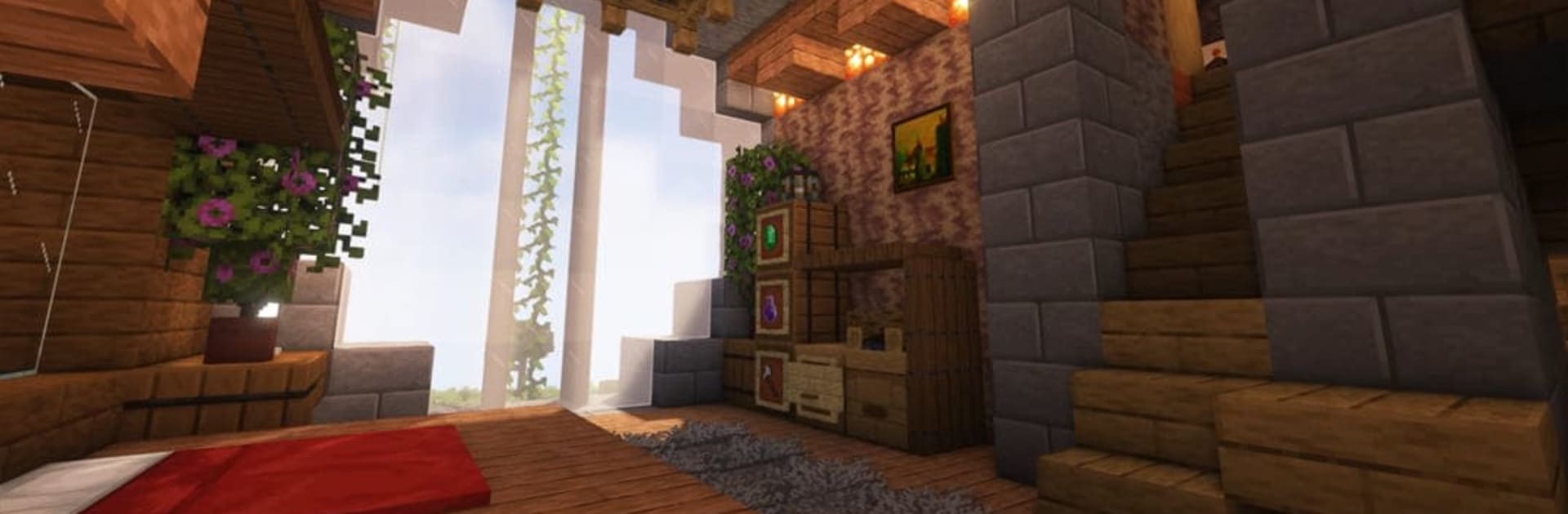
LokiCraft X is all about shaping a world that’s completely yours—chip away at the land, gather what you need, and turn empty spaces into something worth showing off. It mixes relaxed building with tense survival moments, so one day you’re sketching a cozy village and the next you’re scrambling to craft armor before night hits. It’s an Adventure sandbox that’s easy to pick up and super hard to put down. Prefer a bigger screen and steady controls? It feels right at home on BlueStacks.

Game Features

  • Boundless Worlds: Explore vast, randomly generated maps filled with biomes, secrets, and plenty of room to build big.
  • Build Anything: Craft blocks, tools, and décor to design homes, towers, farms—whatever you can imagine.
  • Survival Mode: Gather resources, craft gear, and stay alert as enemies come out after dark and keep you on your toes.
  • Creative Mode (Safe Map): Turn off threats, unlock unlimited materials, and experiment freely without pressure.
  • Multiplayer Servers: Jump into shared worlds, visit other players’ creations, or team up to tackle survival together.
  • Animals and Plants: Raise unique creatures, grow crops, and set up self-sustaining farms for food and materials.
  • Weapons and Armor: Forge blades, bows, and sturdy armor so you can explore deeper and fight smarter.
  • Smooth Pixel Look: Enjoy a clean, classic blocky style with responsive controls and a fluid feel while you build.
  • Resource Gathering: Mine, chop, smelt, and refine materials using different tools to progress from starter kits to pro setups.
  • Flexible Playstyles: Swap modes, test ideas on a safe map, or push yourself in survival—the game adapts to how you like to play.

Get ready for a buttery smooth, high-performance gaming action only on BlueStacks.

Game Features

Enhancements

  • Macros
  • Multi Instance
  • Multi Instance Sync
  • Script
  • Enhancements
Macros

Macros

Automate the predictable in LokiCraft X and transform your gameplay with Macros. Get access to inventive Macros in the BlueStacks Macro Community
Multi Instance

Multi Instance

Play LokiCraft X on one window. And chat with your friend on the other. Press CTRL + Shift + 8 to open the Multi-Instance Manager. And start creating fresh instances or clone an existing one.
Multi Instance Sync

Multi Instance Sync

Play LokiCraft X with the power of Multi-Instance Sync. Replicate what you are doing on the main instance on all other instances. Level up faster, play more.
Script

Script

Script your way to gaming glory in LokiCraft X with BlueStacks Script. Write and run a set of commands to automate repeated tasks. Trigger the command by assigning it to any key.
Read More

How to Download and Play LokiCraft X on PC or Mac

  • Download and install BlueStacks on your PC or Mac

  • Complete Google sign-in to access the Play Store, or do it later

  • Look for LokiCraft X in the search bar at the top right corner

  • Click to install LokiCraft X from the search results

  • Complete Google sign-in (if you skipped step 2) to install LokiCraft X

  • Click the LokiCraft X icon on the home screen to start playing

video
Watch Video

Minimum System Requirements

With BlueStacks 5, you can get started on a PC that fulfills the following requirements.

  • Operating System

    Microsoft Windows 7 or above, macOS 11 (Big Sur) or above

  • Processor

    Intel, AMD or Apple Silicon Processor

  • RAM

    at least 4GB

  • HDD

    10GB Free Disk Space

Note:

* You must be an Administrator on your PC. Up to date graphics drivers from Microsoft or the chipset vendor.

LokiCraft X - FAQs

  • How to play LokiCraft X on Windows PC & Mac?

    Play LokiCraft X on your PC or Mac by following these simple steps.

    • Click on 'Play LokiCraft X on PC’ to download BlueStacks
    • Install it and log-in to Google Play Store
    • Launch and play the game.
  • Why is BlueStacks the fastest and safest platform to play games on PC?

    BlueStacks respects your privacy and is always safe and secure to use. It does not carry any malware, spyware, or any sort of additional software that could harm your PC.

    It is engineered to optimize speed and performance for a seamless gaming experience.

  • What are LokiCraft X PC requirements?

    Minimum requirement to run LokiCraft X on your PC

    • OS: Microsoft Windows 7 or above MacOS 11 (Big Sur) or above
    • Processor: Intel, AMD or Apple Silicon Processor
    • RAM: Your PC must have at least 4GB of RAM. (Note that having 4GB or more disk space is not a substitute for RAM)
    • HDD: 10GB Free Disk Space.
    • You must be an Administrator on your PC.