Path of Mystic Beasts

Path of Mystic Beasts

Strategy

| IMIYOO

Play on PC with BlueStacks or from our cloud

  • Overview
  • Game Features
  • How to Play

Page Modified On: August 20, 2026

Play Path of Mystic Beasts on PC or Mac

Step into the World of Path of Mystic Beasts, a thrilling Strategy game from the house of IMIYOO. Play this Android game on BlueStacks App Player and experience immersive gaming on PC or Mac.

About the Game

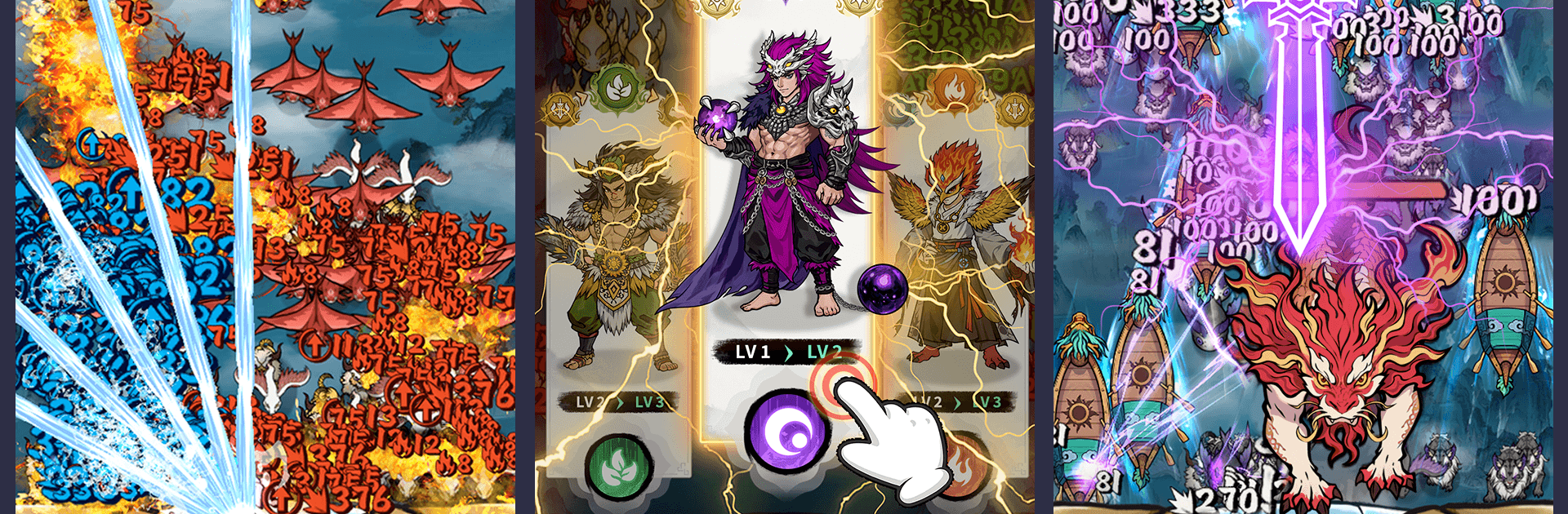
Path of Mystic Beasts is a Strategy game where ancient Eastern myths crash straight into fast, tense battles. You build a team of heroes and spirit beasts, juggle elemental matchups, and hold your ground in roguelite runs that demand brains and bold plays in equal measure. Prefer a larger screen sometimes? You can play on PC with BlueStacks when that feels right.

Game Features

  • Stand-your-ground battles: Waves of monsters surge while you hold position on a colossal sky-whale, chaining big skills and snagging upgrades between rounds to keep the onslaught in check.
  • Tactical auto-skill flow: Heroes fire off abilities on their own, leaving you to handle ult timings, placement, and which power-ups fit your current run.
  • Seven-element mind games: Metal, Wood, Water, Fire, Earth, Light, and Dark all interact—read the counters, then trigger trigram-inspired formations to swing tough fights your way.
  • Myth-born hero roster: Recruit legends from old tales—think a crafty nine-tailed fox or a thunder-calling matron—then awaken, equip, and fine-tune each hero’s role.
  • Multi-hero synergies: Field several characters at once, blend factions for flexible comps, and balance tanks, burst dealers, and control to answer any lineup.
  • Beast companions: Summon towering spirit beasts to fight beside your squad, train and evolve them, and prove their mettle in head-to-head spirit duels.
  • Free-roam expeditions: Roam ancient ruins and sky realms, pick your path through branching mini-dungeons, uncover side trials, and gather the materials your build needs.
  • Mythic challenge playlists: Face boss hunts, defense gauntlets, and themed trials rooted in classic Shan Hai lore to stress-test your favorite squads and strategies.

BlueStacks gives you more room to focus on the game and less time adjusting around mobile limitations.


Game Features

Enhancements

  • Macros
  • Multi Instance
  • Multi Instance Sync
  • Eco Mode
  • Enhancements
Macros

Macros

Skip the boring parts of a game. Play Path of Mystic Beasts with Macros and get the edge. Simply record a sequence of commands and execute them at any moment.
Multi Instance

Multi Instance

Why limit to one game on your phone when you can play many on your PC? Open multiple instances of Path of Mystic Beasts at once with Multi-Instance. Leverage the power of different accounts by doing more.
Multi Instance Sync

Multi Instance Sync

Get the best out of Path of Mystic Beasts with Multi-Instance Sync. Play the game from different accounts and build your own empire. Use Multi-instance sync to repeat the action in the main BlueStacks instance on all other instances.
Eco Mode

Eco Mode

Find the rarest heroes by making multiple summons in Path of Mystic Beasts. And while you are at it, reduce your PC’s resource consumption with the Eco Mode. Farm efficiently. Get the best results.
Read More

How to Download and Play Path of Mystic Beasts on PC or Mac

  • Download and install BlueStacks on your PC or Mac

  • Complete Google sign-in to access the Play Store, or do it later

  • Look for Path of Mystic Beasts in the search bar at the top right corner

  • Click to install Path of Mystic Beasts from the search results

  • Complete Google sign-in (if you skipped step 2) to install Path of Mystic Beasts

  • Click the Path of Mystic Beasts icon on the home screen to start playing

video
Watch Video

Minimum System Requirements

With BlueStacks 5, you can get started on a PC that fulfills the following requirements.

  • Operating System

    Microsoft Windows 7 or above, macOS 11 (Big Sur) or above

  • Processor

    Intel, AMD or Apple Silicon Processor

  • RAM

    at least 4GB

  • HDD

    10GB Free Disk Space

Note:

* You must be an Administrator on your PC. Up to date graphics drivers from Microsoft or the chipset vendor.

Path of Mystic Beasts - FAQs

  • How to play Path of Mystic Beasts on Windows PC & Mac?

    Play Path of Mystic Beasts on your PC or Mac by following these simple steps.

    • Click on 'Play Path of Mystic Beasts on PC’ to download BlueStacks
    • Install it and log-in to Google Play Store
    • Launch and play the game.
  • Why is BlueStacks the fastest and safest platform to play games on PC?

    BlueStacks respects your privacy and is always safe and secure to use. It does not carry any malware, spyware, or any sort of additional software that could harm your PC.

    It is engineered to optimize speed and performance for a seamless gaming experience.

  • What are Path of Mystic Beasts PC requirements?

    Minimum requirement to run Path of Mystic Beasts on your PC

    • OS: Microsoft Windows 7 or above MacOS 11 (Big Sur) or above
    • Processor: Intel, AMD or Apple Silicon Processor
    • RAM: Your PC must have at least 4GB of RAM. (Note that having 4GB or more disk space is not a substitute for RAM)
    • HDD: 10GB Free Disk Space.
    • You must be an Administrator on your PC.