Mythic Wonders
Mythic Wonders

Mythic Wonders

Adventure

| Artifex Mundi

Play on PC with BlueStacks or from our cloud

  • Overview
  • Game Features
  • How to Play

Page Modified On: June 25, 2026

Play Mythic Wonders on PC or Mac

Mythic Wonders brings the Adventure genre to life, and throws up exciting challenges for gamers. Developed by Artifex Mundi, this Android game is best experienced on BlueStacks, the World’s #1 app player for PC and Mac users.

About the Game

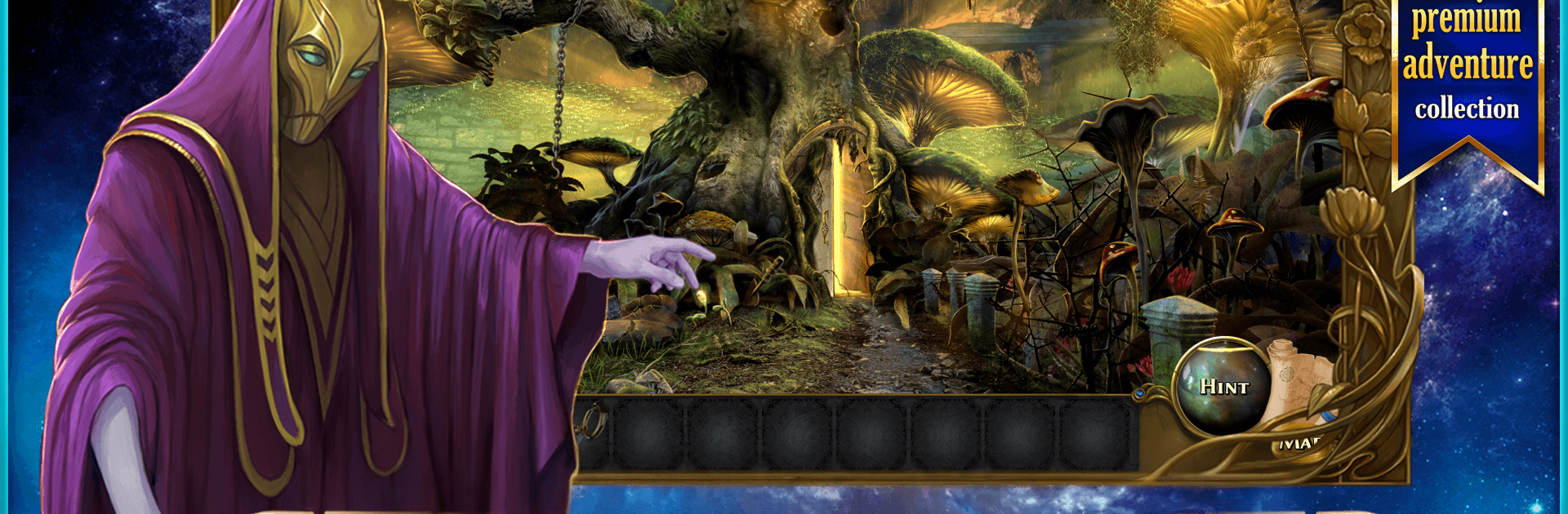
Mythic Wonders is an Adventure full of hidden-object sleuthing, brainy puzzles, and a bit of “wait, what did I just see?” magic. You play as Emma, who wakes from a nightmare about her uncle Alfred and discovers he’s actually gone missing. A humming portal in his workshop might be the only clue, and stepping through kicks off a journey across realms shaped by the five elements.

Game Features

  • Portal-hopping mystery: Track down Alfred across surreal worlds, piece together what happened, and figure out why the portal is active in the first place.
  • Hidden-object scenes that matter: Search beautifully drawn locations for story-relevant items, with morphing objects adding an extra twist if you like to double-check every corner.
  • A world that feels handcrafted: Explore 60 hand-painted locations packed with mood and detail, from quiet laboratories to strange elemental domains.
  • Plenty to puzzle over: Tackle 48 mini-games and 21 hidden-object scenes that mix logic, observation, and a bit of experimentation without feeling repetitive.
  • Characters and atmosphere: Snappy dialogue and an evocative soundtrack keep the tone mysterious without getting gloomy.
  • Bonus chapter in the Collector’s Edition: Peek into the eerie realm of Nether, plus browse concept art and other extras if you’re into behind-the-scenes goodies.
  • Play offline, anywhere: No connection needed, so it’s great on a commute or while traveling; works nicely on both phones and tablets.
  • Comfortable for shared play: The difficulty stays approachable, making it a solid pick to enjoy with kids or anyone new to hidden-object games.
  • PC-friendly option: Prefer a bigger screen and keyboard controls? It also plays smoothly on BlueStacks.

Get ready for a buttery smooth, high-performance gaming action only on BlueStacks.

Game Features

Enhancements

  • Macros
  • Multi Instance
  • Multi Instance Sync
  • Script
  • Enhancements
Macros

Macros

Automate the predictable in Mythic Wonders and transform your gameplay with Macros. Get access to inventive Macros in the BlueStacks Macro Community
Multi Instance

Multi Instance

Play Mythic Wonders on one window. And chat with your friend on the other. Press CTRL + Shift + 8 to open the Multi-Instance Manager. And start creating fresh instances or clone an existing one.
Multi Instance Sync

Multi Instance Sync

Play Mythic Wonders with the power of Multi-Instance Sync. Replicate what you are doing on the main instance on all other instances. Level up faster, play more.
Script

Script

Script your way to gaming glory in Mythic Wonders with BlueStacks Script. Write and run a set of commands to automate repeated tasks. Trigger the command by assigning it to any key.
Read More

How to Download and Play Mythic Wonders on PC or Mac

  • Download and install BlueStacks on your PC or Mac

  • Complete Google sign-in to access the Play Store, or do it later

  • Look for Mythic Wonders in the search bar at the top right corner

  • Click to install Mythic Wonders from the search results

  • Complete Google sign-in (if you skipped step 2) to install Mythic Wonders

  • Click the Mythic Wonders icon on the home screen to start playing

video
Watch Video

Minimum System Requirements

With BlueStacks 5, you can get started on a PC that fulfills the following requirements.

  • Operating System

    Microsoft Windows 7 or above, macOS 11 (Big Sur) or above

  • Processor

    Intel, AMD or Apple Silicon Processor

  • RAM

    at least 4GB

  • HDD

    10GB Free Disk Space

Note:

* You must be an Administrator on your PC. Up to date graphics drivers from Microsoft or the chipset vendor.

Mythic Wonders - FAQs

  • How to play Mythic Wonders on Windows PC & Mac?

    Play Mythic Wonders on your PC or Mac by following these simple steps.

    • Click on 'Play Mythic Wonders on PC’ to download BlueStacks
    • Install it and log-in to Google Play Store
    • Launch and play the game.
  • Why is BlueStacks the fastest and safest platform to play games on PC?

    BlueStacks respects your privacy and is always safe and secure to use. It does not carry any malware, spyware, or any sort of additional software that could harm your PC.

    It is engineered to optimize speed and performance for a seamless gaming experience.

  • What are Mythic Wonders PC requirements?

    Minimum requirement to run Mythic Wonders on your PC

    • OS: Microsoft Windows 7 or above MacOS 11 (Big Sur) or above
    • Processor: Intel, AMD or Apple Silicon Processor
    • RAM: Your PC must have at least 4GB of RAM. (Note that having 4GB or more disk space is not a substitute for RAM)
    • HDD: 10GB Free Disk Space.
    • You must be an Administrator on your PC.