Osman Gazi
Osman Gazi

Osman Gazi

Adventure

| UMURO

Play on PC with BlueStacks or from our cloud

  • Overview
  • Game Features
  • How to Play

Page Modified On: November 20, 2025

Play Osman Gazi on PC or Mac

Step into the World of Osman Gazi, a thrilling Adventure game from the house of UMURO. Play this Android game on BlueStacks App Player and experience immersive gaming on PC or Mac.

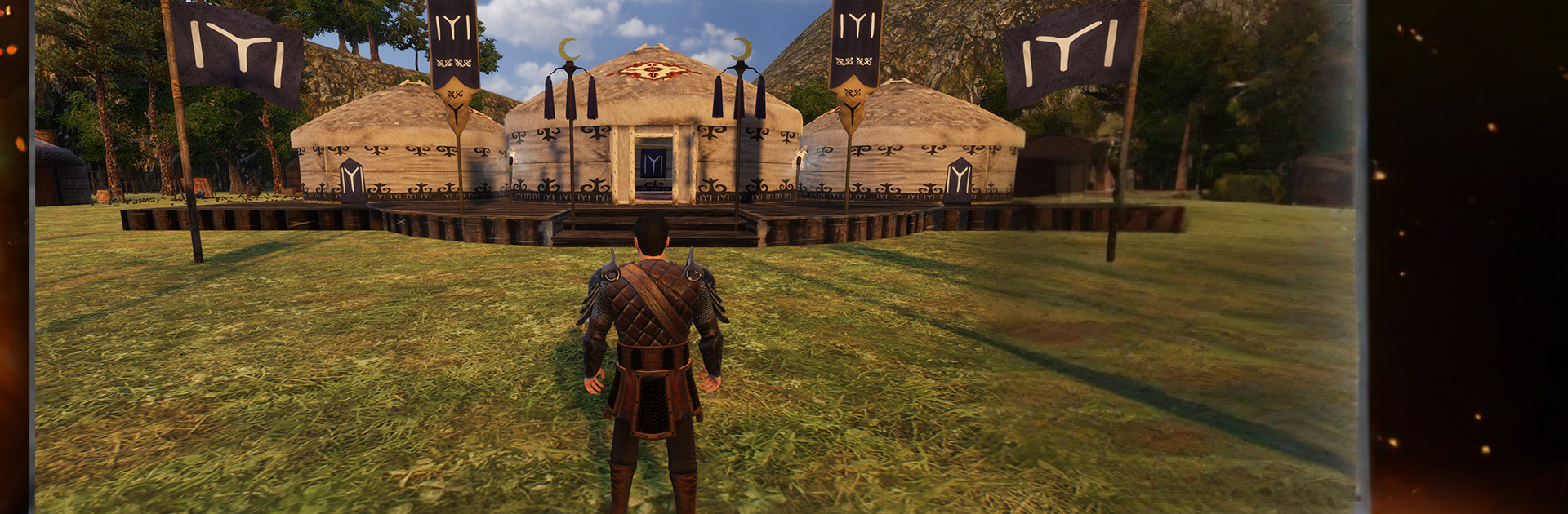
Osman Gazi plays like a straight-up historical action game where the player leads the Kayi clan through a bunch of story missions inspired by real events. It is all swords, shields, and bows, with plenty of castle sieges and quick skirmishes outside villages and on rough hill paths. Combat is simple to read and a little crunchy, the kind where a well-timed block or heavy swing actually matters. There is some nice variety too. One minute a horse charge into a rebel gate, next minute swimming out to an enemy ship or climbing flags to slip into a fort and open the door from inside. The game leans into the legend, so names like Bala Hatun, Malhun Hatun, Bamsi Bey, Turgut Alp, and Konur Alp show up, and they can march with the army as proper companions.

Gear ends up being the big time sink in a good way. Missions pay out gold, and that feeds a loop of buying sharper swords, heavier armor, sturdier shields, and stronger bows. There is even a loyal steppe wolf that fights at the player’s side, which is honestly a cool touch. Enemies come from all over the medieval world, Mongol units, Crusaders, Byzantine troops, Vikings, Catalan mercs, the whole mix, so encounters do not feel samey. Maps are wide with long sightlines and a few hidden paths, and the 3D looks clean with bold colors and that dramatic drum-and-reed music pushing the mood. On PC with BlueStacks, the mouse for aiming the bow and the keyboard for quick movement make the fights feel tighter, and riding feels less fussy. It is a story-focused action game at heart, with a steady pace of conquering castles, breaking ambushes, and pushing the clan toward a growing state.

Start your journey now. Download the game on BlueStacks, invite your friends, and march on a new adventure.


Game Features

Enhancements

  • Macros
  • Multi Instance
  • Multi Instance Sync
  • Script
  • Enhancements
Macros

Macros

Automate the predictable in Osman Gazi and transform your gameplay with Macros. Get access to inventive Macros in the BlueStacks Macro Community
Multi Instance

Multi Instance

Play Osman Gazi on one window. And chat with your friend on the other. Press CTRL + Shift + 8 to open the Multi-Instance Manager. And start creating fresh instances or clone an existing one.
Multi Instance Sync

Multi Instance Sync

Play Osman Gazi with the power of Multi-Instance Sync. Replicate what you are doing on the main instance on all other instances. Level up faster, play more.
Script

Script

Script your way to gaming glory in Osman Gazi with BlueStacks Script. Write and run a set of commands to automate repeated tasks. Trigger the command by assigning it to any key.
Read More

How to Download and Play Osman Gazi on PC or Mac

  • Download and install BlueStacks on your PC or Mac

  • Complete Google sign-in to access the Play Store, or do it later

  • Look for Osman Gazi in the search bar at the top right corner

  • Click to install Osman Gazi from the search results

  • Complete Google sign-in (if you skipped step 2) to install Osman Gazi

  • Click the Osman Gazi icon on the home screen to start playing

video
Watch Video

Minimum System Requirements

With BlueStacks 5, you can get started on a PC that fulfills the following requirements.

  • Operating System

    Microsoft Windows 7 or above, macOS 11 (Big Sur) or above

  • Processor

    Intel, AMD or Apple Silicon Processor

  • RAM

    at least 4GB

  • HDD

    10GB Free Disk Space

Note:

* You must be an Administrator on your PC. Up to date graphics drivers from Microsoft or the chipset vendor.

Osman Gazi - FAQs

  • How to play Osman Gazi on Windows PC & Mac?

    Play Osman Gazi on your PC or Mac by following these simple steps.

    • Click on 'Play Osman Gazi on PC’ to download BlueStacks
    • Install it and log-in to Google Play Store
    • Launch and play the game.
  • Why is BlueStacks the fastest and safest platform to play games on PC?

    BlueStacks respects your privacy and is always safe and secure to use. It does not carry any malware, spyware, or any sort of additional software that could harm your PC.

    It is engineered to optimize speed and performance for a seamless gaming experience.

  • What are Osman Gazi PC requirements?

    Minimum requirement to run Osman Gazi on your PC

    • OS: Microsoft Windows 7 or above MacOS 11 (Big Sur) or above
    • Processor: Intel, AMD or Apple Silicon Processor
    • RAM: Your PC must have at least 4GB of RAM. (Note that having 4GB or more disk space is not a substitute for RAM)
    • HDD: 10GB Free Disk Space.
    • You must be an Administrator on your PC.