Pink Princess House Craft Game

Pink Princess House Craft Game

Adventure

| WildGamesNet

Play on PC with BlueStacks or from our cloud

  • Overview
  • Game Features
  • How to Play

Page Modified On: August 10, 2026

Play Pink Princess House Craft Game on PC or Mac

Bring your A-game to Pink Princess House Craft Game, the Adventure game sensation from WildGamesNet. Give your gameplay the much-needed boost with precise game controls, high FPS graphics, and top-tier features on your PC or Mac with BlueStacks.

About the Game

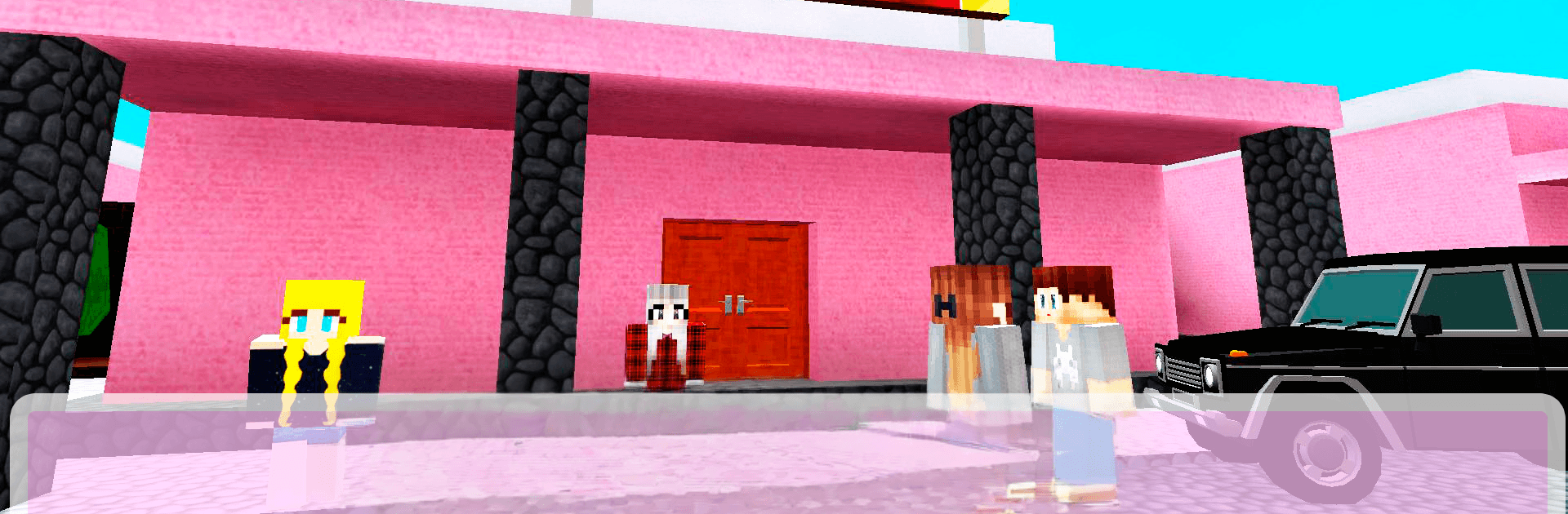
Pink Princess House Craft Game is a playful Adventure that turns a giant pink mansion into your personal scavenger hunt. Your toys have been swiped, and they’re hidden everywhere in this blocky dollhouse. Sneak around, hide when you need to, and track every last one down before making your getaway.

Game Features

  • Choose Your Role: Pick a character and get a unique checklist. Play as a boy and hunt for cars, or choose the girl role to track down a pony and tons of dolls.
  • Huge Pink Mansion: Explore a multi‑floor estate with a garden, fountain, and fancy rooms—all built in a charming block-shaped world.
  • Hide-and-Seek Tension: Outsmart the princess and her friends by ducking under beds, slipping into wardrobes, or tucking behind furniture.
  • Find, Then Flee: Collect every missing toy to activate the exit button, locate the switch, and make your escape.
  • Built-In Map Help: Use the mansion map to see where you’ve been and which rooms still need a thorough search.
  • Store of Tricks: Grab useful items—like an invisibility potion, a speedy boost, the princess’s cat for distractions, and more—to tilt the odds in your favor.
  • Puppy Sidekick: Stuck on a tiny car or a sneaky doll? Call in the puppy to fetch hard-to-spot items.
  • Quick on Your Feet: Speed matters when you’re being chased. Zip through corridors and loop around rooms to throw pursuers off.
  • Crafted for Everyone: A light, pick‑up‑and‑play feel whether you’re into cars, ponies, or just clever hide‑and‑seek in a pink world.
  • Play Your Way on PC: Prefer a bigger screen and keyboard? It also plays smoothly on BlueStacks.

Get ready for a buttery smooth, high-performance gaming action only on BlueStacks.

Game Features

Enhancements

  • Macros
  • Multi Instance
  • Multi Instance Sync
  • Script
  • Enhancements
Macros

Macros

Automate the predictable in Pink Princess House Craft Game and transform your gameplay with Macros. Get access to inventive Macros in the BlueStacks Macro Community
Multi Instance

Multi Instance

Play Pink Princess House Craft Game on one window. And chat with your friend on the other. Press CTRL + Shift + 8 to open the Multi-Instance Manager. And start creating fresh instances or clone an existing one.
Multi Instance Sync

Multi Instance Sync

Play Pink Princess House Craft Game with the power of Multi-Instance Sync. Replicate what you are doing on the main instance on all other instances. Level up faster, play more.
Script

Script

Script your way to gaming glory in Pink Princess House Craft Game with BlueStacks Script. Write and run a set of commands to automate repeated tasks. Trigger the command by assigning it to any key.
Read More

How to Download and Play Pink Princess House Craft Game on PC or Mac

  • Download and install BlueStacks on your PC or Mac

  • Complete Google sign-in to access the Play Store, or do it later

  • Look for Pink Princess House Craft Game in the search bar at the top right corner

  • Click to install Pink Princess House Craft Game from the search results

  • Complete Google sign-in (if you skipped step 2) to install Pink Princess House Craft Game

  • Click the Pink Princess House Craft Game icon on the home screen to start playing

video
Watch Video

Minimum System Requirements

With BlueStacks 5, you can get started on a PC that fulfills the following requirements.

  • Operating System

    Microsoft Windows 7 or above, macOS 11 (Big Sur) or above

  • Processor

    Intel, AMD or Apple Silicon Processor

  • RAM

    at least 4GB

  • HDD

    10GB Free Disk Space

Note:

* You must be an Administrator on your PC. Up to date graphics drivers from Microsoft or the chipset vendor.

Pink Princess House Craft Game - FAQs

  • How to play Pink Princess House Craft Game on Windows PC & Mac?

    Play Pink Princess House Craft Game on your PC or Mac by following these simple steps.

    • Click on 'Play Pink Princess House Craft Game on PC’ to download BlueStacks
    • Install it and log-in to Google Play Store
    • Launch and play the game.
  • Why is BlueStacks the fastest and safest platform to play games on PC?

    BlueStacks respects your privacy and is always safe and secure to use. It does not carry any malware, spyware, or any sort of additional software that could harm your PC.

    It is engineered to optimize speed and performance for a seamless gaming experience.

  • What are Pink Princess House Craft Game PC requirements?

    Minimum requirement to run Pink Princess House Craft Game on your PC

    • OS: Microsoft Windows 7 or above MacOS 11 (Big Sur) or above
    • Processor: Intel, AMD or Apple Silicon Processor
    • RAM: Your PC must have at least 4GB of RAM. (Note that having 4GB or more disk space is not a substitute for RAM)
    • HDD: 10GB Free Disk Space.
    • You must be an Administrator on your PC.