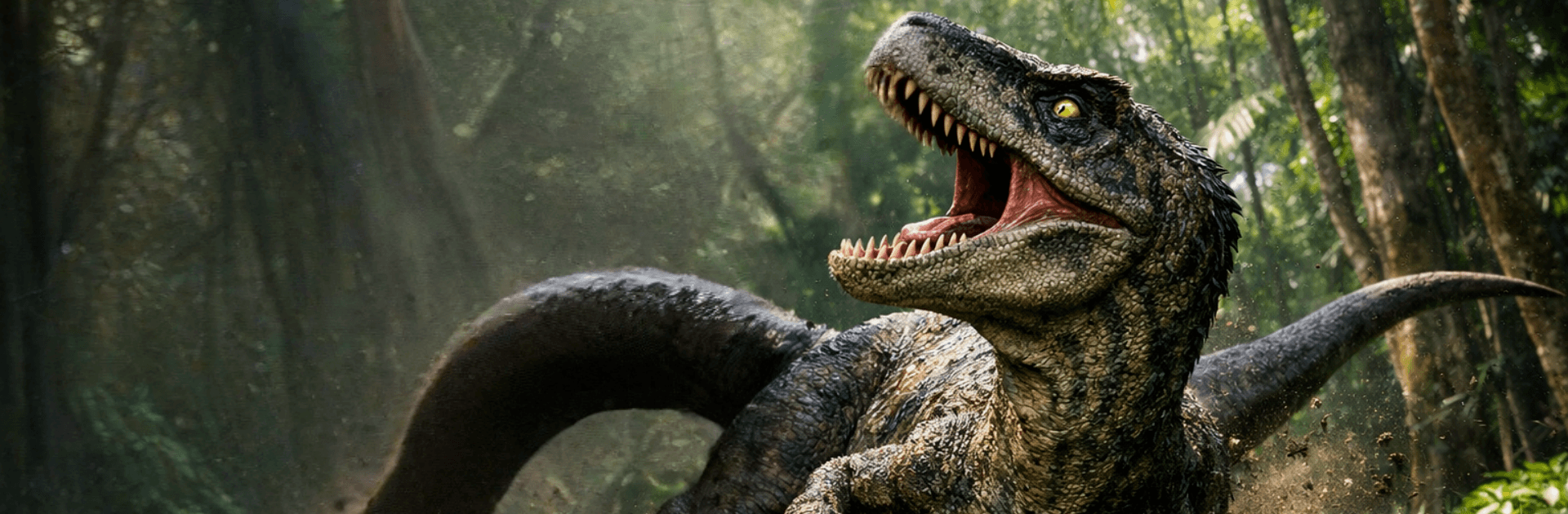
Primal Dino Beast Clash Sim

Primal Dino Beast Clash Sim

Adventure

| Buff Games Studio

Play on PC with BlueStacks or from our cloud

  • Overview
  • Game Features
  • How to Play

Page Modified On: August 20, 2026

Play Primal Dino Beast Clash Sim on PC or Mac

Primal Dino Beast Clash Sim brings the Adventure genre to life, and throws up exciting challenges for gamers. Developed by Buff Games Studio, this Android game is best experienced on BlueStacks, the World’s #1 app player for PC and Mac users.

About the Game

Primal Dino Beast Clash Sim drops you into a savage prehistoric sandbox where being loud isn’t enough—you’ve gotta be lethal. This Adventure lets you command different dinosaurs and battle it out across untamed lands, mixing tense survival with crunchy, up-close combat. Expect quick decisions, risky hunts, and rival predators that won’t think twice about turning you into lunch.

Game Features

  • Play as Iconic Beasts: Pick from a lineup of dinosaurs, each with distinct strengths, speeds, and signature attacks that reshape your approach.
  • Ferocious Head-to-Head Combat: Stalk, pounce, and trade bone-rattling hits in real-time clashes where timing and positioning decide everything.
  • Open Prehistoric Landscapes: Roam wide, untamed zones full of roaming AI creatures, ambush spots, and hazards that reward smart scouting.
  • Survival That Pushes Back: Hunt for prey, manage stamina, and read enemy behavior to outlast apex threats and pack tactics.
  • Abilities With Bite: Chain charges, tail swipes, and crushing bites into momentum-shifting combos, then pivot when rivals counter.
  • Weighty Feel and Feedback: Smooth controls, meaty animations, and thunderous audio make every impact feel sharp and personal.
  • Play Anywhere, Even Offline: Jump into quick hunts or longer sessions without a connection, whenever the urge hits.
  • Crisp 3D Visuals: Detailed models, reactive hit effects, and gritty environments sell every scrape, stomp, and shattered branch.
  • Big-Screen Friendly: It plays cleanly on BlueStacks if you want sharper views and comfortable controls.

Start playing Primal Dino Beast Clash Sim on BlueStacks and get a smoother, more comfortable PC or Mac setup.


Game Features

Enhancements

  • Macros
  • Multi Instance
  • Multi Instance Sync
  • Script
  • Enhancements
Macros

Macros

Automate the predictable in Primal Dino Beast Clash Sim and transform your gameplay with Macros. Get access to inventive Macros in the BlueStacks Macro Community
Multi Instance

Multi Instance

Play Primal Dino Beast Clash Sim on one window. And chat with your friend on the other. Press CTRL + Shift + 8 to open the Multi-Instance Manager. And start creating fresh instances or clone an existing one.
Multi Instance Sync

Multi Instance Sync

Play Primal Dino Beast Clash Sim with the power of Multi-Instance Sync. Replicate what you are doing on the main instance on all other instances. Level up faster, play more.
Script

Script

Script your way to gaming glory in Primal Dino Beast Clash Sim with BlueStacks Script. Write and run a set of commands to automate repeated tasks. Trigger the command by assigning it to any key.
Read More

How to Download and Play Primal Dino Beast Clash Sim on PC or Mac

  • Download and install BlueStacks on your PC or Mac

  • Complete Google sign-in to access the Play Store, or do it later

  • Look for Primal Dino Beast Clash Sim in the search bar at the top right corner

  • Click to install Primal Dino Beast Clash Sim from the search results

  • Complete Google sign-in (if you skipped step 2) to install Primal Dino Beast Clash Sim

  • Click the Primal Dino Beast Clash Sim icon on the home screen to start playing

video
Watch Video

Minimum System Requirements

With BlueStacks 5, you can get started on a PC that fulfills the following requirements.

  • Operating System

    Microsoft Windows 7 or above, macOS 11 (Big Sur) or above

  • Processor

    Intel, AMD or Apple Silicon Processor

  • RAM

    at least 4GB

  • HDD

    10GB Free Disk Space

Note:

* You must be an Administrator on your PC. Up to date graphics drivers from Microsoft or the chipset vendor.

Primal Dino Beast Clash Sim - FAQs

  • How to play Primal Dino Beast Clash Sim on Windows PC & Mac?

    Play Primal Dino Beast Clash Sim on your PC or Mac by following these simple steps.

    • Click on 'Play Primal Dino Beast Clash Sim on PC’ to download BlueStacks
    • Install it and log-in to Google Play Store
    • Launch and play the game.
  • Why is BlueStacks the fastest and safest platform to play games on PC?

    BlueStacks respects your privacy and is always safe and secure to use. It does not carry any malware, spyware, or any sort of additional software that could harm your PC.

    It is engineered to optimize speed and performance for a seamless gaming experience.

  • What are Primal Dino Beast Clash Sim PC requirements?

    Minimum requirement to run Primal Dino Beast Clash Sim on your PC

    • OS: Microsoft Windows 7 or above MacOS 11 (Big Sur) or above
    • Processor: Intel, AMD or Apple Silicon Processor
    • RAM: Your PC must have at least 4GB of RAM. (Note that having 4GB or more disk space is not a substitute for RAM)
    • HDD: 10GB Free Disk Space.
    • You must be an Administrator on your PC.