Project Potato Man - Chapter 1

Project Potato Man - Chapter 1

Adventure

| EASEWIN GAMING PRIVATE LIMITED

Play on PC with BlueStacks or from our cloud

  • Overview
  • Game Features
  • How to Play

Page Modified On: July 06, 2026

Play Project Potato Man - Chapter 1 on PC or Mac

Explore a whole new adventure with Project Potato Man – Chapter 1, a Adventure game created by EASEWIN GAMING PRIVATE LIMITED. Experience great gameplay with BlueStacks, the most popular gaming platform to play Android games on your PC or Mac.

About the Game

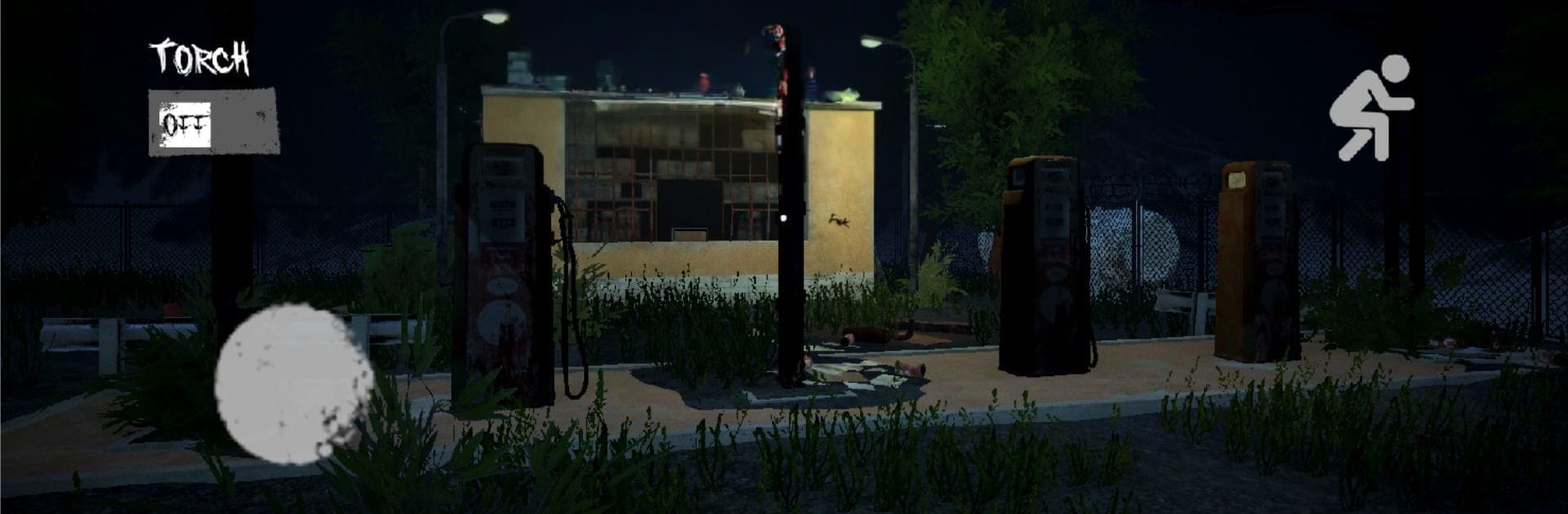
There’s a town that looks abandoned, but it never feels empty. Project Potato Man – Chapter 1 is a psychological horror Adventure that favors slow, creeping dread over loud jump scares. You’ll explore at your own pace, listen for the wrong kind of silence, and try to make it through the night while something patient follows.

Game Features

  • Slow-Burn Terror: Fear doesn’t scream here—it creeps. The tension builds as you move, notice details, and realize you’re being watched.
  • An Uneasy Town: Empty streets, shattered homes, and narrow alleys are laid out to mess with your nerves. Every corner feels like it’s keeping a secret.
  • The Stalker: Potato Man isn’t just a monster—he’s a presence. He trails you quietly, and the game nudges you to stay alert to small cues.
  • Atmosphere That Clings: Moody nights, reactive lighting, deep shadows, and unsettling audio work together to keep you second-guessing every step.
  • Survival Over Spectacle: No constant shock tactics. It’s about awareness, careful movement, and choosing paths that won’t get you trapped.
  • Straightforward Controls: Getting around is simple, which leaves your brain free to worry about the important part—staying alive.
  • Offline Play: No connection needed, so you can lean fully into the isolation whenever you want.
  • Chapter One, First Answers: This opening chapter lays the groundwork for a larger mystery and hints at what’s still lurking ahead.
  • PC-Friendly Option: Prefer keyboard and mouse? You can play on PC with BlueStacks without changing the focus of the experience.

Get ready for a buttery smooth, high-performance gaming action only on BlueStacks.

Game Features

Enhancements

  • Macros
  • Multi Instance
  • Multi Instance Sync
  • Script
  • Enhancements
Macros

Macros

Automate the predictable in Project Potato Man - Chapter 1 and transform your gameplay with Macros. Get access to inventive Macros in the BlueStacks Macro Community
Multi Instance

Multi Instance

Play Project Potato Man - Chapter 1 on one window. And chat with your friend on the other. Press CTRL + Shift + 8 to open the Multi-Instance Manager. And start creating fresh instances or clone an existing one.
Multi Instance Sync

Multi Instance Sync

Play Project Potato Man - Chapter 1 with the power of Multi-Instance Sync. Replicate what you are doing on the main instance on all other instances. Level up faster, play more.
Script

Script

Script your way to gaming glory in Project Potato Man - Chapter 1 with BlueStacks Script. Write and run a set of commands to automate repeated tasks. Trigger the command by assigning it to any key.
Read More

How to Download and Play Project Potato Man - Chapter 1 on PC or Mac

  • Download and install BlueStacks on your PC or Mac

  • Complete Google sign-in to access the Play Store, or do it later

  • Look for Project Potato Man - Chapter 1 in the search bar at the top right corner

  • Click to install Project Potato Man - Chapter 1 from the search results

  • Complete Google sign-in (if you skipped step 2) to install Project Potato Man - Chapter 1

  • Click the Project Potato Man - Chapter 1 icon on the home screen to start playing

video
Watch Video

Minimum System Requirements

With BlueStacks 5, you can get started on a PC that fulfills the following requirements.

  • Operating System

    Microsoft Windows 7 or above, macOS 11 (Big Sur) or above

  • Processor

    Intel, AMD or Apple Silicon Processor

  • RAM

    at least 4GB

  • HDD

    10GB Free Disk Space

Note:

* You must be an Administrator on your PC. Up to date graphics drivers from Microsoft or the chipset vendor.

Project Potato Man - Chapter 1 - FAQs

  • How to play Project Potato Man - Chapter 1 on Windows PC & Mac?

    Play Project Potato Man - Chapter 1 on your PC or Mac by following these simple steps.

    • Click on 'Play Project Potato Man - Chapter 1 on PC’ to download BlueStacks
    • Install it and log-in to Google Play Store
    • Launch and play the game.
  • Why is BlueStacks the fastest and safest platform to play games on PC?

    BlueStacks respects your privacy and is always safe and secure to use. It does not carry any malware, spyware, or any sort of additional software that could harm your PC.

    It is engineered to optimize speed and performance for a seamless gaming experience.

  • What are Project Potato Man - Chapter 1 PC requirements?

    Minimum requirement to run Project Potato Man - Chapter 1 on your PC

    • OS: Microsoft Windows 7 or above MacOS 11 (Big Sur) or above
    • Processor: Intel, AMD or Apple Silicon Processor
    • RAM: Your PC must have at least 4GB of RAM. (Note that having 4GB or more disk space is not a substitute for RAM)
    • HDD: 10GB Free Disk Space.
    • You must be an Administrator on your PC.