木筏求生存荒島求生-木筏生存荒島生存
木筏求生存荒島求生-木筏生存荒島生存

木筏求生存荒島求生-木筏生存荒島生存

Adventure

| AiYou Tech

Play on PC with BlueStacks or from our cloud

  • Overview
  • Game Features
  • How to Play

Page Modified On: October 23, 2026

Play 木筏求生存荒島求生-木筏生存荒島生存 on PC or Mac

木筏求生存荒島求生-木筏生存荒島生存 by AiYou Tech has plenty to keep you busy. BlueStacks lets you play it on PC or Mac with more screen space, better control, and fewer mobile limits.

About the Game

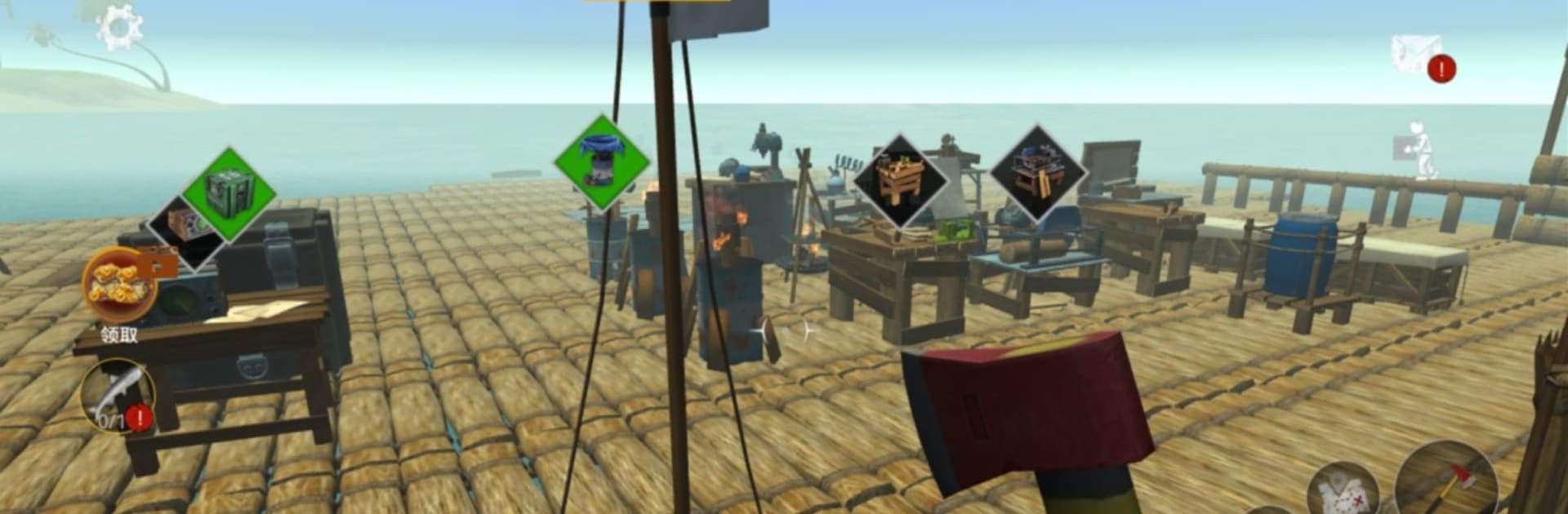
木筏求生存荒島求生-木筏生存荒島生存 drops you onto a tiny scrap of land with a big problem: there’s almost nothing on it… and a whole lot of ocean around it. You’ll gather, craft, and tinker your way from “barely scraping by” to “I’ve got this,” one log and one fish at a time. As an Adventure game, it’s all about moment-to-moment decisions—when to risk the water, what to build first, and how to keep the sharks from turning you into lunch. It also feels great on a larger screen with crisp controls on BlueStacks.

Game Features

  • Start-From-Nothing Survival: Wake up on a lonely isle with a few trees, scattered resources, and your wits—learn fast or go hungry.
  • Crafting That Matters: Turn timber and fibers into tools, shelters, spears, and essential gear that actually changes how you play.
  • Build Your Base: Go from a rough lean-to to a sturdier hut with storage, drying racks, and a safe spot to plan your next move.
  • Raft And Roam: Lash together a bamboo raft, ride the swells, and scout nearby islets and floating debris for rare goodies.
  • Fish Or Be Fish Food: Catch seafood to stay alive, then cook it up—just keep an eye out for those circling fins.
  • Shark Smarts: Time your dives, reinforce your raft, and use crafted weapons to keep predators at bay.
  • Weather And Day/Night: Calm mornings, stormy squalls, starry nights—conditions shift, affecting visibility, stamina, and your plans.
  • First-Person Immersion: Chop, paddle, and aim from a grounded, up-close perspective that makes every decision feel risky and rewarding.

Ready to top the leaderboard? We bet you do. Let precise controls and sharp visuals optimized on BlueStacks lead you to victory.


Game Features

Enhancements

  • Macros
  • Multi Instance
  • Multi Instance Sync
  • Script
  • Enhancements
Macros

Macros

Automate the predictable in 木筏求生存荒島求生-木筏生存荒島生存 and transform your gameplay with Macros. Get access to inventive Macros in the BlueStacks Macro Community
Multi Instance

Multi Instance

Play 木筏求生存荒島求生-木筏生存荒島生存 on one window. And chat with your friend on the other. Press CTRL + Shift + 8 to open the Multi-Instance Manager. And start creating fresh instances or clone an existing one.
Multi Instance Sync

Multi Instance Sync

Play 木筏求生存荒島求生-木筏生存荒島生存 with the power of Multi-Instance Sync. Replicate what you are doing on the main instance on all other instances. Level up faster, play more.
Script

Script

Script your way to gaming glory in 木筏求生存荒島求生-木筏生存荒島生存 with BlueStacks Script. Write and run a set of commands to automate repeated tasks. Trigger the command by assigning it to any key.
Read More

How to Download and Play 木筏求生存荒島求生-木筏生存荒島生存 on PC or Mac

  • Download and install BlueStacks on your PC or Mac

  • Complete Google sign-in to access the Play Store, or do it later

  • Look for 木筏求生存荒島求生-木筏生存荒島生存 in the search bar at the top right corner

  • Click to install 木筏求生存荒島求生-木筏生存荒島生存 from the search results

  • Complete Google sign-in (if you skipped step 2) to install 木筏求生存荒島求生-木筏生存荒島生存

  • Click the 木筏求生存荒島求生-木筏生存荒島生存 icon on the home screen to start playing

video
Watch Video

Minimum System Requirements

With BlueStacks 5, you can get started on a PC that fulfills the following requirements.

  • Operating System

    Microsoft Windows 7 or above, macOS 11 (Big Sur) or above

  • Processor

    Intel, AMD or Apple Silicon Processor

  • RAM

    at least 4GB

  • HDD

    10GB Free Disk Space

Note:

* You must be an Administrator on your PC. Up to date graphics drivers from Microsoft or the chipset vendor.

木筏求生存荒島求生-木筏生存荒島生存 - FAQs

  • How to play 木筏求生存荒島求生-木筏生存荒島生存 on Windows PC & Mac?

    Play 木筏求生存荒島求生-木筏生存荒島生存 on your PC or Mac by following these simple steps.

    • Click on 'Play 木筏求生存荒島求生-木筏生存荒島生存 on PC’ to download BlueStacks
    • Install it and log-in to Google Play Store
    • Launch and play the game.
  • Why is BlueStacks the fastest and safest platform to play games on PC?

    BlueStacks respects your privacy and is always safe and secure to use. It does not carry any malware, spyware, or any sort of additional software that could harm your PC.

    It is engineered to optimize speed and performance for a seamless gaming experience.

  • What are 木筏求生存荒島求生-木筏生存荒島生存 PC requirements?

    Minimum requirement to run 木筏求生存荒島求生-木筏生存荒島生存 on your PC

    • OS: Microsoft Windows 7 or above MacOS 11 (Big Sur) or above
    • Processor: Intel, AMD or Apple Silicon Processor
    • RAM: Your PC must have at least 4GB of RAM. (Note that having 4GB or more disk space is not a substitute for RAM)
    • HDD: 10GB Free Disk Space.
    • You must be an Administrator on your PC.