Raft Survivors: Build & Bullet

Raft Survivors: Build & Bullet

Adventure

| SKYBULL

Play on PC with BlueStacks or from our cloud

  • Overview
  • Game Features
  • How to Play

Page Modified On: November 12, 2026

Play Raft Survivors: Build & Bullet on PC or Mac

Play Raft Survivors: Build & Bullet by SKYBULL on PC or Mac with BlueStacks. Use a bigger screen, mouse and keyboard controls, and smoother performance while you play.

About the Game

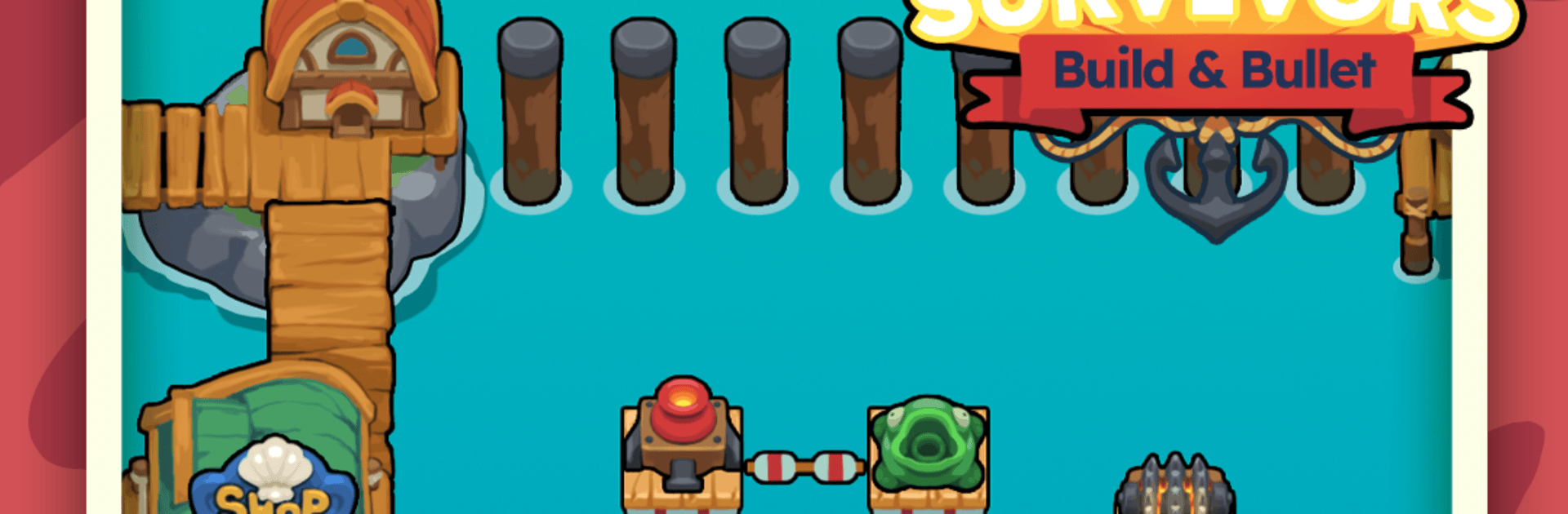
Raft Survivors: Build & Bullet is an Adventure about staying afloat on a patchwork raft while a hungry ocean tries to chew you up. It mixes chill base-building with frantic moments where you’re steering, upgrading, and watching a wall of projectiles keep the monsters back. Prefer a bigger view of the chaos? Playing on PC with BlueStacks makes the action and effects really pop.

Game Features

  • Moving fortress combat: Your base doesn’t sit still—you’re constantly drifting, steering around swarms and hazards while your defenses keep firing.
  • Modular raft building: Snap on tiles and place gear exactly where it makes sense, shaping a layout that balances firepower, coverage, and growth.
  • Hands-off firepower, hands-on survival: Auto-firing turrets and cannons handle the shooting, leaving you free to weave through danger and make quick build calls.
  • Synergy-packed upgrades: Combine and evolve modules to trigger wild interactions that blanket the screen with arcs, beams, and barrages.
  • Core-first survival: Lose a chunk of raft? Keep fighting. The run only ends when your central platform goes under, so clutch comebacks are in play.
  • Bosses from the deep: Colossal sea beasts cap off big stretches of the journey, forcing you to test placement, timing, and raw damage.
  • Hazard-filled seas: Thread through whirlpools, projectiles, and crushing waves while swarms try to box you in from every angle.
  • Easy to start, hard to master: Building is simple, but smart positioning and upgrade choices separate a floating junk pile from a true sea fortress.
  • Bold, punchy style: Bright colors and chunky effects make every hit, splash, and screen-filling volley feel ridiculously satisfying.

Start your journey now. Download the game on BlueStacks, invite your friends, and march on a new adventure.


Game Features

Enhancements

  • Macros
  • Multi Instance
  • Multi Instance Sync
  • Script
  • Enhancements
Macros

Macros

Automate the predictable in Raft Survivors: Build & Bullet and transform your gameplay with Macros. Get access to inventive Macros in the BlueStacks Macro Community
Multi Instance

Multi Instance

Play Raft Survivors: Build & Bullet on one window. And chat with your friend on the other. Press CTRL + Shift + 8 to open the Multi-Instance Manager. And start creating fresh instances or clone an existing one.
Multi Instance Sync

Multi Instance Sync

Play Raft Survivors: Build & Bullet with the power of Multi-Instance Sync. Replicate what you are doing on the main instance on all other instances. Level up faster, play more.
Script

Script

Script your way to gaming glory in Raft Survivors: Build & Bullet with BlueStacks Script. Write and run a set of commands to automate repeated tasks. Trigger the command by assigning it to any key.
Read More

How to Download and Play Raft Survivors: Build & Bullet on PC or Mac

  • Download and install BlueStacks on your PC or Mac

  • Complete Google sign-in to access the Play Store, or do it later

  • Look for Raft Survivors: Build & Bullet in the search bar at the top right corner

  • Click to install Raft Survivors: Build & Bullet from the search results

  • Complete Google sign-in (if you skipped step 2) to install Raft Survivors: Build & Bullet

  • Click the Raft Survivors: Build & Bullet icon on the home screen to start playing

video
Watch Video

Minimum System Requirements

With BlueStacks 5, you can get started on a PC that fulfills the following requirements.

  • Operating System

    Microsoft Windows 7 or above, macOS 11 (Big Sur) or above

  • Processor

    Intel, AMD or Apple Silicon Processor

  • RAM

    at least 4GB

  • HDD

    10GB Free Disk Space

Note:

* You must be an Administrator on your PC. Up to date graphics drivers from Microsoft or the chipset vendor.

Raft Survivors: Build & Bullet - FAQs

  • How to play Raft Survivors: Build & Bullet on Windows PC & Mac?

    Play Raft Survivors: Build & Bullet on your PC or Mac by following these simple steps.

    • Click on 'Play Raft Survivors: Build & Bullet on PC’ to download BlueStacks
    • Install it and log-in to Google Play Store
    • Launch and play the game.
  • Why is BlueStacks the fastest and safest platform to play games on PC?

    BlueStacks respects your privacy and is always safe and secure to use. It does not carry any malware, spyware, or any sort of additional software that could harm your PC.

    It is engineered to optimize speed and performance for a seamless gaming experience.

  • What are Raft Survivors: Build & Bullet PC requirements?

    Minimum requirement to run Raft Survivors: Build & Bullet on your PC

    • OS: Microsoft Windows 7 or above MacOS 11 (Big Sur) or above
    • Processor: Intel, AMD or Apple Silicon Processor
    • RAM: Your PC must have at least 4GB of RAM. (Note that having 4GB or more disk space is not a substitute for RAM)
    • HDD: 10GB Free Disk Space.
    • You must be an Administrator on your PC.