Real 3d Car Stunt: Car Parking

Real 3d Car Stunt: Car Parking

Adventure

| Fosteryloika

Play on PC with BlueStacks or from our cloud

  • Overview
  • Game Features
  • How to Play

Page Modified On: August 10, 2026

Play Real 3d Car Stunt: Car Parking on PC or Mac

Real 3d Car Stunt: Car Parking by Fosteryloika has plenty to keep you busy. BlueStacks lets you play it on PC or Mac with more screen space, better control, and fewer mobile limits.

About the Game

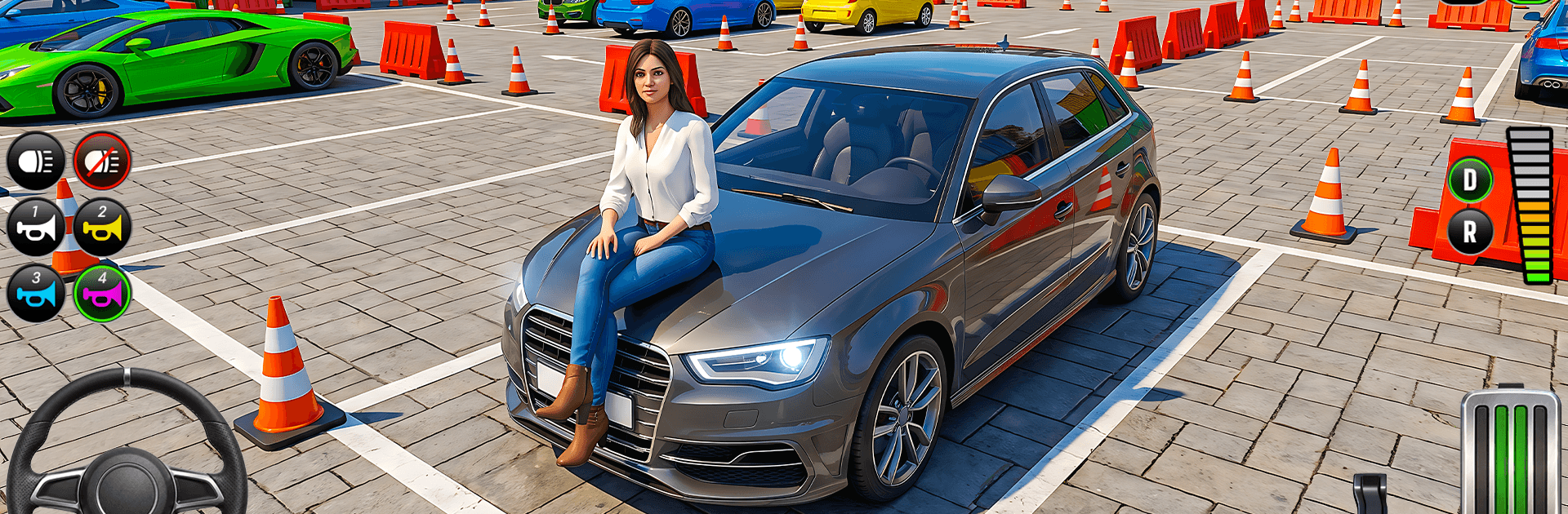
Real 3d Car Stunt: Car Parking blends careful parking with heart-in-mouth stunt driving, all wrapped in a crisp 3D look. It’s an Adventure ride where every nudge on the throttle and tap of the brake matters—thread through tight lanes, line up the perfect stop, then launch into wild courses that hang high above the ground. Prefer playing on PC? It runs nicely on BlueStacks, too.

Game Features

  • Precision Parking: Squeeze into narrow spots, line up clean entries, and stop on a dime without scraping a fender.
  • Gravity-Defying Tracks: Tackle steep ramps, angled platforms, and tricky gaps that test nerve as much as skill.
  • Smooth, Realistic Controls: Steering feels responsive and natural, making small corrections and sharp pivots feel right in your hands.
  • Modern Car Roster: Swap between sleek, contemporary rides—each one with a slightly different vibe and road feel.
  • Tight Spaces & Tough Obstacles: Navigate hairpin turns, raised curbs, and awkward barriers that punish sloppy lines.
  • Timing That Counts: Hit the brakes at the exact moment, balance speed with control, and nail sequences where hesitation costs you.
  • Clear Progression: Start with simpler layouts and work up to nail-biting setups that demand total focus and clean execution.
  • 3D Environments That Matter: Elevation changes, platform angles, and course shapes aren’t just scenery—they shape your approach to every move.

Start your journey now. Download the game on BlueStacks, invite your friends, and march on a new adventure.


Game Features

Enhancements

  • Macros
  • Multi Instance
  • Multi Instance Sync
  • Script
  • Enhancements
Macros

Macros

Automate the predictable in Real 3d Car Stunt: Car Parking and transform your gameplay with Macros. Get access to inventive Macros in the BlueStacks Macro Community
Multi Instance

Multi Instance

Play Real 3d Car Stunt: Car Parking on one window. And chat with your friend on the other. Press CTRL + Shift + 8 to open the Multi-Instance Manager. And start creating fresh instances or clone an existing one.
Multi Instance Sync

Multi Instance Sync

Play Real 3d Car Stunt: Car Parking with the power of Multi-Instance Sync. Replicate what you are doing on the main instance on all other instances. Level up faster, play more.
Script

Script

Script your way to gaming glory in Real 3d Car Stunt: Car Parking with BlueStacks Script. Write and run a set of commands to automate repeated tasks. Trigger the command by assigning it to any key.
Read More

How to Download and Play Real 3d Car Stunt: Car Parking on PC or Mac

  • Download and install BlueStacks on your PC or Mac

  • Complete Google sign-in to access the Play Store, or do it later

  • Look for Real 3d Car Stunt: Car Parking in the search bar at the top right corner

  • Click to install Real 3d Car Stunt: Car Parking from the search results

  • Complete Google sign-in (if you skipped step 2) to install Real 3d Car Stunt: Car Parking

  • Click the Real 3d Car Stunt: Car Parking icon on the home screen to start playing

video
Watch Video

Minimum System Requirements

With BlueStacks 5, you can get started on a PC that fulfills the following requirements.

  • Operating System

    Microsoft Windows 7 or above, macOS 11 (Big Sur) or above

  • Processor

    Intel, AMD or Apple Silicon Processor

  • RAM

    at least 4GB

  • HDD

    10GB Free Disk Space

Note:

* You must be an Administrator on your PC. Up to date graphics drivers from Microsoft or the chipset vendor.

Real 3d Car Stunt: Car Parking - FAQs

  • How to play Real 3d Car Stunt: Car Parking on Windows PC & Mac?

    Play Real 3d Car Stunt: Car Parking on your PC or Mac by following these simple steps.

    • Click on 'Play Real 3d Car Stunt: Car Parking on PC’ to download BlueStacks
    • Install it and log-in to Google Play Store
    • Launch and play the game.
  • Why is BlueStacks the fastest and safest platform to play games on PC?

    BlueStacks respects your privacy and is always safe and secure to use. It does not carry any malware, spyware, or any sort of additional software that could harm your PC.

    It is engineered to optimize speed and performance for a seamless gaming experience.

  • What are Real 3d Car Stunt: Car Parking PC requirements?

    Minimum requirement to run Real 3d Car Stunt: Car Parking on your PC

    • OS: Microsoft Windows 7 or above MacOS 11 (Big Sur) or above
    • Processor: Intel, AMD or Apple Silicon Processor
    • RAM: Your PC must have at least 4GB of RAM. (Note that having 4GB or more disk space is not a substitute for RAM)
    • HDD: 10GB Free Disk Space.
    • You must be an Administrator on your PC.