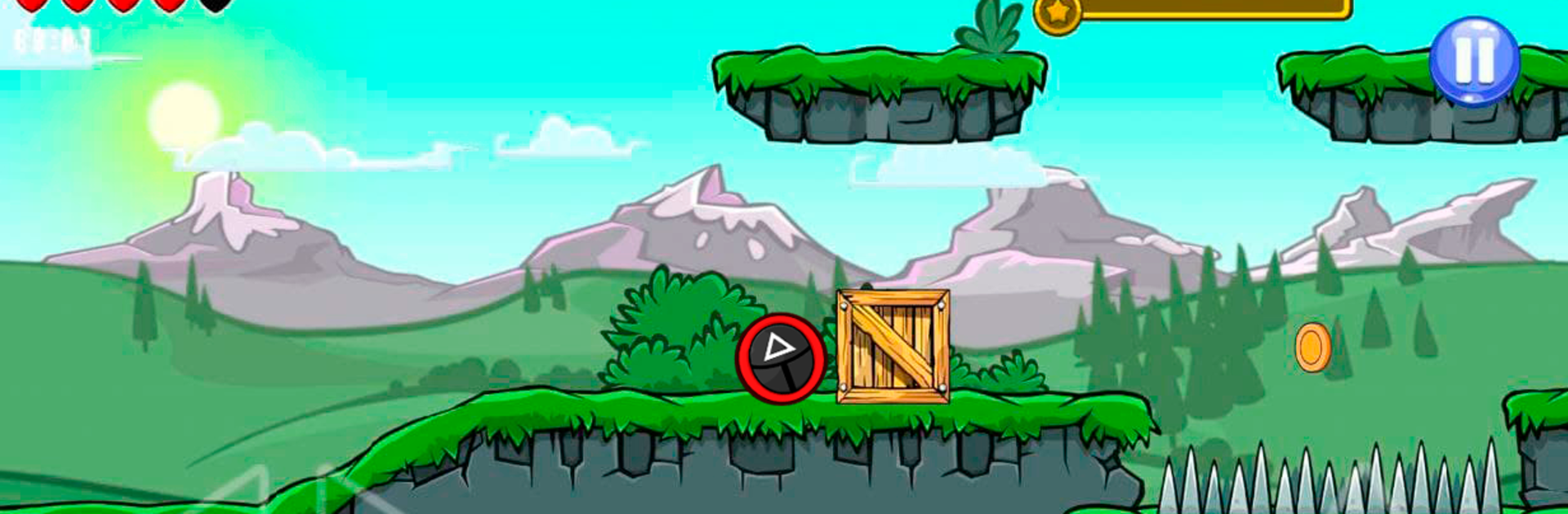
Runner bounce ball 1

Runner bounce ball 1

Adventure

| Strict games

Play on PC with BlueStacks or from our cloud

  • Overview
  • Game Features
  • How to Play

Page Modified On: November 10, 2025

Play Runner bounce ball 1 on PC or Mac

Runner bounce ball 1 brings the Adventure genre to life, and throws up exciting challenges for gamers. Developed by Strict games, this Android game is best experienced on BlueStacks, the World’s #1 app player for PC and Mac users.

About the Game

Runner bounce ball 1 is a quick, punchy platformer where a fearless little ball rolls, hops, and smashes through clever obstacle courses. It’s an Adventure game from Strict games that leans on snappy physics and clean, readable level design, so every jump feels earned. Play for a minute or an hour—there’s always another coin to grab and another trap to outsmart, and it works great offline.

Game Features

  • Physics you can feel: Momentum matters. Time your bounces, control your roll, and use real-feeling physics to thread through tight spaces and nail tricky landings.
  • Handcrafted levels: Each stage brings a new twist—moving hazards, sneaky platforms, and routes that reward curiosity.
  • Simple, responsive controls: Easy to pick up, precise enough to master. A couple of taps is all it takes to pull off clean jumps and slick recoveries.
  • Traps and enemies: Spikes, shifting blocks, and pesky foes keep you guessing. Watch the patterns, then make your move.
  • Coins and goals: Collect coins along the way to complete objectives and prove you’ve mastered the course.
  • Play offline: No connection? No problem. All the action is available anytime, anywhere.
  • Clean, colorful look: Bright visuals and smooth animation make each location pop without cluttering the screen.
  • Built for quick runs: Short levels, fast restarts, and satisfying retries make it perfect for speed-chasers and casual sessions alike.
  • Flexible setup: Prefer a bigger screen or keyboard control? BlueStacks makes playing on your PC feel crisp and comfortable without changing the vibe.

Slay your opponents with your epic moves. Play it your way on BlueStacks and dominate the battlefield.


Game Features

Enhancements

  • Macros
  • Multi Instance
  • Multi Instance Sync
  • Script
  • Enhancements
Macros

Macros

Automate the predictable in Runner bounce ball 1 and transform your gameplay with Macros. Get access to inventive Macros in the BlueStacks Macro Community
Multi Instance

Multi Instance

Play Runner bounce ball 1 on one window. And chat with your friend on the other. Press CTRL + Shift + 8 to open the Multi-Instance Manager. And start creating fresh instances or clone an existing one.
Multi Instance Sync

Multi Instance Sync

Play Runner bounce ball 1 with the power of Multi-Instance Sync. Replicate what you are doing on the main instance on all other instances. Level up faster, play more.
Script

Script

Script your way to gaming glory in Runner bounce ball 1 with BlueStacks Script. Write and run a set of commands to automate repeated tasks. Trigger the command by assigning it to any key.
Read More

How to Download and Play Runner bounce ball 1 on PC or Mac

  • Download and install BlueStacks on your PC or Mac

  • Complete Google sign-in to access the Play Store, or do it later

  • Look for Runner bounce ball 1 in the search bar at the top right corner

  • Click to install Runner bounce ball 1 from the search results

  • Complete Google sign-in (if you skipped step 2) to install Runner bounce ball 1

  • Click the Runner bounce ball 1 icon on the home screen to start playing

video
Watch Video

Minimum System Requirements

With BlueStacks 5, you can get started on a PC that fulfills the following requirements.

  • Operating System

    Microsoft Windows 7 or above, macOS 11 (Big Sur) or above

  • Processor

    Intel, AMD or Apple Silicon Processor

  • RAM

    at least 4GB

  • HDD

    10GB Free Disk Space

Note:

* You must be an Administrator on your PC. Up to date graphics drivers from Microsoft or the chipset vendor.

Runner bounce ball 1 - FAQs

  • How to play Runner bounce ball 1 on Windows PC & Mac?

    Play Runner bounce ball 1 on your PC or Mac by following these simple steps.

    • Click on 'Play Runner bounce ball 1 on PC’ to download BlueStacks
    • Install it and log-in to Google Play Store
    • Launch and play the game.
  • Why is BlueStacks the fastest and safest platform to play games on PC?

    BlueStacks respects your privacy and is always safe and secure to use. It does not carry any malware, spyware, or any sort of additional software that could harm your PC.

    It is engineered to optimize speed and performance for a seamless gaming experience.

  • What are Runner bounce ball 1 PC requirements?

    Minimum requirement to run Runner bounce ball 1 on your PC

    • OS: Microsoft Windows 7 or above MacOS 11 (Big Sur) or above
    • Processor: Intel, AMD or Apple Silicon Processor
    • RAM: Your PC must have at least 4GB of RAM. (Note that having 4GB or more disk space is not a substitute for RAM)
    • HDD: 10GB Free Disk Space.
    • You must be an Administrator on your PC.