Bubbles Era Adventures

Bubbles Era Adventures

Arcade

| Flex Games

Play on PC with BlueStacks or from our cloud

  • Overview
  • Game Features
  • How to Play

Page Modified On: November 10, 2025

Play Bubbles Era Adventures on PC or Mac

Bring your A-game to Bubbles Era Adventures, the Arcade game sensation from Flex Games. Give your gameplay the much-needed boost with precise game controls, high FPS graphics, and top-tier features on your PC or Mac with BlueStacks.

About the Game

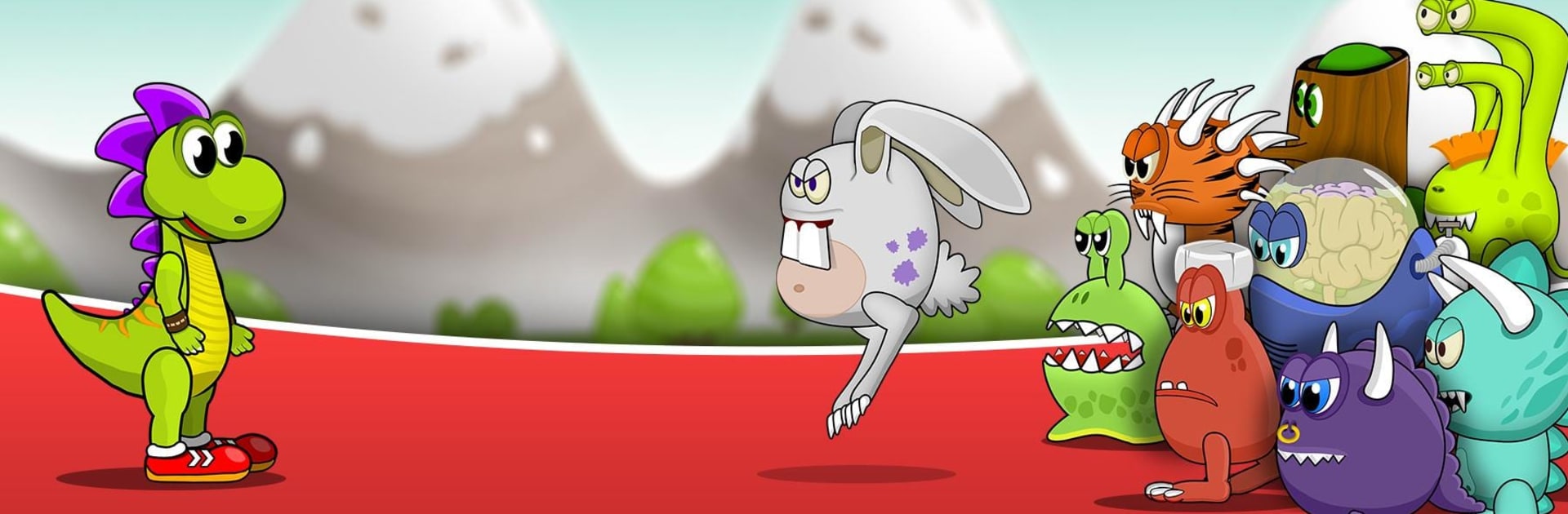
Bubbles Era Adventures is a cheeky Arcade platformer where a brave little dino fights off alien intruders the old-fashioned way—by bubbling them up and popping ’em. It’s lighthearted, fast, and a bit nostalgic, with a fun story set way before humans were around. Expect crisp controls, plenty of secret paths, and levels that go from “ah, easy” to “okay, that was slick” pretty quickly.

Game Features

  • Bubble Combat
    Trap invading aliens inside bubbles, then burst them at just the right moment. Timing matters, and chaining pops never gets old.

  • Playful Platforming
    Run, hop, and bounce through clever stages. Floating balloons lift you to tricky spots, and a handy step detector helps sniff out hidden routes.

  • Powers and Upgrades
    Pick up shields, discover mysterious power-ups, and upgrade Dino’s skills to handle tougher enemies and tighter platforming.

  • Worlds to Explore
    Travel across distinct themed areas, each with its own hazards, enemy types, and secrets tucked just out of sight.

  • Challenge That Grows
    Early levels teach the ropes; later ones test your reflexes and curiosity. Shortcuts and secret chambers reward smart play.

  • Clean, Colorful Look
    Bright HD visuals keep every jump and bubble pop easy to read and satisfying to watch.

  • Always Something New
    Fresh stages roll in over time, so there’s a steady stream of reasons to hop back in.

  • Plays Great Your Way
    Built for touch, and it feels especially snappy with keyboard or gamepad support when you fire it up on BlueStacks.

  • From Flex Games
    A compact, joyful Arcade experience crafted by Flex Games, focused on playful mechanics and simple, addictive loops.

Get ready for a buttery smooth, high-performance gaming action only on BlueStacks.

Game Features

Enhancements

  • Macros
  • Multi Instance
  • Multi Instance Sync
  • Script
  • Enhancements
Macros

Macros

Automate the predictable in Bubbles Era Adventures and transform your gameplay with Macros. Get access to inventive Macros in the BlueStacks Macro Community
Multi Instance

Multi Instance

Play Bubbles Era Adventures on one window. And chat with your friend on the other. Press CTRL + Shift + 8 to open the Multi-Instance Manager. And start creating fresh instances or clone an existing one.
Multi Instance Sync

Multi Instance Sync

Play Bubbles Era Adventures with the power of Multi-Instance Sync. Replicate what you are doing on the main instance on all other instances. Level up faster, play more.
Script

Script

Script your way to gaming glory in Bubbles Era Adventures with BlueStacks Script. Write and run a set of commands to automate repeated tasks. Trigger the command by assigning it to any key.
Read More

How to Download and Play Bubbles Era Adventures on PC or Mac

  • Download and install BlueStacks on your PC or Mac

  • Complete Google sign-in to access the Play Store, or do it later

  • Look for Bubbles Era Adventures in the search bar at the top right corner

  • Click to install Bubbles Era Adventures from the search results

  • Complete Google sign-in (if you skipped step 2) to install Bubbles Era Adventures

  • Click the Bubbles Era Adventures icon on the home screen to start playing

video
Watch Video

Minimum System Requirements

With BlueStacks 5, you can get started on a PC that fulfills the following requirements.

  • Operating System

    Microsoft Windows 7 or above, macOS 11 (Big Sur) or above

  • Processor

    Intel, AMD or Apple Silicon Processor

  • RAM

    at least 4GB

  • HDD

    10GB Free Disk Space

Note:

* You must be an Administrator on your PC. Up to date graphics drivers from Microsoft or the chipset vendor.

Bubbles Era Adventures - FAQs

  • How to play Bubbles Era Adventures on Windows PC & Mac?

    Play Bubbles Era Adventures on your PC or Mac by following these simple steps.

    • Click on 'Play Bubbles Era Adventures on PC’ to download BlueStacks
    • Install it and log-in to Google Play Store
    • Launch and play the game.
  • Why is BlueStacks the fastest and safest platform to play games on PC?

    BlueStacks respects your privacy and is always safe and secure to use. It does not carry any malware, spyware, or any sort of additional software that could harm your PC.

    It is engineered to optimize speed and performance for a seamless gaming experience.

  • What are Bubbles Era Adventures PC requirements?

    Minimum requirement to run Bubbles Era Adventures on your PC

    • OS: Microsoft Windows 7 or above MacOS 11 (Big Sur) or above
    • Processor: Intel, AMD or Apple Silicon Processor
    • RAM: Your PC must have at least 4GB of RAM. (Note that having 4GB or more disk space is not a substitute for RAM)
    • HDD: 10GB Free Disk Space.
    • You must be an Administrator on your PC.