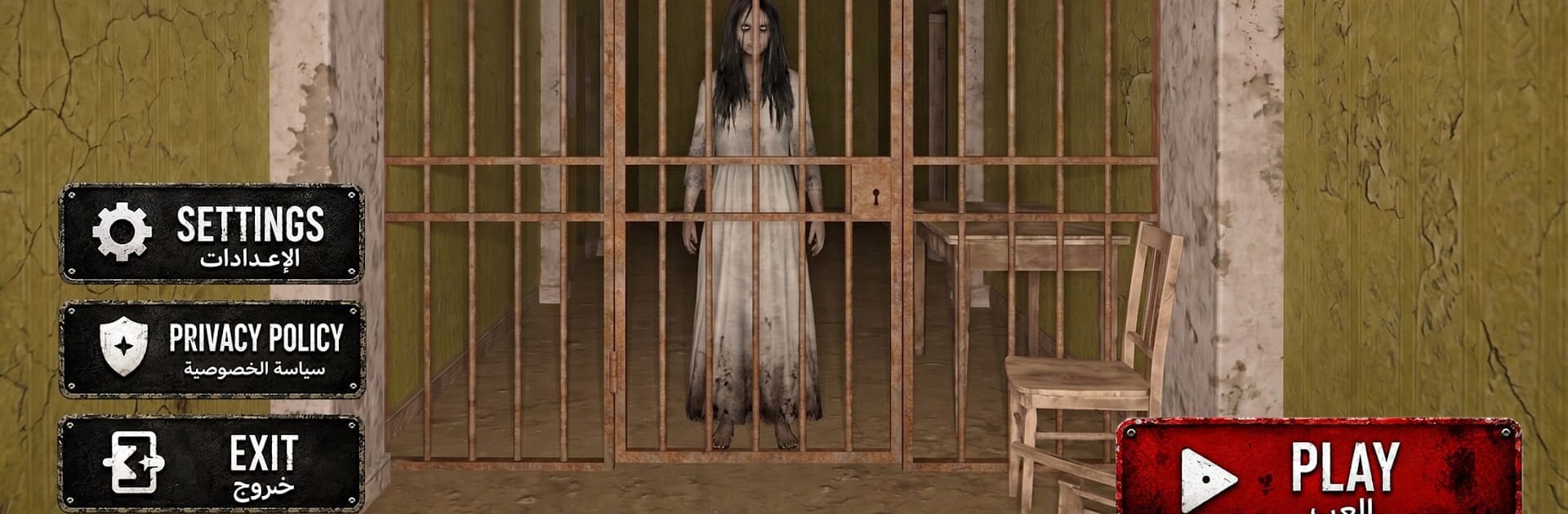
Scary Nan Haunted Mansion

Scary Nan Haunted Mansion

Adventure

| Big Arbor

Play on PC with BlueStacks or from our cloud

  • Overview
  • Game Features
  • How to Play

Page Modified On: November 02, 2026

Play Scary Nan Haunted Mansion on PC or Mac

Explore a whole new adventure with Scary Nan Haunted Mansion, a Adventure game created by Big Arbor. Experience great gameplay with BlueStacks, the most popular gaming platform to play Android games on your PC or Mac.

About the Game

Scary Nan Haunted Mansion is an Adventure that drops you into a creaky old estate where silence is your best friend and curiosity can get you caught. Nan isn’t the only one lurking—there’s a second prowler in the dark—so every step is a gamble between caution and progress. Study their patterns, slip through gaps, and keep your nerves steady as you hunt for a way out.

Game Features

  • Two hunters, one exit: Nan isn’t roaming alone; a second stalker complicates every route, so you’ll juggle overlapping patrols and read the mansion like a chessboard.
  • Stealth that actually matters: Line of sight, shadows, and timing make or break a run—hug corners, track footsteps, and wait for that perfect window to move.
  • Reactive patrols: They don’t just loop; sudden noises pull them off-route, and they’ll cut off shortcuts when you get careless.
  • Environmental puzzles: Locked doors, hidden levers, and misleading corridors nudge you to scout smart and piece together safe paths room by room.
  • Risk-and-reward exploration: Side rooms hide clues and tools, but lingering too long can box you in fast.
  • Smart hiding spots: Wardrobes, curtains, and crawl spaces buy precious seconds—if you keep still and resist bolting too early.
  • Sound as a compass: Footsteps, mutters, and distant door creaks help you predict routes and set up clean escapes without a map.
  • Multiple ways to slip out: Quiet detours or gutsy shortcuts—adjust your plan on the fly when a hunter blocks the hall you wanted.
  • Tension by design: A moody atmosphere and minimal UI keep your attention on the house itself, not on meters or pop-ups.
  • Smooth on BlueStacks: Want tighter controls and a bigger view of those shadowy corners? It plays comfortably without getting in your way.

Start your journey now. Download the game on BlueStacks, invite your friends, and march on a new adventure.


Game Features

Enhancements

  • Macros
  • Multi Instance
  • Multi Instance Sync
  • Script
  • Enhancements
Macros

Macros

Automate the predictable in Scary Nan Haunted Mansion and transform your gameplay with Macros. Get access to inventive Macros in the BlueStacks Macro Community
Multi Instance

Multi Instance

Play Scary Nan Haunted Mansion on one window. And chat with your friend on the other. Press CTRL + Shift + 8 to open the Multi-Instance Manager. And start creating fresh instances or clone an existing one.
Multi Instance Sync

Multi Instance Sync

Play Scary Nan Haunted Mansion with the power of Multi-Instance Sync. Replicate what you are doing on the main instance on all other instances. Level up faster, play more.
Script

Script

Script your way to gaming glory in Scary Nan Haunted Mansion with BlueStacks Script. Write and run a set of commands to automate repeated tasks. Trigger the command by assigning it to any key.
Read More

How to Download and Play Scary Nan Haunted Mansion on PC or Mac

  • Download and install BlueStacks on your PC or Mac

  • Complete Google sign-in to access the Play Store, or do it later

  • Look for Scary Nan Haunted Mansion in the search bar at the top right corner

  • Click to install Scary Nan Haunted Mansion from the search results

  • Complete Google sign-in (if you skipped step 2) to install Scary Nan Haunted Mansion

  • Click the Scary Nan Haunted Mansion icon on the home screen to start playing

video
Watch Video

Minimum System Requirements

With BlueStacks 5, you can get started on a PC that fulfills the following requirements.

  • Operating System

    Microsoft Windows 7 or above, macOS 11 (Big Sur) or above

  • Processor

    Intel, AMD or Apple Silicon Processor

  • RAM

    at least 4GB

  • HDD

    10GB Free Disk Space

Note:

* You must be an Administrator on your PC. Up to date graphics drivers from Microsoft or the chipset vendor.

Scary Nan Haunted Mansion - FAQs

  • How to play Scary Nan Haunted Mansion on Windows PC & Mac?

    Play Scary Nan Haunted Mansion on your PC or Mac by following these simple steps.

    • Click on 'Play Scary Nan Haunted Mansion on PC’ to download BlueStacks
    • Install it and log-in to Google Play Store
    • Launch and play the game.
  • Why is BlueStacks the fastest and safest platform to play games on PC?

    BlueStacks respects your privacy and is always safe and secure to use. It does not carry any malware, spyware, or any sort of additional software that could harm your PC.

    It is engineered to optimize speed and performance for a seamless gaming experience.

  • What are Scary Nan Haunted Mansion PC requirements?

    Minimum requirement to run Scary Nan Haunted Mansion on your PC

    • OS: Microsoft Windows 7 or above MacOS 11 (Big Sur) or above
    • Processor: Intel, AMD or Apple Silicon Processor
    • RAM: Your PC must have at least 4GB of RAM. (Note that having 4GB or more disk space is not a substitute for RAM)
    • HDD: 10GB Free Disk Space.
    • You must be an Administrator on your PC.