Shadow Ninja Fighter Fury RPG

Shadow Ninja Fighter Fury RPG

Adventure

| SignatureGames

Play on PC with BlueStacks or from our cloud

  • Overview
  • Game Features
  • How to Play

Page Modified On: August 11, 2026

Play Shadow Ninja Fighter Fury RPG on PC or Mac

Shadow Ninja Fighter Fury RPG brings the Adventure genre to life, and throws up exciting challenges for gamers. Developed by SignatureGames, this Android game is best experienced on BlueStacks, the World’s #1 app player for PC and Mac users.

About the Game

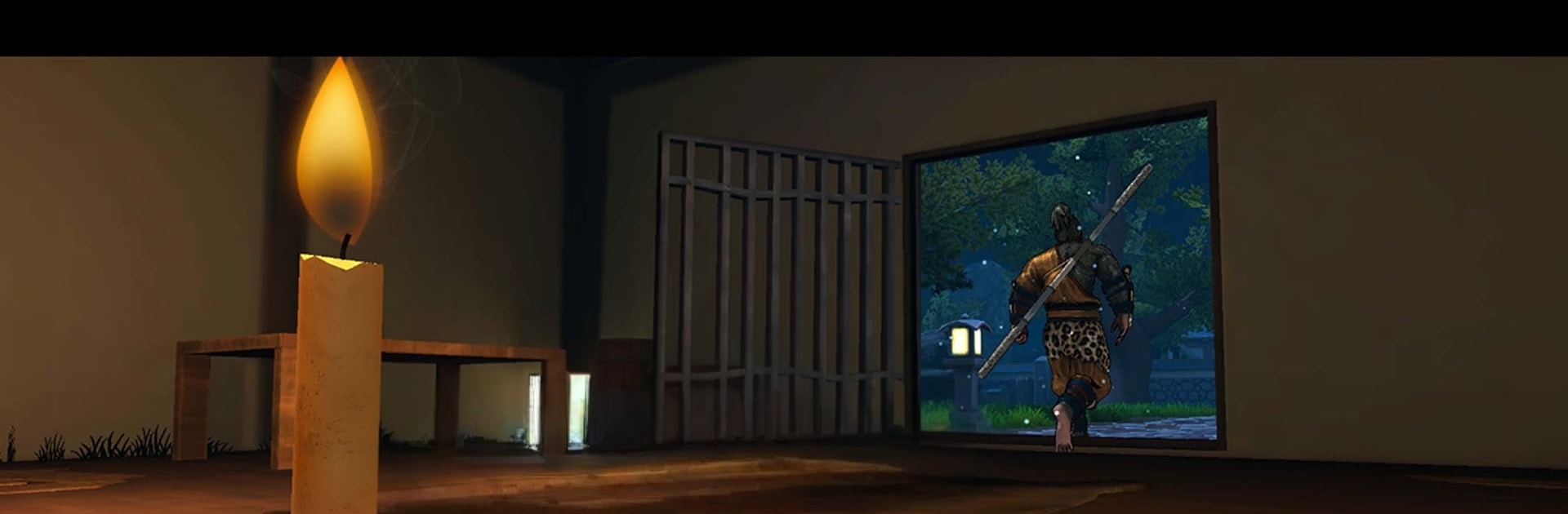
Shadow Ninja Fighter Fury RPG drops you into a brutal feud after your mentor is cut down, and the only thing sharper than your blade is your resolve. You’ll stalk targets through moonlit rooftops and crowded strongholds, striking fast and vanishing faster. This Adventure blends slick swordplay, stealthy takedowns, and a hint of myth to keep every encounter intense and personal.

Game Features

  • Razor-Sharp Combat: Snap between dodges, parries, and crushing counters, then string them into flashy combos that feel smooth in full 3D.
  • Story of Reckoning: Track the conspirators behind your master’s murder in a cinematic tale that swings between quiet tension and explosive showdowns.
  • Open Areas to Prowl: Roam outposts, forests, and hidden paths, uncovering raids, side quests, and secrets tucked off the main road.
  • Swords and Martial Arts: Master katana technique, bare‑handed strikes, and brutal assassination moves designed for quick, clean finishes.
  • Arena Duels and Boss Fights: Test your timing in focused battles built to punish sloppy play and reward precision.
  • Skills That Click: Unlock new moves and stances to tailor how you approach each fight—silent predator, relentless brawler, or a bit of both.
  • Clean, Punchy Presentation: Stylish effects, weighty hit reactions, and camera work that sells every slash.
  • Smooth on PC with BlueStacks: Prefer keyboard and mouse? The action feels right at home there too, without stealing focus from mobile play.

Get ready for a buttery smooth, high-performance gaming action only on BlueStacks.

Game Features

Enhancements

  • Macros
  • Multi Instance
  • Multi Instance Sync
  • Script
  • Enhancements
Macros

Macros

Automate the predictable in Shadow Ninja Fighter Fury RPG and transform your gameplay with Macros. Get access to inventive Macros in the BlueStacks Macro Community
Multi Instance

Multi Instance

Play Shadow Ninja Fighter Fury RPG on one window. And chat with your friend on the other. Press CTRL + Shift + 8 to open the Multi-Instance Manager. And start creating fresh instances or clone an existing one.
Multi Instance Sync

Multi Instance Sync

Play Shadow Ninja Fighter Fury RPG with the power of Multi-Instance Sync. Replicate what you are doing on the main instance on all other instances. Level up faster, play more.
Script

Script

Script your way to gaming glory in Shadow Ninja Fighter Fury RPG with BlueStacks Script. Write and run a set of commands to automate repeated tasks. Trigger the command by assigning it to any key.
Read More

How to Download and Play Shadow Ninja Fighter Fury RPG on PC or Mac

  • Download and install BlueStacks on your PC or Mac

  • Complete Google sign-in to access the Play Store, or do it later

  • Look for Shadow Ninja Fighter Fury RPG in the search bar at the top right corner

  • Click to install Shadow Ninja Fighter Fury RPG from the search results

  • Complete Google sign-in (if you skipped step 2) to install Shadow Ninja Fighter Fury RPG

  • Click the Shadow Ninja Fighter Fury RPG icon on the home screen to start playing

video
Watch Video

Minimum System Requirements

With BlueStacks 5, you can get started on a PC that fulfills the following requirements.

  • Operating System

    Microsoft Windows 7 or above, macOS 11 (Big Sur) or above

  • Processor

    Intel, AMD or Apple Silicon Processor

  • RAM

    at least 4GB

  • HDD

    10GB Free Disk Space

Note:

* You must be an Administrator on your PC. Up to date graphics drivers from Microsoft or the chipset vendor.

Shadow Ninja Fighter Fury RPG - FAQs

  • How to play Shadow Ninja Fighter Fury RPG on Windows PC & Mac?

    Play Shadow Ninja Fighter Fury RPG on your PC or Mac by following these simple steps.

    • Click on 'Play Shadow Ninja Fighter Fury RPG on PC’ to download BlueStacks
    • Install it and log-in to Google Play Store
    • Launch and play the game.
  • Why is BlueStacks the fastest and safest platform to play games on PC?

    BlueStacks respects your privacy and is always safe and secure to use. It does not carry any malware, spyware, or any sort of additional software that could harm your PC.

    It is engineered to optimize speed and performance for a seamless gaming experience.

  • What are Shadow Ninja Fighter Fury RPG PC requirements?

    Minimum requirement to run Shadow Ninja Fighter Fury RPG on your PC

    • OS: Microsoft Windows 7 or above MacOS 11 (Big Sur) or above
    • Processor: Intel, AMD or Apple Silicon Processor
    • RAM: Your PC must have at least 4GB of RAM. (Note that having 4GB or more disk space is not a substitute for RAM)
    • HDD: 10GB Free Disk Space.
    • You must be an Administrator on your PC.