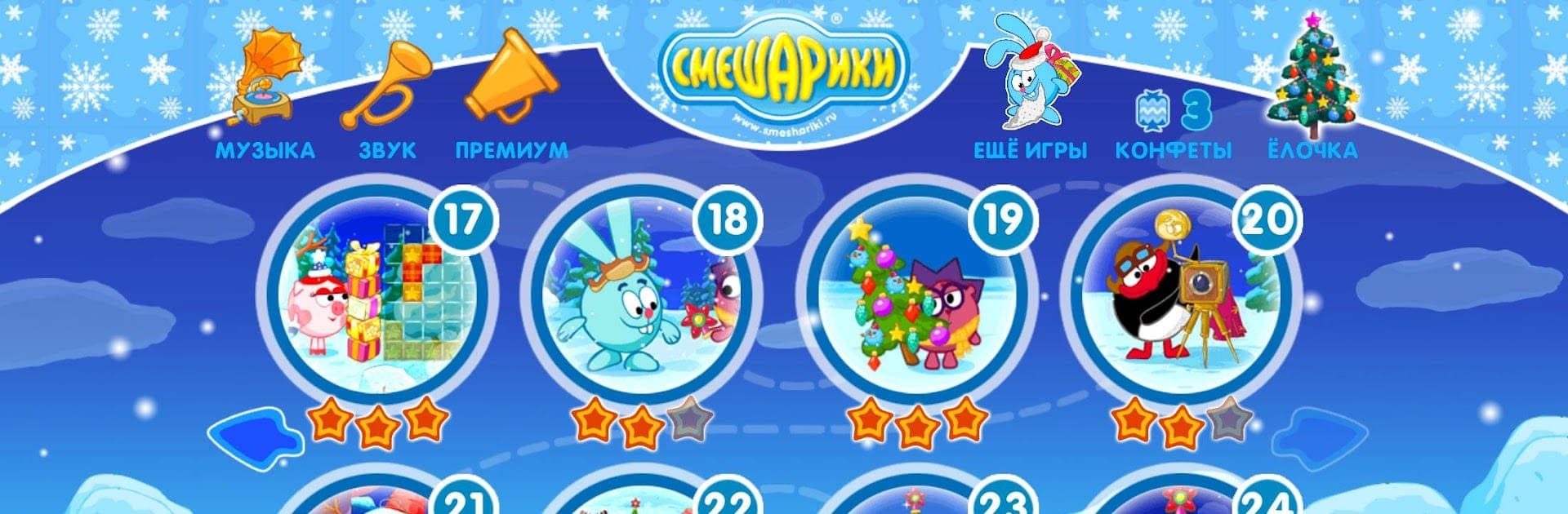
Смешарики. Ёлочка
Смешарики. Ёлочка

Смешарики. Ёлочка

Adventure

| iTales

Play on PC with BlueStacks or from our cloud

  • Overview
  • Game Features
  • How to Play

Page Modified On: December 22, 2025

Play Смешарики. Ёлочка on PC or Mac

Explore a whole new adventure with Смешарики. Ёлочка, a Adventure game created by iTales. Experience great gameplay with BlueStacks, the most popular gaming platform to play Android games on your PC or Mac.

About the Game

Смешарики. Ёлочка is a cozy holiday Adventure from iTales where you pitch in on New Year’s prep with your favorite round friends. Ornaments go missing, plans get mixed up, and someone always needs a hand—so you jump between tasks, help everyone get ready, and build your own festive vibe along the way. Lend a paw, earn candy, and trade it for shiny decorations to dress up your personal Christmas tree.

Game Features

  • Holiday errands with friends — Team up with Krosh, Hedgehog, Sovunya, Losyash, Nyusha, and more. Each character has a small problem to solve before the celebration kicks off.
  • Quick, cheerful tasks — Tidy up, fetch items, fix little mishaps, and keep the party on schedule. Short activities make it easy to pop in and play anytime.
  • Candy turns into decor — Earn candy for helping and exchange it for ornaments, garlands, and toppers to make your tree stand out.
  • Your tree, your style — Try different looks, swap decorations, and tweak the details until your living room centerpiece feels just right.
  • Festive atmosphere — Bright visuals, a wintery setting, and a playful mood that keeps things light and family-friendly.
  • Made for easy play — Simple controls and clear goals mean kids can explore confidently, while adults can relax and enjoy the holiday chaos.
  • Replay-friendly fun — Come back to complete more errands, gather extra candy, and unlock new ways to decorate.
  • Play on a bigger screen — Prefer the comfort of your PC? BlueStacks makes it easy to enjoy the same festive bustle with smooth controls and plenty of space to admire your decorated tree.

Make your gaming sessions memorable with precise controls that give you an edge in close combats and visuals that pop up, bringing every character to life.


Game Features

Enhancements

  • Macros
  • Multi Instance
  • Multi Instance Sync
  • Script
  • Enhancements
Macros

Macros

Automate the predictable in Смешарики. Ёлочка and transform your gameplay with Macros. Get access to inventive Macros in the BlueStacks Macro Community
Multi Instance

Multi Instance

Play Смешарики. Ёлочка on one window. And chat with your friend on the other. Press CTRL + Shift + 8 to open the Multi-Instance Manager. And start creating fresh instances or clone an existing one.
Multi Instance Sync

Multi Instance Sync

Play Смешарики. Ёлочка with the power of Multi-Instance Sync. Replicate what you are doing on the main instance on all other instances. Level up faster, play more.
Script

Script

Script your way to gaming glory in Смешарики. Ёлочка with BlueStacks Script. Write and run a set of commands to automate repeated tasks. Trigger the command by assigning it to any key.
Read More

How to Download and Play Смешарики. Ёлочка on PC or Mac

  • Download and install BlueStacks on your PC or Mac

  • Complete Google sign-in to access the Play Store, or do it later

  • Look for Смешарики. Ёлочка in the search bar at the top right corner

  • Click to install Смешарики. Ёлочка from the search results

  • Complete Google sign-in (if you skipped step 2) to install Смешарики. Ёлочка

  • Click the Смешарики. Ёлочка icon on the home screen to start playing

video
Watch Video

Minimum System Requirements

With BlueStacks 5, you can get started on a PC that fulfills the following requirements.

  • Operating System

    Microsoft Windows 7 or above, macOS 11 (Big Sur) or above

  • Processor

    Intel, AMD or Apple Silicon Processor

  • RAM

    at least 4GB

  • HDD

    10GB Free Disk Space

Note:

* You must be an Administrator on your PC. Up to date graphics drivers from Microsoft or the chipset vendor.

Смешарики. Ёлочка - FAQs

  • How to play Смешарики. Ёлочка on Windows PC & Mac?

    Play Смешарики. Ёлочка on your PC or Mac by following these simple steps.

    • Click on 'Play Смешарики. Ёлочка on PC’ to download BlueStacks
    • Install it and log-in to Google Play Store
    • Launch and play the game.
  • Why is BlueStacks the fastest and safest platform to play games on PC?

    BlueStacks respects your privacy and is always safe and secure to use. It does not carry any malware, spyware, or any sort of additional software that could harm your PC.

    It is engineered to optimize speed and performance for a seamless gaming experience.

  • What are Смешарики. Ёлочка PC requirements?

    Minimum requirement to run Смешарики. Ёлочка on your PC

    • OS: Microsoft Windows 7 or above MacOS 11 (Big Sur) or above
    • Processor: Intel, AMD or Apple Silicon Processor
    • RAM: Your PC must have at least 4GB of RAM. (Note that having 4GB or more disk space is not a substitute for RAM)
    • HDD: 10GB Free Disk Space.
    • You must be an Administrator on your PC.