Smiling-X: Scary Christmas

Smiling-X: Scary Christmas

Adventure

| IndieFist Horror Games

Play on PC with BlueStacks or from our cloud

  • Overview
  • Game Features
  • How to Play

Page Modified On: January 09, 2026

Play Smiling-X: Scary Christmas on PC or Mac

From the innovators and creators at IndieFist Horror Games, Smiling-X: Scary Christmas is another fun addition to the World of Adventure games. Go beyond your mobile screen and play it bigger and better on your PC or Mac. An immersive experience awaits you.

About the Game

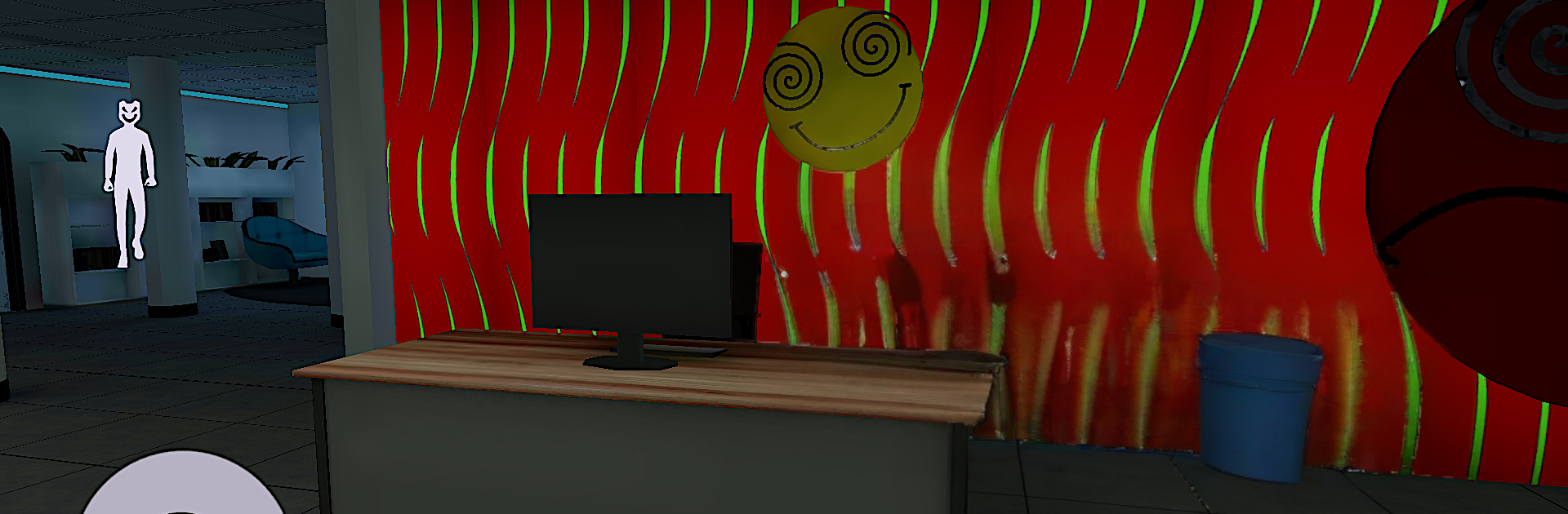
Smiling-X: Scary Christmas flips the cozy holiday vibe into a claustrophobic nightmare. A timeline glitch rips through the Corp-X office, warping Santa into something vicious and relentless. You’re stuck in a maze of cubicles and corridors, sneaking around a prowling monster while piecing together what went wrong in this Adventure horror from IndieFist Horror Games. Prefer a bigger screen and keyboard? It plays comfortably on PC with BlueStacks.

Game Features

  • Twisted Santa
    A once-jolly figure is now a terrifying stalker, chasing anyone left in the building with zero holiday spirit.

  • Glitched Office Setting
    Explore a corporate HQ gone wrong—flickering lights, broken timelines, and rooms that feel familiar yet off.

  • Sound That Gets Under Your Skin
    Low drones, distant footsteps, and sudden spikes in noise crank the tension and make every move risky.

  • Psychological Tension
    Reality feels unstable, with unsettling visuals and moments designed to rattle your nerves—not just your reflexes.

  • Snappy Mobile Controls
    Move, peek, hide, and sprint with responsive touch inputs that keep you focused on staying alive.

  • Immersive 3D Look
    Detailed rooms, moody lighting, and tight spaces make every corner feel dangerous.

  • Stealth and Strategy
    Watch patrol patterns, create openings, and take smart routes instead of rushing headlong into trouble.

  • Clues and Progression
    Hunt for notes, codes, and hints to unlock paths, understand the anomaly, and find a way out before he finds you.

Start your journey now. Download the game on BlueStacks, invite your friends, and march on a new adventure.


Game Features

Enhancements

  • Macros
  • Multi Instance
  • Multi Instance Sync
  • Script
  • Enhancements
Macros

Macros

Automate the predictable in Smiling-X: Scary Christmas and transform your gameplay with Macros. Get access to inventive Macros in the BlueStacks Macro Community
Multi Instance

Multi Instance

Play Smiling-X: Scary Christmas on one window. And chat with your friend on the other. Press CTRL + Shift + 8 to open the Multi-Instance Manager. And start creating fresh instances or clone an existing one.
Multi Instance Sync

Multi Instance Sync

Play Smiling-X: Scary Christmas with the power of Multi-Instance Sync. Replicate what you are doing on the main instance on all other instances. Level up faster, play more.
Script

Script

Script your way to gaming glory in Smiling-X: Scary Christmas with BlueStacks Script. Write and run a set of commands to automate repeated tasks. Trigger the command by assigning it to any key.
Read More

How to Download and Play Smiling-X: Scary Christmas on PC or Mac

  • Download and install BlueStacks on your PC or Mac

  • Complete Google sign-in to access the Play Store, or do it later

  • Look for Smiling-X: Scary Christmas in the search bar at the top right corner

  • Click to install Smiling-X: Scary Christmas from the search results

  • Complete Google sign-in (if you skipped step 2) to install Smiling-X: Scary Christmas

  • Click the Smiling-X: Scary Christmas icon on the home screen to start playing

video
Watch Video

Minimum System Requirements

With BlueStacks 5, you can get started on a PC that fulfills the following requirements.

  • Operating System

    Microsoft Windows 7 or above, macOS 11 (Big Sur) or above

  • Processor

    Intel, AMD or Apple Silicon Processor

  • RAM

    at least 4GB

  • HDD

    10GB Free Disk Space

Note:

* You must be an Administrator on your PC. Up to date graphics drivers from Microsoft or the chipset vendor.

Smiling-X: Scary Christmas - FAQs

  • How to play Smiling-X: Scary Christmas on Windows PC & Mac?

    Play Smiling-X: Scary Christmas on your PC or Mac by following these simple steps.

    • Click on 'Play Smiling-X: Scary Christmas on PC’ to download BlueStacks
    • Install it and log-in to Google Play Store
    • Launch and play the game.
  • Why is BlueStacks the fastest and safest platform to play games on PC?

    BlueStacks respects your privacy and is always safe and secure to use. It does not carry any malware, spyware, or any sort of additional software that could harm your PC.

    It is engineered to optimize speed and performance for a seamless gaming experience.

  • What are Smiling-X: Scary Christmas PC requirements?

    Minimum requirement to run Smiling-X: Scary Christmas on your PC

    • OS: Microsoft Windows 7 or above MacOS 11 (Big Sur) or above
    • Processor: Intel, AMD or Apple Silicon Processor
    • RAM: Your PC must have at least 4GB of RAM. (Note that having 4GB or more disk space is not a substitute for RAM)
    • HDD: 10GB Free Disk Space.
    • You must be an Administrator on your PC.