I am Mini Naughty Monkey

I am Mini Naughty Monkey

Simulation

| Proficient Games

Play on PC with BlueStacks or from our cloud

  • Overview
  • Game Features
  • How to Play

Page Modified On: May 25, 2026

Play I am Mini Naughty Monkey on PC or Mac

Step into the World of I am Mini Naughty Monkey, a thrilling Simulation game from the house of Proficient Games. Play this Android game on BlueStacks App Player and experience immersive gaming on PC or Mac.

About the Game

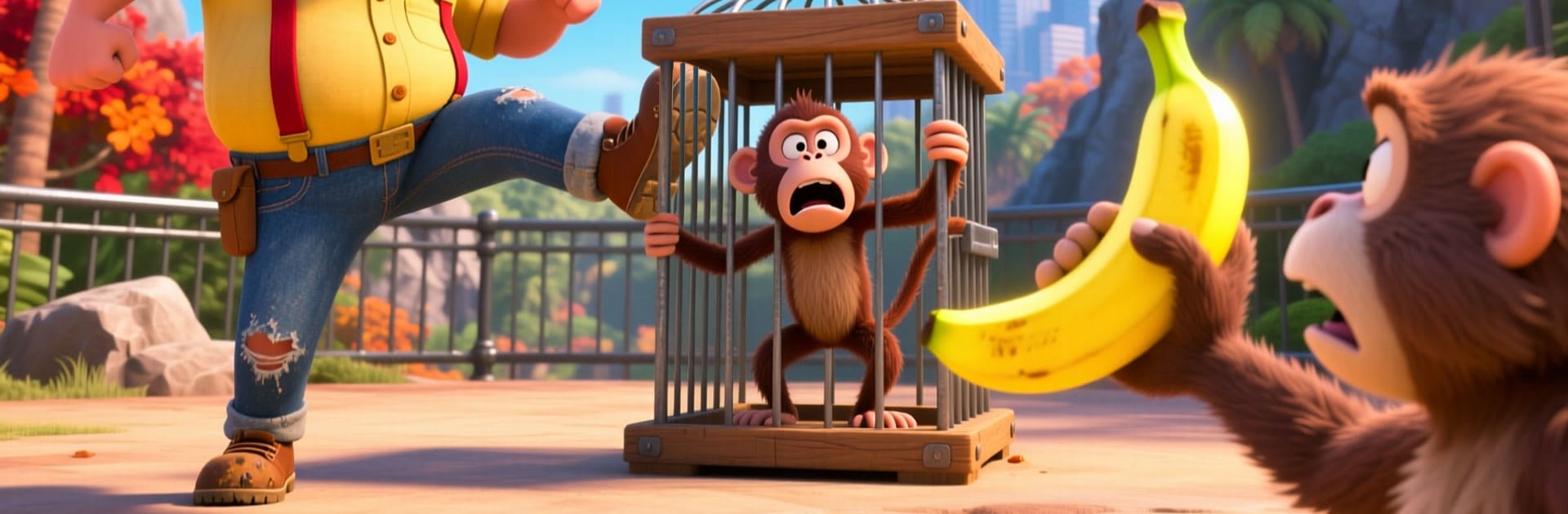
I am Mini Naughty Monkey is a cheeky Simulation where you play a pint‑sized primate with a big talent for mischief. Your job? Turn an ordinary zoo (and a few city spots) into a playground of goofy stunts, clever pranks, and perfectly timed escapes. It’s lighthearted chaos with physics you can feel—swing, climb, snatch, and scoot before the guards even know what happened.

Game Features

  • Tiny troublemaker, big playground: Explore lively enclosures, crowded walkways, and city corners—every spot is a setup waiting for your next prank.
  • Smooth swings and real feel: Physics-based movement makes climbing fences, leaping between rails, and dangling from signs feel natural and snappy.
  • Pranks with a plan: Use food carts, gates, alarms, and random props to distract staff, confuse visitors, and spring the perfect gag.
  • Call in the crew: Team up with animal buddies to pull distractions while you swipe treats or stage a daring “who left the door open?” moment.
  • Outsmart the patrol: Security watches your every move, so mix stealth with quick sprints and well-timed stunts to slip away.
  • Stunts that unlock more: Nail tricky challenges to earn goodies and open new areas packed with fresh routes and prank ideas.
  • Zoo to jungle vibes: Bounce between lush greenery and concrete paths, with colorful 3D scenes and lots of small details to mess with.
  • Built for sneaky precision: Prefer playing on PC? BlueStacks adds crisp controls that make tight turns, fast grabs, and clean getaways feel even better.

Start playing I am Mini Naughty Monkey on BlueStacks and get a smoother, more comfortable PC or Mac setup.


Game Features

Enhancements

  • Macros
  • Multi Instance
  • Multi Instance Sync
  • Script
  • Enhancements
Macros

Macros

Automate the predictable in I am Mini Naughty Monkey and transform your gameplay with Macros. Get access to inventive Macros in the BlueStacks Macro Community
Multi Instance

Multi Instance

Play I am Mini Naughty Monkey on one window. And chat with your friend on the other. Press CTRL + Shift + 8 to open the Multi-Instance Manager. And start creating fresh instances or clone an existing one.
Multi Instance Sync

Multi Instance Sync

Play I am Mini Naughty Monkey with the power of Multi-Instance Sync. Replicate what you are doing on the main instance on all other instances. Level up faster, play more.
Script

Script

Script your way to gaming glory in I am Mini Naughty Monkey with BlueStacks Script. Write and run a set of commands to automate repeated tasks. Trigger the command by assigning it to any key.
Read More

How to Download and Play I am Mini Naughty Monkey on PC or Mac

  • Download and install BlueStacks on your PC or Mac

  • Complete Google sign-in to access the Play Store, or do it later

  • Look for I am Mini Naughty Monkey in the search bar at the top right corner

  • Click to install I am Mini Naughty Monkey from the search results

  • Complete Google sign-in (if you skipped step 2) to install I am Mini Naughty Monkey

  • Click the I am Mini Naughty Monkey icon on the home screen to start playing

video
Watch Video

Minimum System Requirements

With BlueStacks 5, you can get started on a PC that fulfills the following requirements.

  • Operating System

    Microsoft Windows 7 or above, macOS 11 (Big Sur) or above

  • Processor

    Intel, AMD or Apple Silicon Processor

  • RAM

    at least 4GB

  • HDD

    10GB Free Disk Space

Note:

* You must be an Administrator on your PC. Up to date graphics drivers from Microsoft or the chipset vendor.

I am Mini Naughty Monkey - FAQs

  • How to play I am Mini Naughty Monkey on Windows PC & Mac?

    Play I am Mini Naughty Monkey on your PC or Mac by following these simple steps.

    • Click on 'Play I am Mini Naughty Monkey on PC’ to download BlueStacks
    • Install it and log-in to Google Play Store
    • Launch and play the game.
  • Why is BlueStacks the fastest and safest platform to play games on PC?

    BlueStacks respects your privacy and is always safe and secure to use. It does not carry any malware, spyware, or any sort of additional software that could harm your PC.

    It is engineered to optimize speed and performance for a seamless gaming experience.

  • What are I am Mini Naughty Monkey PC requirements?

    Minimum requirement to run I am Mini Naughty Monkey on your PC

    • OS: Microsoft Windows 7 or above MacOS 11 (Big Sur) or above
    • Processor: Intel, AMD or Apple Silicon Processor
    • RAM: Your PC must have at least 4GB of RAM. (Note that having 4GB or more disk space is not a substitute for RAM)
    • HDD: 10GB Free Disk Space.
    • You must be an Administrator on your PC.