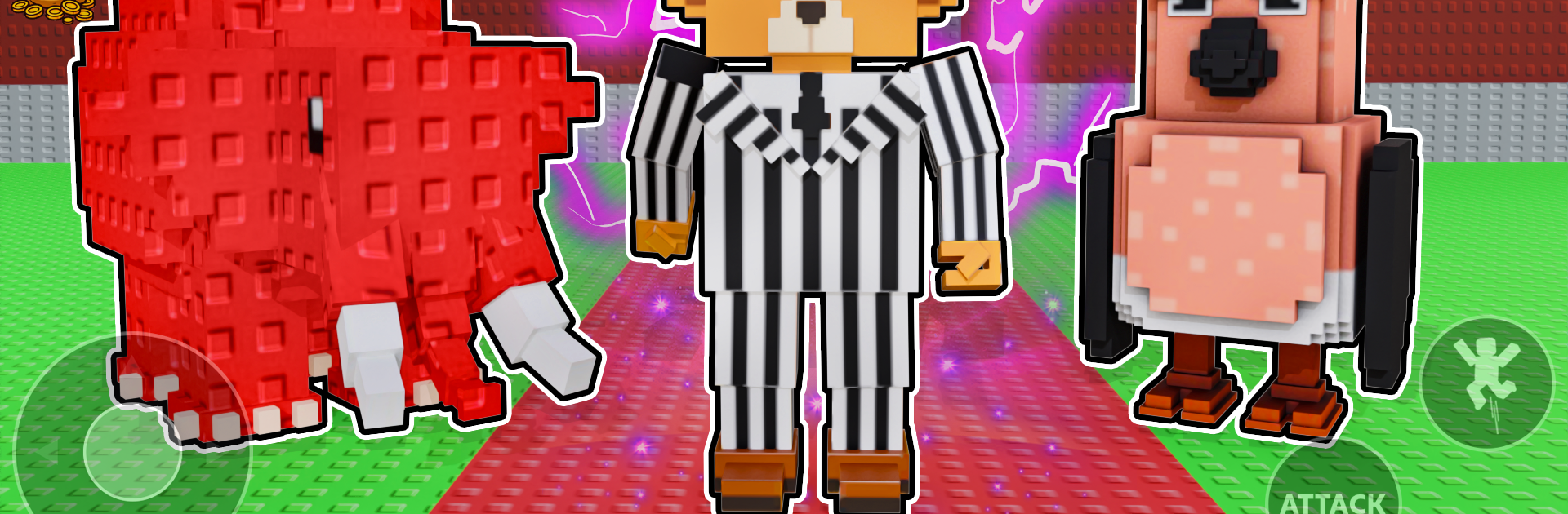
Steal & Catch: Brainrot Battle

Steal & Catch: Brainrot Battle

Adventure

| CROSSY GAMES LLC

Play on PC with BlueStacks or from our cloud

  • Overview
  • Game Features
  • How to Play

Page Modified On: December 22, 2025

Play Steal & Catch: Brainrot Battle on PC or Mac

Steal & Catch: Brainrot Battle brings the Adventure genre to life, and throws up exciting challenges for gamers. Developed by CROSSY GAMES LLC, this Android game is best experienced on BlueStacks, the World’s #1 app player for PC and Mac users.

Steal & Catch: Brainrot Battle is a sneaky raid game wrapped around base building, with a goofy creature collection twist. Players gather weird little Brainrots, stash them in a vault, then creep into other players bases to grab their best ones before alarms light up. It starts simple with a starter Brainrot and maps full of side paths and shortcuts, but each creature has its own trick that changes how a run plays, and upgrades actually shift the odds in fights and escapes. The catch is obvious. if stealing is on the table, defending has to be too, so traps and smarter defenses matter, and planning the route home ends up feeling just as tense as the break in. Runs swing between quiet sneaking and full sprint chaos when sirens flare and the pack is stuffed with loot, so timing and nerve carry a lot of weight.

What pops is how fast a session can be and how clean the controls feel, so it fits a quick break or a longer hunt for new Brainrots. Lucky Blocks, events, and seasonal stuff keep targets changing, and the bright cartoon look sells the humor without getting annoying. The leaderboard adds a goal without turning every match into stress, and base upgrades slot in quickly so progress never stalls. On PC through BlueStacks, the bigger screen makes spotting traps and paths easier and keymapping helps with precision, but it keeps that easy mobile feel. If building a sneaky little lair, baiting intruders, and walking off with their favorite creature sounds good, this scratches that itch.

Ready to top the leaderboard? We bet you do. Let precise controls and sharp visuals optimized on BlueStacks lead you to victory.


Game Features

Enhancements

  • Macros
  • Multi Instance
  • Multi Instance Sync
  • Script
  • Enhancements
Macros

Macros

Automate the predictable in Steal & Catch: Brainrot Battle and transform your gameplay with Macros. Get access to inventive Macros in the BlueStacks Macro Community
Multi Instance

Multi Instance

Play Steal & Catch: Brainrot Battle on one window. And chat with your friend on the other. Press CTRL + Shift + 8 to open the Multi-Instance Manager. And start creating fresh instances or clone an existing one.
Multi Instance Sync

Multi Instance Sync

Play Steal & Catch: Brainrot Battle with the power of Multi-Instance Sync. Replicate what you are doing on the main instance on all other instances. Level up faster, play more.
Script

Script

Script your way to gaming glory in Steal & Catch: Brainrot Battle with BlueStacks Script. Write and run a set of commands to automate repeated tasks. Trigger the command by assigning it to any key.
Read More

How to Download and Play Steal & Catch: Brainrot Battle on PC or Mac

  • Download and install BlueStacks on your PC or Mac

  • Complete Google sign-in to access the Play Store, or do it later

  • Look for Steal & Catch: Brainrot Battle in the search bar at the top right corner

  • Click to install Steal & Catch: Brainrot Battle from the search results

  • Complete Google sign-in (if you skipped step 2) to install Steal & Catch: Brainrot Battle

  • Click the Steal & Catch: Brainrot Battle icon on the home screen to start playing

video
Watch Video

Minimum System Requirements

With BlueStacks 5, you can get started on a PC that fulfills the following requirements.

  • Operating System

    Microsoft Windows 7 or above, macOS 11 (Big Sur) or above

  • Processor

    Intel, AMD or Apple Silicon Processor

  • RAM

    at least 4GB

  • HDD

    10GB Free Disk Space

Note:

* You must be an Administrator on your PC. Up to date graphics drivers from Microsoft or the chipset vendor.

Steal & Catch: Brainrot Battle - FAQs

  • How to play Steal & Catch: Brainrot Battle on Windows PC & Mac?

    Play Steal & Catch: Brainrot Battle on your PC or Mac by following these simple steps.

    • Click on 'Play Steal & Catch: Brainrot Battle on PC’ to download BlueStacks
    • Install it and log-in to Google Play Store
    • Launch and play the game.
  • Why is BlueStacks the fastest and safest platform to play games on PC?

    BlueStacks respects your privacy and is always safe and secure to use. It does not carry any malware, spyware, or any sort of additional software that could harm your PC.

    It is engineered to optimize speed and performance for a seamless gaming experience.

  • What are Steal & Catch: Brainrot Battle PC requirements?

    Minimum requirement to run Steal & Catch: Brainrot Battle on your PC

    • OS: Microsoft Windows 7 or above MacOS 11 (Big Sur) or above
    • Processor: Intel, AMD or Apple Silicon Processor
    • RAM: Your PC must have at least 4GB of RAM. (Note that having 4GB or more disk space is not a substitute for RAM)
    • HDD: 10GB Free Disk Space.
    • You must be an Administrator on your PC.