Tiny Tales
Tiny Tales

Tiny Tales

Adventure

| Artifex Mundi

Play on PC with BlueStacks or from our cloud

  • Overview
  • Game Features
  • How to Play

Page Modified On: January 09, 2026

Play Tiny Tales on PC or Mac

From the innovators and creators at Artifex Mundi, Tiny Tales is another fun addition to the World of Adventure games. Go beyond your mobile screen and play it bigger and better on your PC or Mac. An immersive experience awaits you.

About the Game

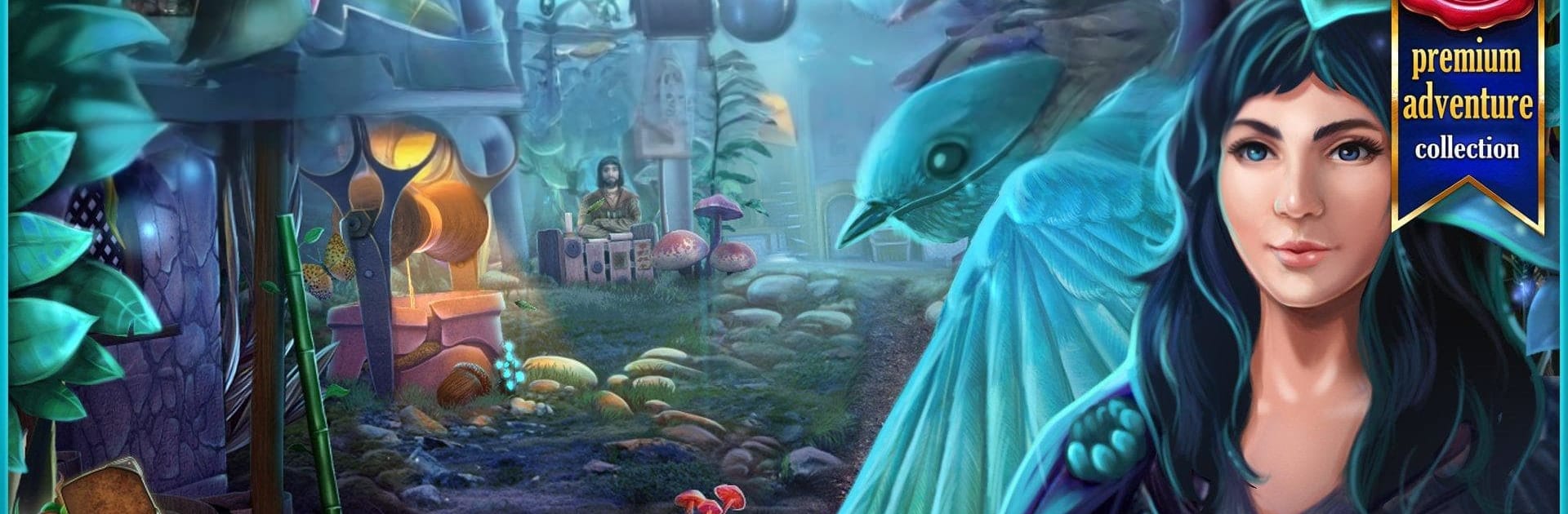
Tiny Tales is a storybook-style Adventure from Artifex Mundi where small heroes face huge problems. You play as Max, a pocket-sized kid called back home, only to stumble into trials, secrets, and a mystery that threatens the kingdom of Brie. Expect hidden-object sleuthing, clever puzzles, and a journey that starts with a simple tournament and grows into something much bigger. Prefer a bigger screen and precise clicks? It plays comfortably on BlueStacks.

Game Features

  • A tiny world with big stakes: Wander through leaf-high streets, mushroom markets, and twig-built homes in the kingdom of Brie—ruled by the ever-watchful mouse king, Oliver.
  • Story with heart: Max puts family first, pausing the search for his father to help his mother save their home, then chasing down the truth behind a spreading drought.
  • Hidden-object scenes that matter: Hunt for tools and clues in detailed scenes. Lists, fragments, and interactive bits feel woven into the story rather than tacked on.
  • Puzzles that click: Tackle colorful minigames—from mechanical contraptions to pattern locks—designed to be approachable yet satisfying.
  • Hand-painted artistry: Rich, illustrated locations with cozy lighting and tiny animated details make every screen feel like a page from a living picture book.
  • 36 places to explore: Sneak through forest hideouts, castle corridors, and dew-soaked paths, each space packed with discoveries.
  • Tournament to triumph: Earn your shot at a life-changing prize, then realize it’s only the opening chapter of a much deeper quest.
  • Bonus adventure included: A post-story chapter adds extra time in Brie for those who want more.
  • Play your way: Adjustable difficulty, gentle hints if you need them, and smooth point-and-click gameplay—especially comfortable on BlueStacks.

Slay your opponents with your epic moves. Play it your way on BlueStacks and dominate the battlefield.


Game Features

Enhancements

  • Macros
  • Multi Instance
  • Multi Instance Sync
  • Script
  • Enhancements
Macros

Macros

Automate the predictable in Tiny Tales and transform your gameplay with Macros. Get access to inventive Macros in the BlueStacks Macro Community
Multi Instance

Multi Instance

Play Tiny Tales on one window. And chat with your friend on the other. Press CTRL + Shift + 8 to open the Multi-Instance Manager. And start creating fresh instances or clone an existing one.
Multi Instance Sync

Multi Instance Sync

Play Tiny Tales with the power of Multi-Instance Sync. Replicate what you are doing on the main instance on all other instances. Level up faster, play more.
Script

Script

Script your way to gaming glory in Tiny Tales with BlueStacks Script. Write and run a set of commands to automate repeated tasks. Trigger the command by assigning it to any key.
Read More

How to Download and Play Tiny Tales on PC or Mac

  • Download and install BlueStacks on your PC or Mac

  • Complete Google sign-in to access the Play Store, or do it later

  • Look for Tiny Tales in the search bar at the top right corner

  • Click to install Tiny Tales from the search results

  • Complete Google sign-in (if you skipped step 2) to install Tiny Tales

  • Click the Tiny Tales icon on the home screen to start playing

video
Watch Video

Minimum System Requirements

With BlueStacks 5, you can get started on a PC that fulfills the following requirements.

  • Operating System

    Microsoft Windows 7 or above, macOS 11 (Big Sur) or above

  • Processor

    Intel, AMD or Apple Silicon Processor

  • RAM

    at least 4GB

  • HDD

    10GB Free Disk Space

Note:

* You must be an Administrator on your PC. Up to date graphics drivers from Microsoft or the chipset vendor.

Tiny Tales - FAQs

  • How to play Tiny Tales on Windows PC & Mac?

    Play Tiny Tales on your PC or Mac by following these simple steps.

    • Click on 'Play Tiny Tales on PC’ to download BlueStacks
    • Install it and log-in to Google Play Store
    • Launch and play the game.
  • Why is BlueStacks the fastest and safest platform to play games on PC?

    BlueStacks respects your privacy and is always safe and secure to use. It does not carry any malware, spyware, or any sort of additional software that could harm your PC.

    It is engineered to optimize speed and performance for a seamless gaming experience.

  • What are Tiny Tales PC requirements?

    Minimum requirement to run Tiny Tales on your PC

    • OS: Microsoft Windows 7 or above MacOS 11 (Big Sur) or above
    • Processor: Intel, AMD or Apple Silicon Processor
    • RAM: Your PC must have at least 4GB of RAM. (Note that having 4GB or more disk space is not a substitute for RAM)
    • HDD: 10GB Free Disk Space.
    • You must be an Administrator on your PC.