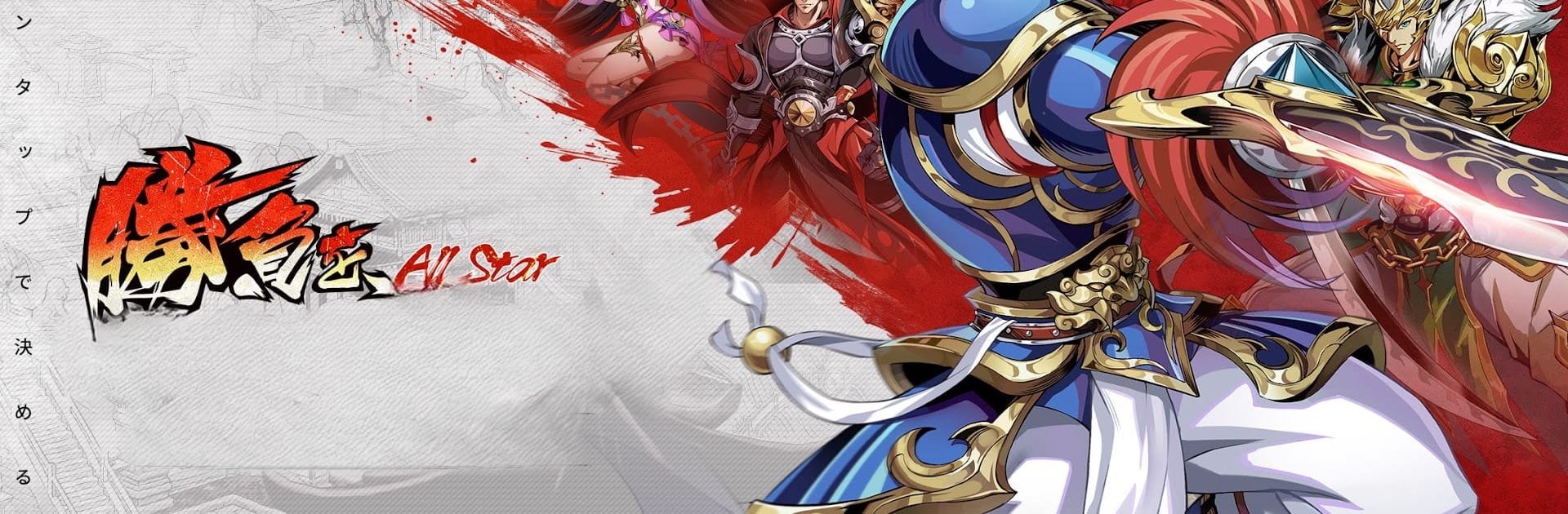
天地:三国オールスターズ
天地:三国オールスターズ

天地:三国オールスターズ

Adventure

| Apollo Technology Co.,Ltd

Play on PC with BlueStacks or from our cloud

  • Overview
  • How to Play

Page Modified On: November 10, 2025

Play 天地:三国オールスターズ on PC or Mac

Explore a whole new adventure with 天地:三国オールスターズ, a Adventure game created by Apollo Technology Co.,Ltd. Experience great gameplay with BlueStacks, the most popular gaming platform to play Android games on your PC or Mac.

Tenchi: Mikuni All Stars feels like a mash of arcade nostalgia and modern mobile collecting, set in the Three Kingdoms chaos. The heroes come in with bold, retro-styled portraits, then jump into 3D battles where skills pop off fast and loud. It plays like an action card RPG, so the fun is in building a squad, watching the ultimates land, and swapping leaders when the enemy lineup changes. There is an auto option for busy moments, so progress keeps moving even on a commute, but turning it off and timing skills gives a nice edge in tougher stages.

What stands out is the roster. Wei, Shu, Wu, and a catch‑all faction of misfits all mix together, and each character has a job like assault, assassin, shooter, support, or control. The whole thing becomes a puzzle of synergies, counters, and who boosts who. Gear, stars, and special relics pile on to push a favorite general from decent to scary, and event skins for big names like Zhao Yun are there for collectors. The loop is simple to pick up, then it layers in those tactical choices so it does not get dull. Running it on PC with BlueStacks feels clean, mouse clicks make the menus quicker, and the battles look sharper on a larger screen. It is free to start with optional purchases, so no pressure if someone only wants to cruise through story and casual modes.

Ready to top the leaderboard? We bet you do. Let precise controls and sharp visuals optimized on BlueStacks lead you to victory.


How to Download and Play 天地:三国オールスターズ on PC or Mac

  • Download and install BlueStacks on your PC or Mac

  • Complete Google sign-in to access the Play Store, or do it later

  • Look for 天地:三国オールスターズ in the search bar at the top right corner

  • Click to install 天地:三国オールスターズ from the search results

  • Complete Google sign-in (if you skipped step 2) to install 天地:三国オールスターズ

  • Click the 天地:三国オールスターズ icon on the home screen to start playing

video
Watch Video

Minimum System Requirements

With BlueStacks 5, you can get started on a PC that fulfills the following requirements.

  • Operating System

    Microsoft Windows 7 or above, macOS 11 (Big Sur) or above

  • Processor

    Intel, AMD or Apple Silicon Processor

  • RAM

    at least 4GB

  • HDD

    10GB Free Disk Space

Note:

* You must be an Administrator on your PC. Up to date graphics drivers from Microsoft or the chipset vendor.

天地:三国オールスターズ - FAQs

  • How to play 天地:三国オールスターズ on Windows PC & Mac?

    Play 天地:三国オールスターズ on your PC or Mac by following these simple steps.

    • Click on 'Play 天地:三国オールスターズ on PC’ to download BlueStacks
    • Install it and log-in to Google Play Store
    • Launch and play the game.
  • Why is BlueStacks the fastest and safest platform to play games on PC?

    BlueStacks respects your privacy and is always safe and secure to use. It does not carry any malware, spyware, or any sort of additional software that could harm your PC.

    It is engineered to optimize speed and performance for a seamless gaming experience.

  • What are 天地:三国オールスターズ PC requirements?

    Minimum requirement to run 天地:三国オールスターズ on your PC

    • OS: Microsoft Windows 7 or above MacOS 11 (Big Sur) or above
    • Processor: Intel, AMD or Apple Silicon Processor
    • RAM: Your PC must have at least 4GB of RAM. (Note that having 4GB or more disk space is not a substitute for RAM)
    • HDD: 10GB Free Disk Space.
    • You must be an Administrator on your PC.