Vampire Legends
Vampire Legends

Vampire Legends

Adventure

| Artifex Mundi

Play on PC with BlueStacks or from our cloud

  • Overview
  • Game Features
  • How to Play

Page Modified On: January 02, 2026

Play Vampire Legends on PC or Mac

Step into the World of Vampire Legends, a thrilling Adventure game from the house of Artifex Mundi. Play this Android game on BlueStacks App Player and experience immersive gaming on PC or Mac.

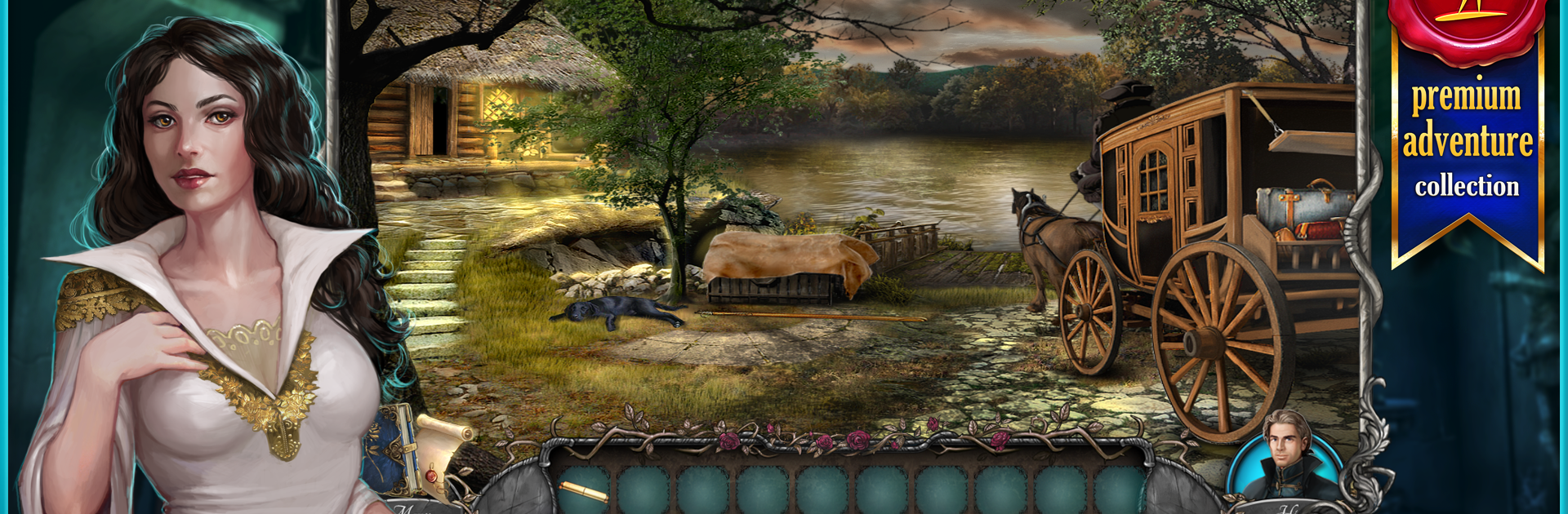
Vampire Legends is a hidden object adventure with a slow-burn mystery feel. It drops the player into 18th century Europe, in a remote Serbian town called Kisilova where people keep dying after an old plague, and everyone is scared it is starting again. The setup is simple to follow but nicely moody. As imperial investigators, players question locals, follow clues, and keep bumping into a hooded stranger who clearly knows more than they say. The art is hand painted, like old storybook pages with candlelight and fog, and the music sits in the background and keeps things tense without shouting for attention.

Moment to moment it is about searching packed scenes for specific items, combining little tools, and knocking out logic puzzles. There are a lot of places to poke around, roughly sixty scenes, with plenty of mini games and dedicated hidden object boards mixed in so it never feels stuck on one trick. The difficulty lands in a fair spot, some quick wins, some that make the head scratch for a minute, nothing that feels cheap. Characters drift in and out with their own motives, so the story keeps a nice tug forward. On PC through BlueStacks, the mouse helps scan cluttered tables and the bigger screen shows off the art better. There is a bonus chapter available if anyone wants more story after the credits. It works offline too, so it is easy to play in short bursts while traveling or just winding down at night.

Ready to top the leaderboard? We bet you do. Let precise controls and sharp visuals optimized on BlueStacks lead you to victory.


Game Features

Enhancements

  • Macros
  • Multi Instance
  • Multi Instance Sync
  • Script
  • Enhancements
Macros

Macros

Automate the predictable in Vampire Legends and transform your gameplay with Macros. Get access to inventive Macros in the BlueStacks Macro Community
Multi Instance

Multi Instance

Play Vampire Legends on one window. And chat with your friend on the other. Press CTRL + Shift + 8 to open the Multi-Instance Manager. And start creating fresh instances or clone an existing one.
Multi Instance Sync

Multi Instance Sync

Play Vampire Legends with the power of Multi-Instance Sync. Replicate what you are doing on the main instance on all other instances. Level up faster, play more.
Script

Script

Script your way to gaming glory in Vampire Legends with BlueStacks Script. Write and run a set of commands to automate repeated tasks. Trigger the command by assigning it to any key.
Read More

How to Download and Play Vampire Legends on PC or Mac

  • Download and install BlueStacks on your PC or Mac

  • Complete Google sign-in to access the Play Store, or do it later

  • Look for Vampire Legends in the search bar at the top right corner

  • Click to install Vampire Legends from the search results

  • Complete Google sign-in (if you skipped step 2) to install Vampire Legends

  • Click the Vampire Legends icon on the home screen to start playing

video
Watch Video

Minimum System Requirements

With BlueStacks 5, you can get started on a PC that fulfills the following requirements.

  • Operating System

    Microsoft Windows 7 or above, macOS 11 (Big Sur) or above

  • Processor

    Intel, AMD or Apple Silicon Processor

  • RAM

    at least 4GB

  • HDD

    10GB Free Disk Space

Note:

* You must be an Administrator on your PC. Up to date graphics drivers from Microsoft or the chipset vendor.

Vampire Legends - FAQs

  • How to play Vampire Legends on Windows PC & Mac?

    Play Vampire Legends on your PC or Mac by following these simple steps.

    • Click on 'Play Vampire Legends on PC’ to download BlueStacks
    • Install it and log-in to Google Play Store
    • Launch and play the game.
  • Why is BlueStacks the fastest and safest platform to play games on PC?

    BlueStacks respects your privacy and is always safe and secure to use. It does not carry any malware, spyware, or any sort of additional software that could harm your PC.

    It is engineered to optimize speed and performance for a seamless gaming experience.

  • What are Vampire Legends PC requirements?

    Minimum requirement to run Vampire Legends on your PC

    • OS: Microsoft Windows 7 or above MacOS 11 (Big Sur) or above
    • Processor: Intel, AMD or Apple Silicon Processor
    • RAM: Your PC must have at least 4GB of RAM. (Note that having 4GB or more disk space is not a substitute for RAM)
    • HDD: 10GB Free Disk Space.
    • You must be an Administrator on your PC.