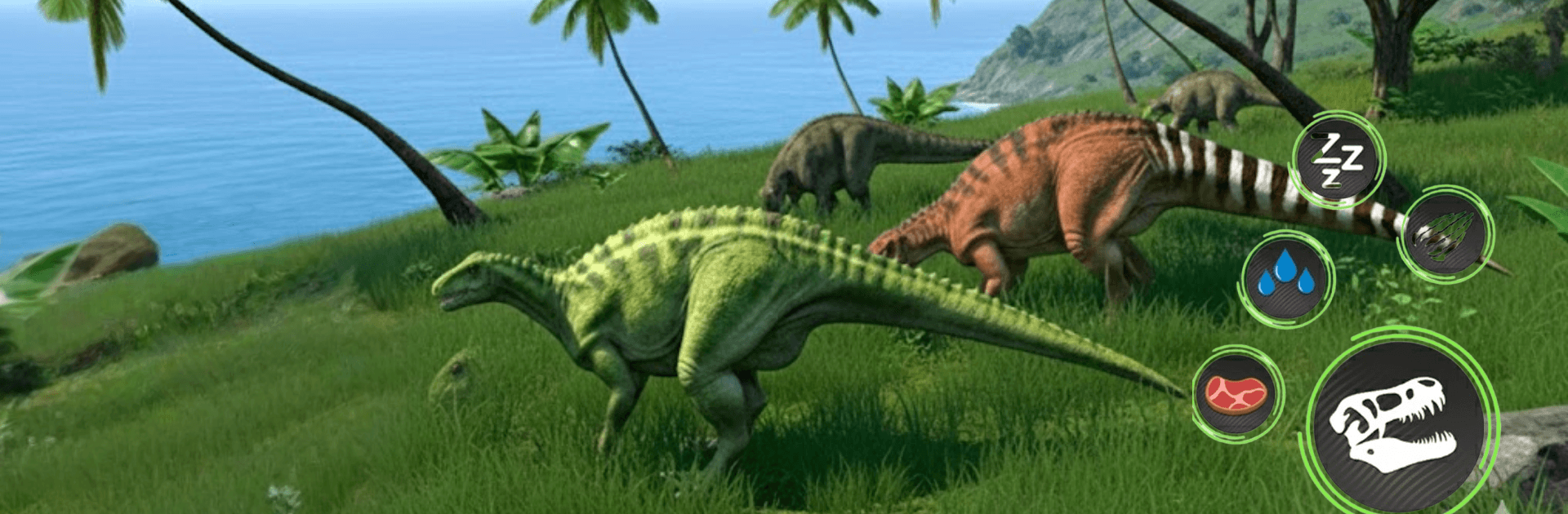
Wild Dino Clash Fighting Games

Wild Dino Clash Fighting Games

Adventure

| Martian Games Labs

Play on PC with BlueStacks or from our cloud

  • Overview
  • Game Features
  • How to Play

Page Modified On: April 13, 2026

Play Wild Dino Clash Fighting Games on PC or Mac

Bring your A-game to Wild Dino Clash Fighting Games, the Adventure game sensation from Martian Games Labs. Give your gameplay the much-needed boost with precise game controls, high FPS graphics, and top-tier features on your PC or Mac with BlueStacks.

About the Game

Wild Dino Clash Fighting Games is all about prehistoric throwdowns with serious bite. Pick a thunderous beast, step into the arena, and square off in tense, timing-based battles where every tail swipe and jaw snap matters. It’s an Adventure from Martian Games Labs that rewards smart reads, clean dodges, and gutsy counterattacks.

Game Features

  • Diverse Dino Roster: Choose from a lineup of fierce dinosaurs, each with its own reach, speed, and power curve. Finding your favorite brawler is half the fun.
  • Skill-First Combat: Learn the rhythm—feint, sidestep, block at the last second, then chain a few hits into a knockout combo. Precision beats button-mashing here.
  • Dynamic Arenas: Fight across varied battlegrounds that keep you moving and thinking. Spacing, angles, and positioning can flip a match in a heartbeat.
  • Progress That Feels Good: Earn rewards, unlock tougher dinosaurs, and upgrade abilities to sharpen your style as the competition heats up.
  • Tougher Rivals Ahead: Face increasingly crafty opponents that push your reactions and force new strategies instead of the same old routine.
  • Smooth, Crunchy Impact: Clean animations and punchy effects make every clash feel heavy and satisfying, from glancing blows to full-on slams.
  • Pick-Up-and-Play Sessions: Matches are quick to start and easy to restart—great for a few rounds or a marathon of grudge rematches.
  • Simple to Learn Controls: Intuitive inputs let you get moving fast, while deeper mechanics give you plenty to master over time.
  • Play on BlueStacks: Prefer a bigger screen and steady performance? It runs nicely on BlueStacks if you want to play on PC.

Start your journey now. Download the game on BlueStacks, invite your friends, and march on a new adventure.


Game Features

Enhancements

  • Macros
  • Multi Instance
  • Multi Instance Sync
  • Script
  • Enhancements
Macros

Macros

Automate the predictable in Wild Dino Clash Fighting Games and transform your gameplay with Macros. Get access to inventive Macros in the BlueStacks Macro Community
Multi Instance

Multi Instance

Play Wild Dino Clash Fighting Games on one window. And chat with your friend on the other. Press CTRL + Shift + 8 to open the Multi-Instance Manager. And start creating fresh instances or clone an existing one.
Multi Instance Sync

Multi Instance Sync

Play Wild Dino Clash Fighting Games with the power of Multi-Instance Sync. Replicate what you are doing on the main instance on all other instances. Level up faster, play more.
Script

Script

Script your way to gaming glory in Wild Dino Clash Fighting Games with BlueStacks Script. Write and run a set of commands to automate repeated tasks. Trigger the command by assigning it to any key.
Read More

How to Download and Play Wild Dino Clash Fighting Games on PC or Mac

  • Download and install BlueStacks on your PC or Mac

  • Complete Google sign-in to access the Play Store, or do it later

  • Look for Wild Dino Clash Fighting Games in the search bar at the top right corner

  • Click to install Wild Dino Clash Fighting Games from the search results

  • Complete Google sign-in (if you skipped step 2) to install Wild Dino Clash Fighting Games

  • Click the Wild Dino Clash Fighting Games icon on the home screen to start playing

video
Watch Video

Minimum System Requirements

With BlueStacks 5, you can get started on a PC that fulfills the following requirements.

  • Operating System

    Microsoft Windows 7 or above, macOS 11 (Big Sur) or above

  • Processor

    Intel, AMD or Apple Silicon Processor

  • RAM

    at least 4GB

  • HDD

    10GB Free Disk Space

Note:

* You must be an Administrator on your PC. Up to date graphics drivers from Microsoft or the chipset vendor.

Wild Dino Clash Fighting Games - FAQs

  • How to play Wild Dino Clash Fighting Games on Windows PC & Mac?

    Play Wild Dino Clash Fighting Games on your PC or Mac by following these simple steps.

    • Click on 'Play Wild Dino Clash Fighting Games on PC’ to download BlueStacks
    • Install it and log-in to Google Play Store
    • Launch and play the game.
  • Why is BlueStacks the fastest and safest platform to play games on PC?

    BlueStacks respects your privacy and is always safe and secure to use. It does not carry any malware, spyware, or any sort of additional software that could harm your PC.

    It is engineered to optimize speed and performance for a seamless gaming experience.

  • What are Wild Dino Clash Fighting Games PC requirements?

    Minimum requirement to run Wild Dino Clash Fighting Games on your PC

    • OS: Microsoft Windows 7 or above MacOS 11 (Big Sur) or above
    • Processor: Intel, AMD or Apple Silicon Processor
    • RAM: Your PC must have at least 4GB of RAM. (Note that having 4GB or more disk space is not a substitute for RAM)
    • HDD: 10GB Free Disk Space.
    • You must be an Administrator on your PC.