Ace Pong: Pong & Brick Breaker

Ace Pong: Pong & Brick Breaker

Arcade

| Lifecharger

Play on PC with BlueStacks or from our cloud

  • Overview
  • Game Features
  • How to Play

Page Modified On: October 23, 2026

Play Ace Pong: Pong & Brick Breaker on PC or Mac

Ace Pong: Pong & Brick Breaker brings the Arcade genre to life, and throws up exciting challenges for gamers. Developed by Lifecharger, this Android game is best experienced on BlueStacks, the World’s #1 app player for PC and Mac users.

About the Game

Ace Pong: Pong & Brick Breaker blends old-school paddle battles with a brick-busting twist, then wraps it all in neon flair. It’s a fast, modern Arcade mashup built for quick sessions, tight controls, and that “one more try” itch. Want a bigger screen? It runs smoothly on BlueStacks too.

Game Features

  • Classic vs AI: Pick from three challenge levels and face opponents that get sharper as you go, from chill volleys to heart-in-throat saves.
  • Two-Player on One Screen: Share a device and settle scores right there, with separate touch areas so both paddles move cleanly and fairly.
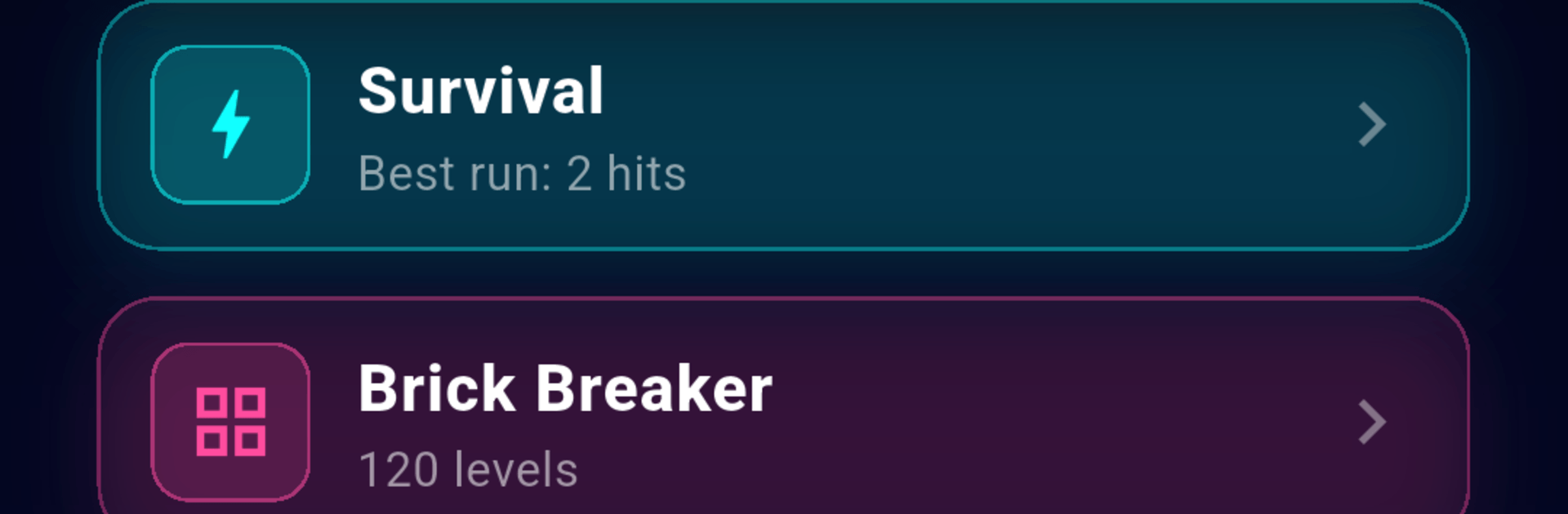
  • Survival Rush: You’ve got three lives and a ball that won’t stop speeding up—hang on, keep returning shots, and push your personal best.
  • 120-Stage Brick Quest: Work through handcrafted layouts—think clever shapes and layered walls—that stay fair while constantly testing your aim.
  • Power-Ups That Flip the Script: Snag game-changers like a wider paddle, triple balls, slow motion, a fiery smash, or an extra life when it counts.
  • Star Goals and Replays: Earn up to three stars per stage; jump back to any level from the map to perfect your run and squeeze out that last star.
  • Physics That Matter: Every hit cranks up the pace, and your contact point decides the angle—master the edges and you’ll paint corners for days.
  • Neon Punch and Feedback: Expect glowing trails, particle bursts, and subtle screen shake, plus optional haptics for that satisfying thwack.
  • Earn and Customize: Collect coins across all modes and trade them for fresh paddle and ball skins that suit your style.
  • Records Worth Chasing: Longest rally and best runs are saved, quietly daring you to beat yourself.
  • Quick, Offline Play: Sessions are snack-sized and fully offline, and you can pause anytime and pick up exactly where you stopped.
  • Effortless Touch Controls: Slide or tap anywhere on your half and the paddle tracks your finger—no setup, no tutorials, just play.

BlueStacks gives you more room to focus on the game and less time adjusting around mobile limitations.


Game Features

Enhancements

  • Macros
  • Multi Instance
  • Multi Instance Sync
  • Script
  • Enhancements
Macros

Macros

Automate the predictable in Ace Pong: Pong & Brick Breaker and transform your gameplay with Macros. Get access to inventive Macros in the BlueStacks Macro Community
Multi Instance

Multi Instance

Play Ace Pong: Pong & Brick Breaker on one window. And chat with your friend on the other. Press CTRL + Shift + 8 to open the Multi-Instance Manager. And start creating fresh instances or clone an existing one.
Multi Instance Sync

Multi Instance Sync

Play Ace Pong: Pong & Brick Breaker with the power of Multi-Instance Sync. Replicate what you are doing on the main instance on all other instances. Level up faster, play more.
Script

Script

Script your way to gaming glory in Ace Pong: Pong & Brick Breaker with BlueStacks Script. Write and run a set of commands to automate repeated tasks. Trigger the command by assigning it to any key.
Read More

How to Download and Play Ace Pong: Pong & Brick Breaker on PC or Mac

  • Download and install BlueStacks on your PC or Mac

  • Complete Google sign-in to access the Play Store, or do it later

  • Look for Ace Pong: Pong & Brick Breaker in the search bar at the top right corner

  • Click to install Ace Pong: Pong & Brick Breaker from the search results

  • Complete Google sign-in (if you skipped step 2) to install Ace Pong: Pong & Brick Breaker

  • Click the Ace Pong: Pong & Brick Breaker icon on the home screen to start playing

video
Watch Video

Minimum System Requirements

With BlueStacks 5, you can get started on a PC that fulfills the following requirements.

  • Operating System

    Microsoft Windows 7 or above, macOS 11 (Big Sur) or above

  • Processor

    Intel, AMD or Apple Silicon Processor

  • RAM

    at least 4GB

  • HDD

    10GB Free Disk Space

Note:

* You must be an Administrator on your PC. Up to date graphics drivers from Microsoft or the chipset vendor.

Ace Pong: Pong & Brick Breaker - FAQs

  • How to play Ace Pong: Pong & Brick Breaker on Windows PC & Mac?

    Play Ace Pong: Pong & Brick Breaker on your PC or Mac by following these simple steps.

    • Click on 'Play Ace Pong: Pong & Brick Breaker on PC’ to download BlueStacks
    • Install it and log-in to Google Play Store
    • Launch and play the game.
  • Why is BlueStacks the fastest and safest platform to play games on PC?

    BlueStacks respects your privacy and is always safe and secure to use. It does not carry any malware, spyware, or any sort of additional software that could harm your PC.

    It is engineered to optimize speed and performance for a seamless gaming experience.

  • What are Ace Pong: Pong & Brick Breaker PC requirements?

    Minimum requirement to run Ace Pong: Pong & Brick Breaker on your PC

    • OS: Microsoft Windows 7 or above MacOS 11 (Big Sur) or above
    • Processor: Intel, AMD or Apple Silicon Processor
    • RAM: Your PC must have at least 4GB of RAM. (Note that having 4GB or more disk space is not a substitute for RAM)
    • HDD: 10GB Free Disk Space.
    • You must be an Administrator on your PC.