Airbus Simulator Airplane Game

Airbus Simulator Airplane Game

Arcade

| Non Stop Offline Fun Games

Play on PC with BlueStacks or from our cloud

  • Overview
  • Game Features
  • How to Play

Page Modified On: October 23, 2026

Play Airbus Simulator Airplane Game on PC or Mac

Airbus Simulator Airplane Game by Non Stop Offline Fun Games has plenty to keep you busy. BlueStacks lets you play it on PC or Mac with more screen space, better control, and fewer mobile limits.

About the Game

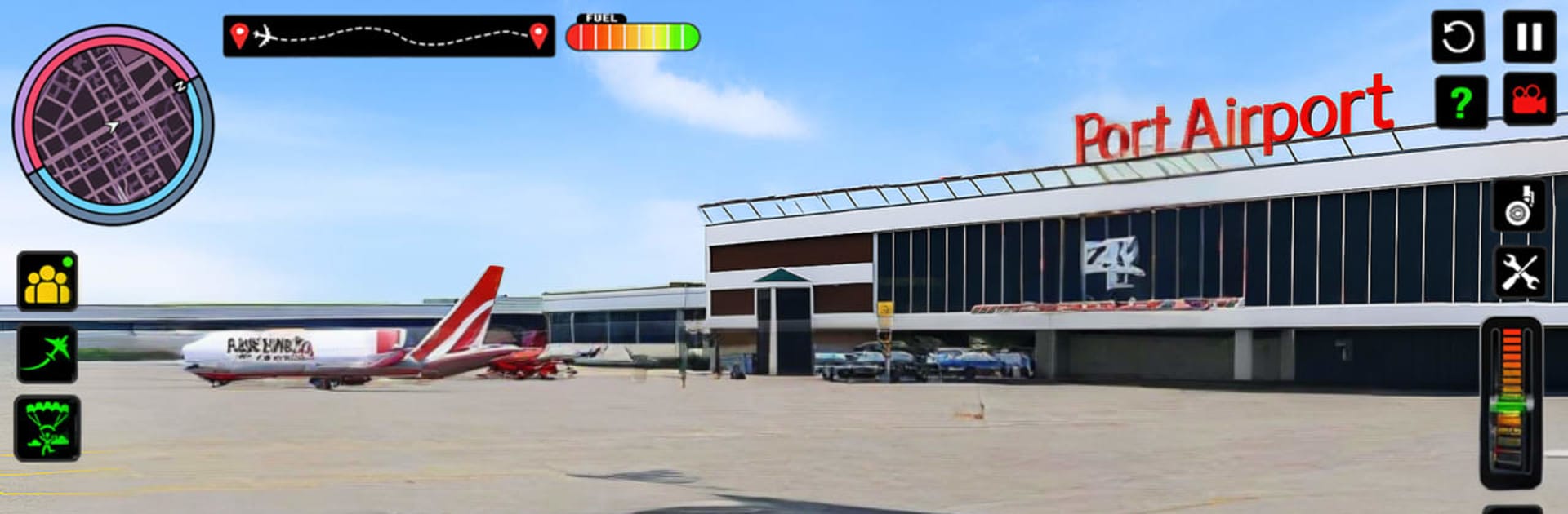
Airbus Simulator Airplane Game is an Arcade flight experience that keeps your heart rate up and your hands steady. You’ll shuttle passengers between airports, race for high scores, and even tackle aerial firefighting challenges—usually with a ticking clock pushing you along. Prefer a bigger view of the runway? It runs smoothly on PC with BlueStacks.

Game Features

  • Two modes, two vibes: Take on 15 mission-style stages focused on airport ops and firefighting, or switch to a 15-level racing run to collect coins and chase high scores.
  • A hangar of jets: Choose from five distinct aircraft, each with its own look and personality to suit how you like to fly.
  • Timed takeoffs and landings: Beat the clock as you line up approaches, manage speed, and touch down smoothly at the next airport.
  • Passenger flights and firefighting: Carry travelers safely across the map, then switch gears to aerial firefighting tasks that test precision and control.
  • Intuitive cockpit controls: Clear, responsive controls make piloting feel approachable, whether you’re banking hard or easing into a final approach.
  • 3D skies and airports: Crisp visuals, wide horizons, and city skylines help sell the altitude and speed of every flight.
  • Authentic audio: Realistic aircraft sounds and atmospheric music keep the cockpit feeling lively without getting in the way.
  • Challenges that escalate: Each level dials up the pressure with trickier routes, tighter timers, and more to manage.
  • Offline friendly: Play anytime without using data, perfect for quick sessions or longer hauls.
  • Built-in guidance: Handy on-screen tips and procedures point you in the right direction so you always know what to do next.

Get ready for a buttery smooth, high-performance gaming action only on BlueStacks.

Game Features

Enhancements

  • Macros
  • Multi Instance
  • Multi Instance Sync
  • Script
  • Enhancements
Macros

Macros

Automate the predictable in Airbus Simulator Airplane Game and transform your gameplay with Macros. Get access to inventive Macros in the BlueStacks Macro Community
Multi Instance

Multi Instance

Play Airbus Simulator Airplane Game on one window. And chat with your friend on the other. Press CTRL + Shift + 8 to open the Multi-Instance Manager. And start creating fresh instances or clone an existing one.
Multi Instance Sync

Multi Instance Sync

Play Airbus Simulator Airplane Game with the power of Multi-Instance Sync. Replicate what you are doing on the main instance on all other instances. Level up faster, play more.
Script

Script

Script your way to gaming glory in Airbus Simulator Airplane Game with BlueStacks Script. Write and run a set of commands to automate repeated tasks. Trigger the command by assigning it to any key.
Read More

How to Download and Play Airbus Simulator Airplane Game on PC or Mac

  • Download and install BlueStacks on your PC or Mac

  • Complete Google sign-in to access the Play Store, or do it later

  • Look for Airbus Simulator Airplane Game in the search bar at the top right corner

  • Click to install Airbus Simulator Airplane Game from the search results

  • Complete Google sign-in (if you skipped step 2) to install Airbus Simulator Airplane Game

  • Click the Airbus Simulator Airplane Game icon on the home screen to start playing

video
Watch Video

Minimum System Requirements

With BlueStacks 5, you can get started on a PC that fulfills the following requirements.

  • Operating System

    Microsoft Windows 7 or above, macOS 11 (Big Sur) or above

  • Processor

    Intel, AMD or Apple Silicon Processor

  • RAM

    at least 4GB

  • HDD

    10GB Free Disk Space

Note:

* You must be an Administrator on your PC. Up to date graphics drivers from Microsoft or the chipset vendor.

Airbus Simulator Airplane Game - FAQs

  • How to play Airbus Simulator Airplane Game on Windows PC & Mac?

    Play Airbus Simulator Airplane Game on your PC or Mac by following these simple steps.

    • Click on 'Play Airbus Simulator Airplane Game on PC’ to download BlueStacks
    • Install it and log-in to Google Play Store
    • Launch and play the game.
  • Why is BlueStacks the fastest and safest platform to play games on PC?

    BlueStacks respects your privacy and is always safe and secure to use. It does not carry any malware, spyware, or any sort of additional software that could harm your PC.

    It is engineered to optimize speed and performance for a seamless gaming experience.

  • What are Airbus Simulator Airplane Game PC requirements?

    Minimum requirement to run Airbus Simulator Airplane Game on your PC

    • OS: Microsoft Windows 7 or above MacOS 11 (Big Sur) or above
    • Processor: Intel, AMD or Apple Silicon Processor
    • RAM: Your PC must have at least 4GB of RAM. (Note that having 4GB or more disk space is not a substitute for RAM)
    • HDD: 10GB Free Disk Space.
    • You must be an Administrator on your PC.