Boss Breaker
Boss Breaker

Boss Breaker

Arcade

| Vampyro111

Play on PC with BlueStacks or from our cloud

  • Overview
  • Game Features
  • How to Play

Page Modified On: October 23, 2026

Play Boss Breaker on PC or Mac

Boss Breaker brings the Arcade genre to life, and throws up exciting challenges for gamers. Developed by Vampyro111, this Android game is best experienced on BlueStacks, the World’s #1 app player for PC and Mac users.

About the Game

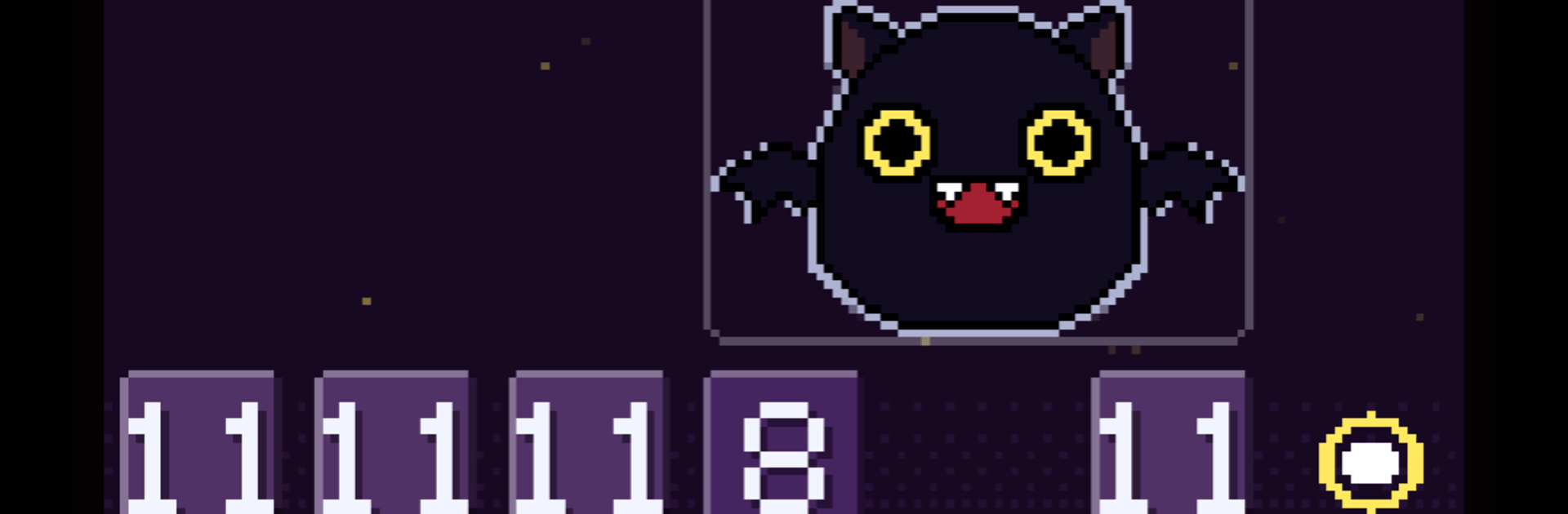
Boss Breaker is a score-chasing Arcade block breaker with no finish line—just you, your aim, and the next run that beats your last. Line up a volley, watch the balls ricochet around the board, and keep the stack from sinking to the bottom. You’ll move through a fixed path of striking worlds, each guarded by a boss, so everyone faces the same gauntlet. Prefer a bigger screen and steady inputs? You can play on PC with BlueStacks.

Game Features

  • Endless runs, real stakes: There’s no final stage—only your high score and the tension of keeping the board from touching the floor.
  • One shared journey: Everyone advances through the same nine themed worlds in the same order, so comparing scores actually means something.
  • Ricochet-driven action: Aim a volley and let physics do the work as blocks drop a row after each shot if they’re not cleared.
  • Growing firepower: Your volley adds an extra ball every round, and dropping a boss gives your arsenal an even bigger bump.
  • Column crush slow-mo: Trap a ball in a vertical lane and the camera snaps into slow motion while that stack collapses—pull it off again and the moment hits even harder.
  • Perfect clear pause: Wipe the board in a single shot and the game takes a beat to celebrate it with you.
  • Power-ups with punch: Pop a specific block, fan out your next volley, or pack a single blast with a pile of extra balls to shatter tough layouts.
  • Pixel art that’s easy on the eyes: Clean, hand-crafted low-res visuals scale crisply—no blur, no harsh flashes—and each world sports its own palette and a distinct boss.
  • Fully offline, no strings: No sign-ups, no purchases, no timers; your score saves locally, and runs are free with ads shown between attempts.

Ready to top the leaderboard? We bet you do. Let precise controls and sharp visuals optimized on BlueStacks lead you to victory.


Game Features

Enhancements

  • Macros
  • Multi Instance
  • Multi Instance Sync
  • Script
  • Enhancements
Macros

Macros

Automate the predictable in Boss Breaker and transform your gameplay with Macros. Get access to inventive Macros in the BlueStacks Macro Community
Multi Instance

Multi Instance

Play Boss Breaker on one window. And chat with your friend on the other. Press CTRL + Shift + 8 to open the Multi-Instance Manager. And start creating fresh instances or clone an existing one.
Multi Instance Sync

Multi Instance Sync

Play Boss Breaker with the power of Multi-Instance Sync. Replicate what you are doing on the main instance on all other instances. Level up faster, play more.
Script

Script

Script your way to gaming glory in Boss Breaker with BlueStacks Script. Write and run a set of commands to automate repeated tasks. Trigger the command by assigning it to any key.
Read More

How to Download and Play Boss Breaker on PC or Mac

  • Download and install BlueStacks on your PC or Mac

  • Complete Google sign-in to access the Play Store, or do it later

  • Look for Boss Breaker in the search bar at the top right corner

  • Click to install Boss Breaker from the search results

  • Complete Google sign-in (if you skipped step 2) to install Boss Breaker

  • Click the Boss Breaker icon on the home screen to start playing

video
Watch Video

Minimum System Requirements

With BlueStacks 5, you can get started on a PC that fulfills the following requirements.

  • Operating System

    Microsoft Windows 7 or above, macOS 11 (Big Sur) or above

  • Processor

    Intel, AMD or Apple Silicon Processor

  • RAM

    at least 4GB

  • HDD

    10GB Free Disk Space

Note:

* You must be an Administrator on your PC. Up to date graphics drivers from Microsoft or the chipset vendor.

Boss Breaker - FAQs

  • How to play Boss Breaker on Windows PC & Mac?

    Play Boss Breaker on your PC or Mac by following these simple steps.

    • Click on 'Play Boss Breaker on PC’ to download BlueStacks
    • Install it and log-in to Google Play Store
    • Launch and play the game.
  • Why is BlueStacks the fastest and safest platform to play games on PC?

    BlueStacks respects your privacy and is always safe and secure to use. It does not carry any malware, spyware, or any sort of additional software that could harm your PC.

    It is engineered to optimize speed and performance for a seamless gaming experience.

  • What are Boss Breaker PC requirements?

    Minimum requirement to run Boss Breaker on your PC

    • OS: Microsoft Windows 7 or above MacOS 11 (Big Sur) or above
    • Processor: Intel, AMD or Apple Silicon Processor
    • RAM: Your PC must have at least 4GB of RAM. (Note that having 4GB or more disk space is not a substitute for RAM)
    • HDD: 10GB Free Disk Space.
    • You must be an Administrator on your PC.