Bricks Melody Balls
Bricks Melody Balls

Bricks Melody Balls

Arcade

| Tunup Games

Play on PC with BlueStacks or from our cloud

  • Overview
  • Game Features
  • How to Play

Page Modified On: October 13, 2025

Play Bricks Melody Balls on PC or Mac

Bring your A-game to Bricks Melody Balls, the Arcade game sensation from Tunup Games. Give your gameplay the much-needed boost with precise game controls, high FPS graphics, and top-tier features on your PC or Mac with BlueStacks.

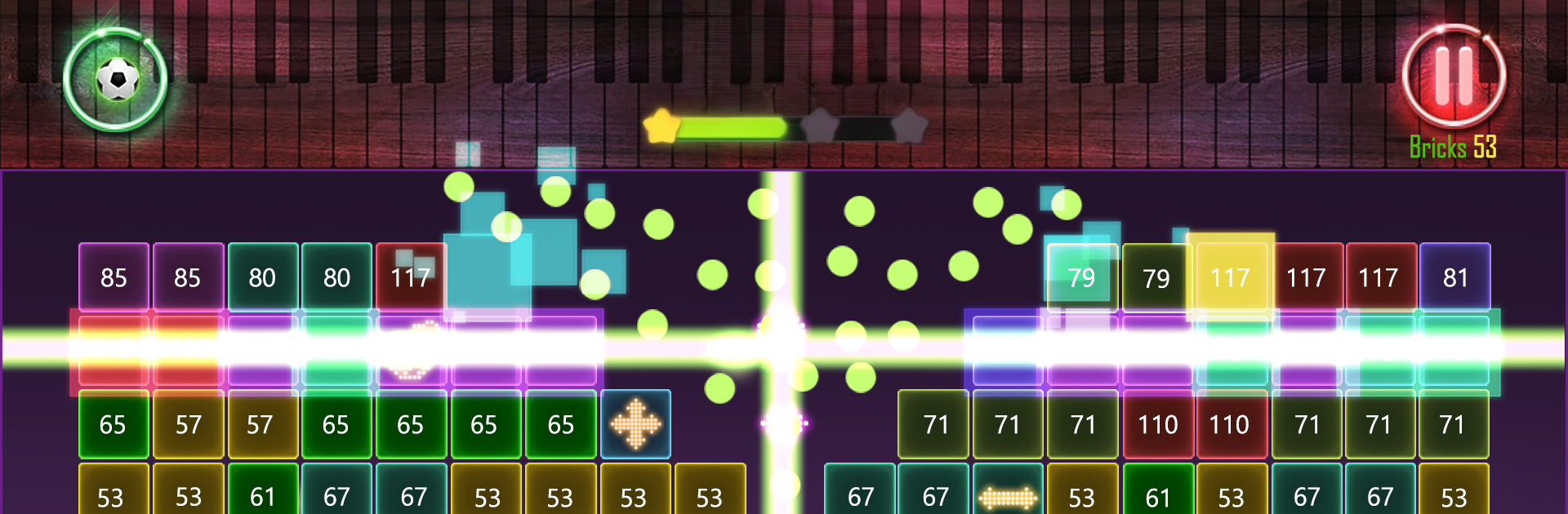
Bricks Melody Balls is a chill brick-breaker that turns every bounce into a tiny tune. Players drag to set an angle, release, and a stream of balls ricochets around while the numbers on each brick count down to zero. Clear everything before the stack reaches the bottom line or it is game over. It feels simple at first, then turns into this oddly satisfying puzzle of banking shots, catching the next launch point, and lining up long chains so the screen fills with notes. The whole melody thing is not flashy, more like a pleasant rhythm that makes the stress melt a bit when fifty balls are pinging at once.

There are three main modes. Stage mode drip-feeds new layouts and obstacles, Classic leans on score chasing, and 100 Balls is a quick challenge where planning matters more than luck. There are loads of levels, plus different balls and melody lines to unlock, so there is always one more run. It works offline, handles low-spec devices, and has achievements and leaderboards for anyone who likes numbers and bragging rights. On BlueStacks, mouse aiming feels super clean and the bigger screen helps judge angles, which makes those tight saves less messy. In-app purchases are there, but the game plays fine without them. Progress is saved locally, so swapping devices or deleting the app can reset data, which is worth noting. Also plays well on tablets, and the one-hand style controls translate nicely to a cursor.

Slay your opponents with your epic moves. Play it your way on BlueStacks and dominate the battlefield.


Game Features

Enhancements

  • Macros
  • Multi Instance
  • Multi Instance Sync
  • Script
  • Enhancements
Macros

Macros

Automate the predictable in Bricks Melody Balls and transform your gameplay with Macros. Get access to inventive Macros in the BlueStacks Macro Community
Multi Instance

Multi Instance

Play Bricks Melody Balls on one window. And chat with your friend on the other. Press CTRL + Shift + 8 to open the Multi-Instance Manager. And start creating fresh instances or clone an existing one.
Multi Instance Sync

Multi Instance Sync

Play Bricks Melody Balls with the power of Multi-Instance Sync. Replicate what you are doing on the main instance on all other instances. Level up faster, play more.
Script

Script

Script your way to gaming glory in Bricks Melody Balls with BlueStacks Script. Write and run a set of commands to automate repeated tasks. Trigger the command by assigning it to any key.
Read More

How to Download and Play Bricks Melody Balls on PC or Mac

  • Download and install BlueStacks on your PC or Mac

  • Complete Google sign-in to access the Play Store, or do it later

  • Look for Bricks Melody Balls in the search bar at the top right corner

  • Click to install Bricks Melody Balls from the search results

  • Complete Google sign-in (if you skipped step 2) to install Bricks Melody Balls

  • Click the Bricks Melody Balls icon on the home screen to start playing

video
Watch Video

Minimum System Requirements

With BlueStacks 5, you can get started on a PC that fulfills the following requirements.

  • Operating System

    Microsoft Windows 7 or above, macOS 11 (Big Sur) or above

  • Processor

    Intel, AMD or Apple Silicon Processor

  • RAM

    at least 4GB

  • HDD

    10GB Free Disk Space

Note:

* You must be an Administrator on your PC. Up to date graphics drivers from Microsoft or the chipset vendor.

Bricks Melody Balls - FAQs

  • How to play Bricks Melody Balls on Windows PC & Mac?

    Play Bricks Melody Balls on your PC or Mac by following these simple steps.

    • Click on 'Play Bricks Melody Balls on PC’ to download BlueStacks
    • Install it and log-in to Google Play Store
    • Launch and play the game.
  • Why is BlueStacks the fastest and safest platform to play games on PC?

    BlueStacks respects your privacy and is always safe and secure to use. It does not carry any malware, spyware, or any sort of additional software that could harm your PC.

    It is engineered to optimize speed and performance for a seamless gaming experience.

  • What are Bricks Melody Balls PC requirements?

    Minimum requirement to run Bricks Melody Balls on your PC

    • OS: Microsoft Windows 7 or above MacOS 11 (Big Sur) or above
    • Processor: Intel, AMD or Apple Silicon Processor
    • RAM: Your PC must have at least 4GB of RAM. (Note that having 4GB or more disk space is not a substitute for RAM)
    • HDD: 10GB Free Disk Space.
    • You must be an Administrator on your PC.