Cars: Merge and Defend

Cars: Merge and Defend

Arcade

| Gimica GmbH

Play on PC with BlueStacks or from our cloud

  • Overview
  • Game Features
  • How to Play

Page Modified On: June 02, 2026

Play Cars: Merge and Defend on PC or Mac

Cars: Merge and Defend brings the Arcade genre to life, and throws up exciting challenges for gamers. Developed by Gimica GmbH, this Android game is best experienced on BlueStacks, the World’s #1 app player for PC and Mac users.

About the Game

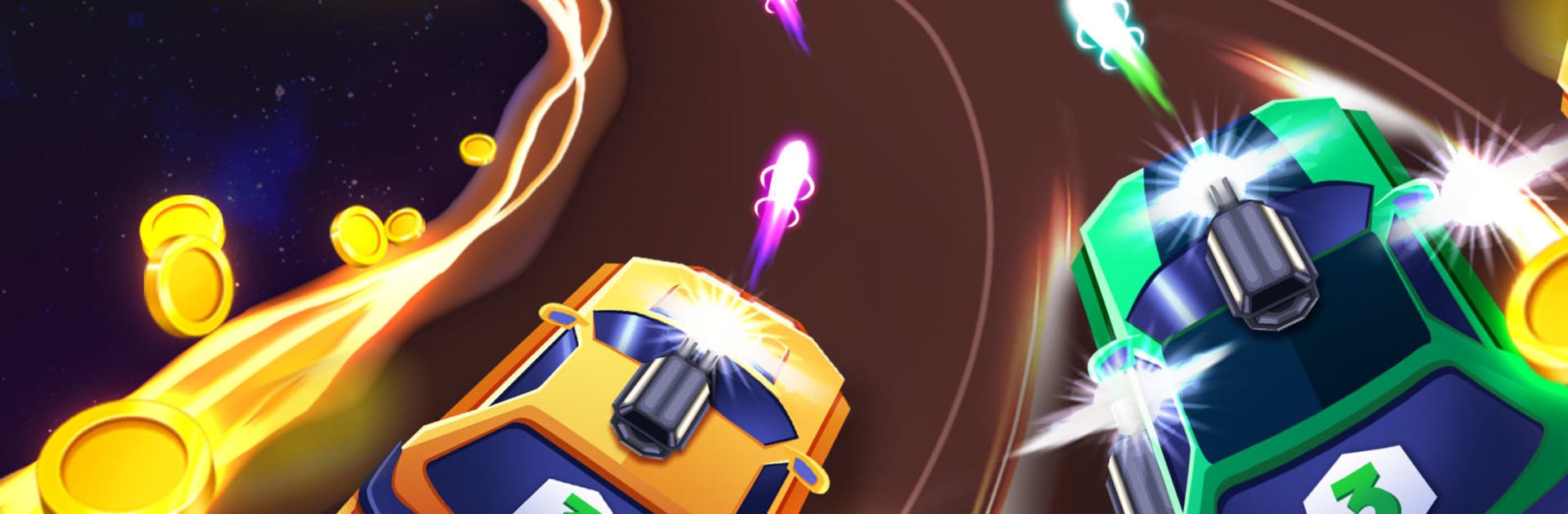
Cars: Merge and Defend is an Arcade mash‑up of merging and defense where your cars do the heavy lifting. You’ll grow a garage, fuse matching rides to power them up, and set them loose against non-stop waves of enemies. It’s quick to learn, satisfying to master, and perfect if you like tinkering with lineups to squeeze out one more win.

Game Features

  • Smart merging: Drag identical cars together to create stronger versions that hit harder and hold the line longer.
  • Build your garage: Expand your roster with new tiers and styles, then mix and match to craft a lineup that fits your playstyle.
  • Tactical deployment: Decide which cars to field and when to merge, swap, or upgrade so you don’t get overrun mid-wave.
  • Wave-based action: Face growing swarms that ramp up the pressure, testing how well your setup holds under fire.
  • Coins for progress: Earn coins from successful runs and invest them into upgrades that sharpen your damage, durability, and overall firepower.
  • Snappy controls: Smooth drag-and-drop interactions make merging and rearranging your defense feel fast and intuitive.
  • Play your way: Hop in for a quick session or chase a new high score with longer runs; it’s easy to pick up whenever you’ve got a spare minute.
  • PC-friendly option: Prefer a bigger screen and precise control? It plays nicely on BlueStacks, too.

Get ready for a buttery smooth, high-performance gaming action only on BlueStacks.

Game Features

Enhancements

  • Macros
  • Multi Instance
  • Multi Instance Sync
  • Script
  • Enhancements
Macros

Macros

Automate the predictable in Cars: Merge and Defend and transform your gameplay with Macros. Get access to inventive Macros in the BlueStacks Macro Community
Multi Instance

Multi Instance

Play Cars: Merge and Defend on one window. And chat with your friend on the other. Press CTRL + Shift + 8 to open the Multi-Instance Manager. And start creating fresh instances or clone an existing one.
Multi Instance Sync

Multi Instance Sync

Play Cars: Merge and Defend with the power of Multi-Instance Sync. Replicate what you are doing on the main instance on all other instances. Level up faster, play more.
Script

Script

Script your way to gaming glory in Cars: Merge and Defend with BlueStacks Script. Write and run a set of commands to automate repeated tasks. Trigger the command by assigning it to any key.
Read More

How to Download and Play Cars: Merge and Defend on PC or Mac

  • Download and install BlueStacks on your PC or Mac

  • Complete Google sign-in to access the Play Store, or do it later

  • Look for Cars: Merge and Defend in the search bar at the top right corner

  • Click to install Cars: Merge and Defend from the search results

  • Complete Google sign-in (if you skipped step 2) to install Cars: Merge and Defend

  • Click the Cars: Merge and Defend icon on the home screen to start playing

video
Watch Video

Minimum System Requirements

With BlueStacks 5, you can get started on a PC that fulfills the following requirements.

  • Operating System

    Microsoft Windows 7 or above, macOS 11 (Big Sur) or above

  • Processor

    Intel, AMD or Apple Silicon Processor

  • RAM

    at least 4GB

  • HDD

    10GB Free Disk Space

Note:

* You must be an Administrator on your PC. Up to date graphics drivers from Microsoft or the chipset vendor.

Cars: Merge and Defend - FAQs

  • How to play Cars: Merge and Defend on Windows PC & Mac?

    Play Cars: Merge and Defend on your PC or Mac by following these simple steps.

    • Click on 'Play Cars: Merge and Defend on PC’ to download BlueStacks
    • Install it and log-in to Google Play Store
    • Launch and play the game.
  • Why is BlueStacks the fastest and safest platform to play games on PC?

    BlueStacks respects your privacy and is always safe and secure to use. It does not carry any malware, spyware, or any sort of additional software that could harm your PC.

    It is engineered to optimize speed and performance for a seamless gaming experience.

  • What are Cars: Merge and Defend PC requirements?

    Minimum requirement to run Cars: Merge and Defend on your PC

    • OS: Microsoft Windows 7 or above MacOS 11 (Big Sur) or above
    • Processor: Intel, AMD or Apple Silicon Processor
    • RAM: Your PC must have at least 4GB of RAM. (Note that having 4GB or more disk space is not a substitute for RAM)
    • HDD: 10GB Free Disk Space.
    • You must be an Administrator on your PC.