Dino Terror 2 Jurassic Escape

Dino Terror 2 Jurassic Escape

Arcade

| Lackops Horror Games

Play on PC with BlueStacks or from our cloud

  • Overview
  • Game Features
  • How to Play

Page Modified On: June 29, 2026

Play Dino Terror 2 Jurassic Escape on PC or Mac

Play Dino Terror 2 Jurassic Escape by Lackops Horror Games on PC or Mac with BlueStacks. Use a bigger screen, mouse and keyboard controls, and smoother performance while you play.

About the Game

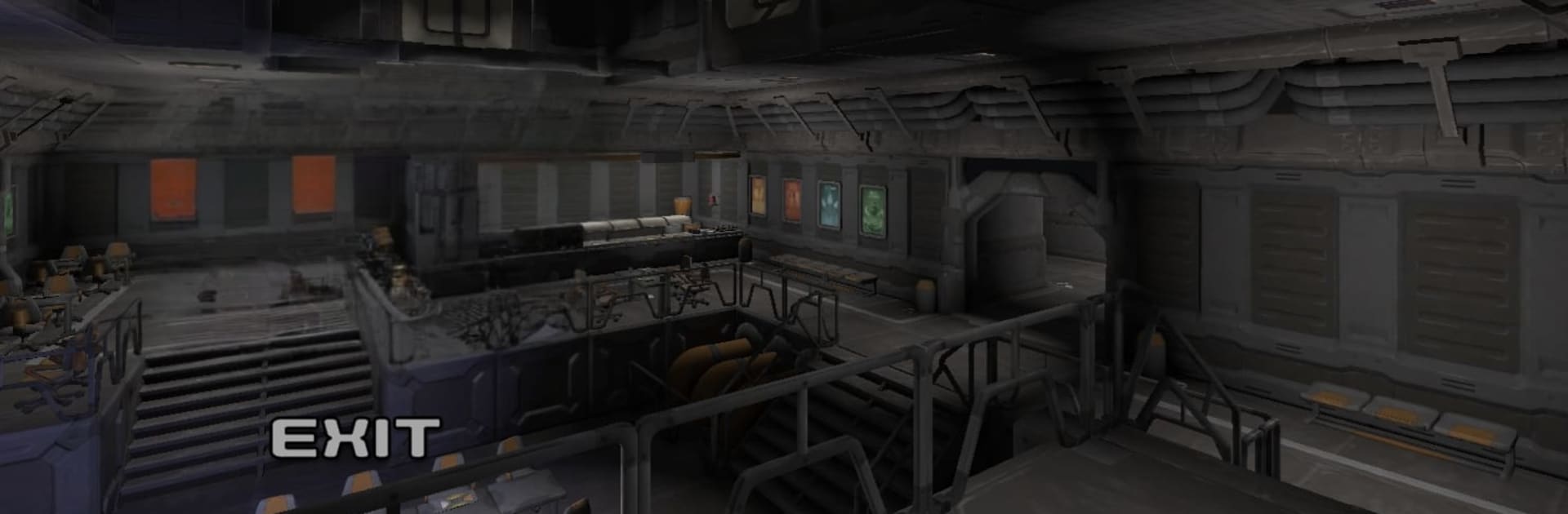
Dino Terror 2 Jurassic Escape throws you back into a high-stakes Arcade horror run through a secret lab that won’t stop getting worse. You made it out of level 1—barely—and now level 2 greets you with new corridors, busted experiments, and two hungry predators on your trail. It’s part stealth, part puzzle-solving, and all about staying calm when every footstep could give you away.

Game Features

  • Sequel survival
    Continue the escape in level 2 of the laboratory as you outsmart a relentless velociraptor and a brutal Baryonyx. Different threats mean different tactics.

  • Stealth that actually matters
    Sound draws attention. Move slowly, listen for footsteps, and time your actions—one loud mistake can turn a quiet hall into a chase.

  • Puzzles under pressure
    Hunt for ways to unlock secured doors, reroute your path, and remove locks while predators patrol nearby. Think fast, but move smarter.

  • Real places to hide
    Slip into rooms, cabins, or under beds to break line of sight. Use doors to create space or stall a pursuit when things get messy.

  • Limited chances
    You’ve got a small pool of lives (3–5), so every decision carries weight. Risky shortcuts might pay off—or end the run.

  • Immersive 3D tension
    Detailed environments, moody lighting, and sharp spatial audio set the tone. Headphones make every scrape, growl, and echo feel far too close.

  • Easy-to-grab controls
    Intuitive touch inputs keep you focused on escaping, not fumbling. Prefer a bigger screen? It plays smoothly on PC with BlueStacks, too.

Start your journey now. Download the game on BlueStacks, invite your friends, and march on a new adventure.


Game Features

Enhancements

  • Macros
  • Multi Instance
  • Multi Instance Sync
  • Script
  • Enhancements
Macros

Macros

Automate the predictable in Dino Terror 2 Jurassic Escape and transform your gameplay with Macros. Get access to inventive Macros in the BlueStacks Macro Community
Multi Instance

Multi Instance

Play Dino Terror 2 Jurassic Escape on one window. And chat with your friend on the other. Press CTRL + Shift + 8 to open the Multi-Instance Manager. And start creating fresh instances or clone an existing one.
Multi Instance Sync

Multi Instance Sync

Play Dino Terror 2 Jurassic Escape with the power of Multi-Instance Sync. Replicate what you are doing on the main instance on all other instances. Level up faster, play more.
Script

Script

Script your way to gaming glory in Dino Terror 2 Jurassic Escape with BlueStacks Script. Write and run a set of commands to automate repeated tasks. Trigger the command by assigning it to any key.
Read More

How to Download and Play Dino Terror 2 Jurassic Escape on PC or Mac

  • Download and install BlueStacks on your PC or Mac

  • Complete Google sign-in to access the Play Store, or do it later

  • Look for Dino Terror 2 Jurassic Escape in the search bar at the top right corner

  • Click to install Dino Terror 2 Jurassic Escape from the search results

  • Complete Google sign-in (if you skipped step 2) to install Dino Terror 2 Jurassic Escape

  • Click the Dino Terror 2 Jurassic Escape icon on the home screen to start playing

video
Watch Video

Minimum System Requirements

With BlueStacks 5, you can get started on a PC that fulfills the following requirements.

  • Operating System

    Microsoft Windows 7 or above, macOS 11 (Big Sur) or above

  • Processor

    Intel, AMD or Apple Silicon Processor

  • RAM

    at least 4GB

  • HDD

    10GB Free Disk Space

Note:

* You must be an Administrator on your PC. Up to date graphics drivers from Microsoft or the chipset vendor.

Dino Terror 2 Jurassic Escape - FAQs

  • How to play Dino Terror 2 Jurassic Escape on Windows PC & Mac?

    Play Dino Terror 2 Jurassic Escape on your PC or Mac by following these simple steps.

    • Click on 'Play Dino Terror 2 Jurassic Escape on PC’ to download BlueStacks
    • Install it and log-in to Google Play Store
    • Launch and play the game.
  • Why is BlueStacks the fastest and safest platform to play games on PC?

    BlueStacks respects your privacy and is always safe and secure to use. It does not carry any malware, spyware, or any sort of additional software that could harm your PC.

    It is engineered to optimize speed and performance for a seamless gaming experience.

  • What are Dino Terror 2 Jurassic Escape PC requirements?

    Minimum requirement to run Dino Terror 2 Jurassic Escape on your PC

    • OS: Microsoft Windows 7 or above MacOS 11 (Big Sur) or above
    • Processor: Intel, AMD or Apple Silicon Processor
    • RAM: Your PC must have at least 4GB of RAM. (Note that having 4GB or more disk space is not a substitute for RAM)
    • HDD: 10GB Free Disk Space.
    • You must be an Administrator on your PC.