E.D.E.N : The Last Line

E.D.E.N : The Last Line

Arcade

| Gameduo

Play on PC with BlueStacks or from our cloud

Click here to Pre-Register for E.D.E.N : The Last Line
  • Overview
  • Features
  • How to Play

Page Modified On: March 16, 2026

Play E.D.E.N : The Last Line on PC or Mac

E.D.E.N : The Last Line brings the Arcade genre to life, and throws up exciting challenges for gamers. Developed by Gameduo, this Android game is best experienced on BlueStacks, the World’s #1 app player for PC and Mac users.

About the Game

E.D.E.N : The Last Line is an Arcade action game where you take command of a small team of Awakened girls standing between Astra City and extinction. You’re not just calling shots from a map—you’re managing high-tech gear, reacting in real time, and keeping your squad together when the pressure spikes. Built by Gameduo, it blends fast tactical combat with character-driven stories, and it plays great on mobile or with BlueStacks if you want that bigger-screen feel.

Game Features

  • Command the Last Line: Step in as the Commander of Lumina Academy and organize a tight-knit unit to push back the Devourers threatening humanity’s final refuge.
  • EDEN System Management: Equip each girl with a custom EDEN unit that stabilizes and powers up her abilities—tune loadouts, swap parts, and fine‑tune performance before the next wave hits.
  • Distinct Combat Roles: Put the right fighter in the right spot—assault, control, support, sniper, and more—then coordinate skills so the team works as one.
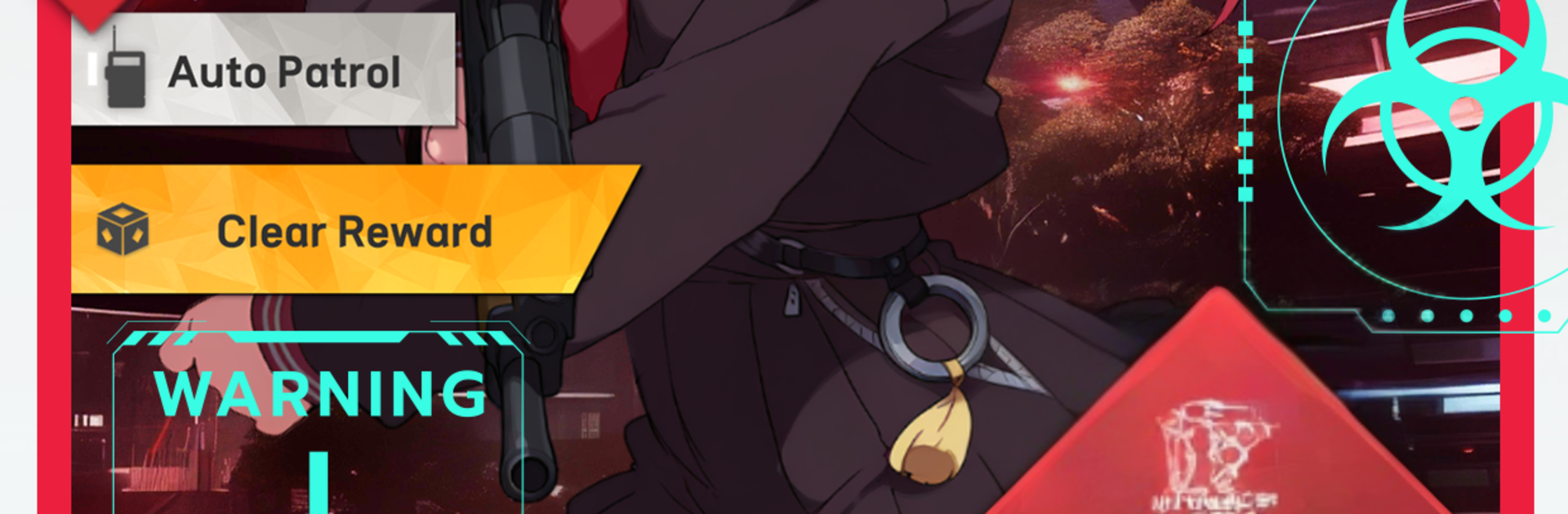
  • Signature Weapons & Styles: Match unique gear to each hero: Ruby wields an assault rifle, Iris freezes foes with ice rounds, Kaede cleaves with a shockwave katana, and Jini—no powers, all brains—drives upgrades with her engineering flair.
  • Real-Time Tactical Play: Read the battlefield and time your abilities to chain effects like ice, electricity, lasers, and gravity for crowd control, burst damage, or clutch saves during boss encounters.
  • Story and Bonds: Between fights, spend time in dorms and labs to learn each girl’s backstory, help them process what they’ve survived, and unlock new strength through growing trust.
  • Build, Upgrade, Repeat: Gather resources, refine your EDEN configurations, and chase better synergies so your squad can hold the line when the Devourers come back stronger.

Ready to top the leaderboard? We bet you do. Let precise controls and sharp visuals optimized on BlueStacks lead you to victory.


Features

  • Macros

    Automate the predictable in E.D.E.N : The Last Line and transform your gameplay with Macros. Get access to inventive Macros in the BlueStacks Macro Community

  • Multi Instance

    Play E.D.E.N : The Last Line on one window. And chat with your friend on the other. Press CTRL + Shift + 8 to open the Multi-Instance Manager. And start creating fresh instances or clone an existing one.

  • Multi Instance Sync

    Play E.D.E.N : The Last Line with the power of Multi-Instance Sync. Replicate what you are doing on the main instance on all other instances. Level up faster, play more.

  • Script

    Script your way to gaming glory in E.D.E.N : The Last Line with BlueStacks Script. Write and run a set of commands to automate repeated tasks. Trigger the command by assigning it to any key.

How to Download and Play E.D.E.N : The Last Line on PC or Mac

  • Download and install BlueStacks on your PC or Mac

  • Complete Google sign-in to access the Play Store, or do it later

  • Look for E.D.E.N : The Last Line in the search bar at the top right corner

  • Click to install E.D.E.N : The Last Line from the search results

  • Complete Google sign-in (if you skipped step 2) to install E.D.E.N : The Last Line

  • Click the E.D.E.N : The Last Line icon on the home screen to start playing

video
Watch Video

Minimum System Requirements

With BlueStacks 5, you can get started on a PC that fulfills the following requirements.

  • Operating System

    Microsoft Windows 7 or above, macOS 11 (Big Sur) or above

  • Processor

    Intel, AMD or Apple Silicon Processor

  • RAM

    at least 4GB

  • HDD

    10GB Free Disk Space

Note:

* You must be an Administrator on your PC. Up to date graphics drivers from Microsoft or the chipset vendor.

Exclusive Gaming Content. And More.

Get the latest updates on the BlueStacks Blog.

See More
E.D.E.N : The Last Line

Be among the first to play E.D.E.N : The Last Line on PC

Get notified when the Game launches

E.D.E.N : The Last Line - FAQs

  • How to play E.D.E.N : The Last Line on Windows PC & Mac?

    Play E.D.E.N : The Last Line on your PC or Mac by following these simple steps.

    • Click on 'Play E.D.E.N : The Last Line on PC’ to download BlueStacks
    • Install it and log-in to Google Play Store
    • Launch and play the game.
  • Why is BlueStacks the fastest and safest platform to play games on PC?

    BlueStacks respects your privacy and is always safe and secure to use. It does not carry any malware, spyware, or any sort of additional software that could harm your PC.

    It is engineered to optimize speed and performance for a seamless gaming experience.

  • What are E.D.E.N : The Last Line PC requirements?

    Minimum requirement to run E.D.E.N : The Last Line on your PC

    • OS: Microsoft Windows 7 or above MacOS 11 (Big Sur) or above
    • Processor: Intel, AMD or Apple Silicon Processor
    • RAM: Your PC must have at least 4GB of RAM. (Note that having 4GB or more disk space is not a substitute for RAM)
    • HDD: 10GB Free Disk Space.
    • You must be an Administrator on your PC.