Gas Please!
Gas Please!

Gas Please!

Arcade

| Coreloop Garage

Play on PC with BlueStacks or from our cloud

  • Overview
  • Game Features
  • How to Play

Page Modified On: August 10, 2026

Play Gas Please! on PC or Mac

Bring your A-game to Gas Please!, the Arcade game sensation from Coreloop Garage. Give your gameplay the much-needed boost with precise game controls, high FPS graphics, and top-tier features on your PC or Mac with BlueStacks.

About the Game

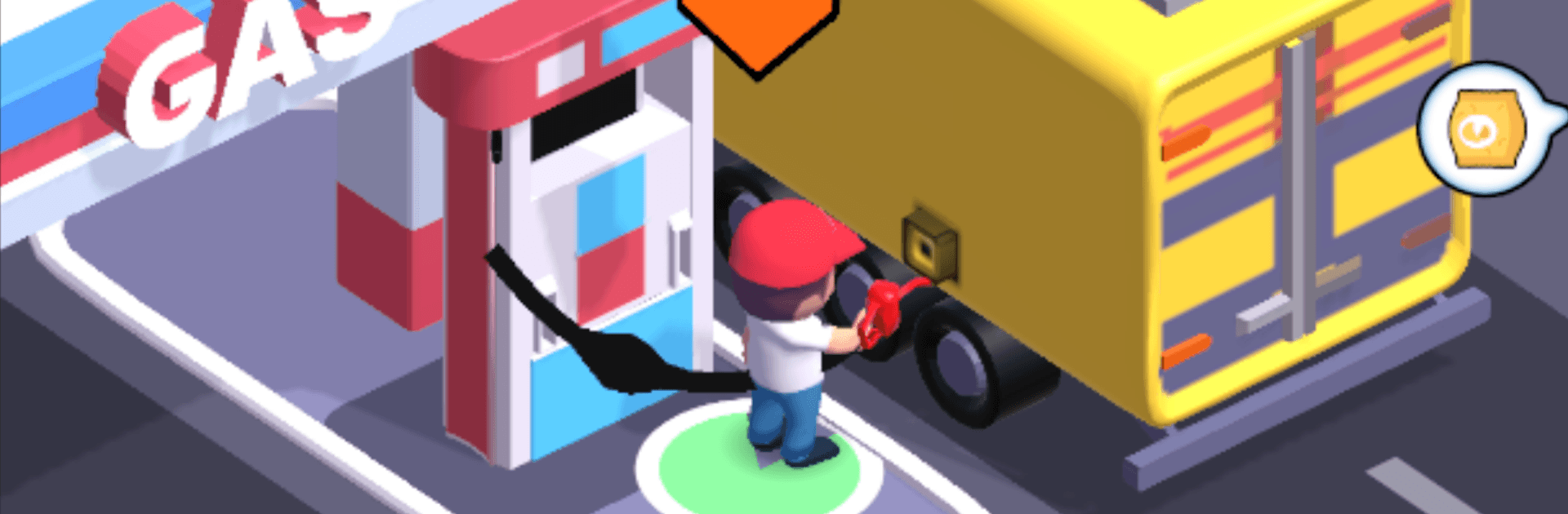
Gas Please! turns the everyday pit stop into your favorite kind of project: quick to grasp, surprisingly deep, and oddly relaxing. You’ll take a quiet roadside pump and grow it into a humming service hub with multiple fueling lanes, a stocked mini-mart, and a crew that keeps everything moving. It’s an Arcade management game with laid‑back idle progress—great on your phone or, if you want a bigger view and comfy controls, on PC with BlueStacks.

Game Features

  • Grow the station: Add pumps, open new lanes, and unlock fresh areas so more cars can roll through without clogging the driveway.
  • Convenience store smarts: Fill shelves with snacks and essentials, tidy up the layout, and keep restocks flowing to turn foot traffic into steady cash.
  • Smart staffing: Hire attendants to fuel cars, refill shelves, and clean up messes; train them to work faster and handle bigger crowds.
  • Idle cash that stacks: Earnings don’t stop when you step away—come back to a fuller wallet and sink it into the next big upgrade.
  • Keep customers happy: Cut wait times, match each visitor’s needs, and watch tips grow when service feels snappy.
  • Upgrades everywhere: Faster pumps, a bigger shop, more hands on deck, higher customer capacity, and speedier restocking—the rabbit hole goes deep.
  • Easy to pick up, hard to put down: Play in short bursts or binge a longer session; simple taps lead to satisfying progress.
  • Plan like a pro: Balance queues, shelf space, and staffing while deciding which upgrade delivers the most bang for your buck.
  • Looks good on any screen: Clean visuals and clear menus make managing your station feel smooth, whether on mobile or running through BlueStacks.

BlueStacks gives you more room to focus on the game and less time adjusting around mobile limitations.


Game Features

Enhancements

  • Macros
  • Multi Instance
  • Multi Instance Sync
  • Script
  • Enhancements
Macros

Macros

Automate the predictable in Gas Please! and transform your gameplay with Macros. Get access to inventive Macros in the BlueStacks Macro Community
Multi Instance

Multi Instance

Play Gas Please! on one window. And chat with your friend on the other. Press CTRL + Shift + 8 to open the Multi-Instance Manager. And start creating fresh instances or clone an existing one.
Multi Instance Sync

Multi Instance Sync

Play Gas Please! with the power of Multi-Instance Sync. Replicate what you are doing on the main instance on all other instances. Level up faster, play more.
Script

Script

Script your way to gaming glory in Gas Please! with BlueStacks Script. Write and run a set of commands to automate repeated tasks. Trigger the command by assigning it to any key.
Read More

How to Download and Play Gas Please! on PC or Mac

  • Download and install BlueStacks on your PC or Mac

  • Complete Google sign-in to access the Play Store, or do it later

  • Look for Gas Please! in the search bar at the top right corner

  • Click to install Gas Please! from the search results

  • Complete Google sign-in (if you skipped step 2) to install Gas Please!

  • Click the Gas Please! icon on the home screen to start playing

video
Watch Video

Minimum System Requirements

With BlueStacks 5, you can get started on a PC that fulfills the following requirements.

  • Operating System

    Microsoft Windows 7 or above, macOS 11 (Big Sur) or above

  • Processor

    Intel, AMD or Apple Silicon Processor

  • RAM

    at least 4GB

  • HDD

    10GB Free Disk Space

Note:

* You must be an Administrator on your PC. Up to date graphics drivers from Microsoft or the chipset vendor.

Gas Please! - FAQs

  • How to play Gas Please! on Windows PC & Mac?

    Play Gas Please! on your PC or Mac by following these simple steps.

    • Click on 'Play Gas Please! on PC’ to download BlueStacks
    • Install it and log-in to Google Play Store
    • Launch and play the game.
  • Why is BlueStacks the fastest and safest platform to play games on PC?

    BlueStacks respects your privacy and is always safe and secure to use. It does not carry any malware, spyware, or any sort of additional software that could harm your PC.

    It is engineered to optimize speed and performance for a seamless gaming experience.

  • What are Gas Please! PC requirements?

    Minimum requirement to run Gas Please! on your PC

    • OS: Microsoft Windows 7 or above MacOS 11 (Big Sur) or above
    • Processor: Intel, AMD or Apple Silicon Processor
    • RAM: Your PC must have at least 4GB of RAM. (Note that having 4GB or more disk space is not a substitute for RAM)
    • HDD: 10GB Free Disk Space.
    • You must be an Administrator on your PC.