Jet Ski Craft: Crafting, Stunts & Bikini Bottom 3D

Jet Ski Craft: Crafting, Stunts & Bikini Bottom 3D

Arcade

| Play Cool Zombie Sport Games

Play on PC with BlueStacks or from our cloud

  • Overview
  • Game Features
  • How to Play

Page Modified On: September 02, 2025

Play Jet Ski Craft: Crafting, Stunts & Bikini Bottom 3D on PC or Mac

Jet Ski Craft: Crafting, Stunts & Bikini Bottom 3D brings the Arcade genre to life, and throws up exciting challenges for gamers. Developed by Survival Crafting & Exploration Adventure Games, this Android game is best experienced on BlueStacks, the World’s #1 app player for PC and Mac users.

About the Game

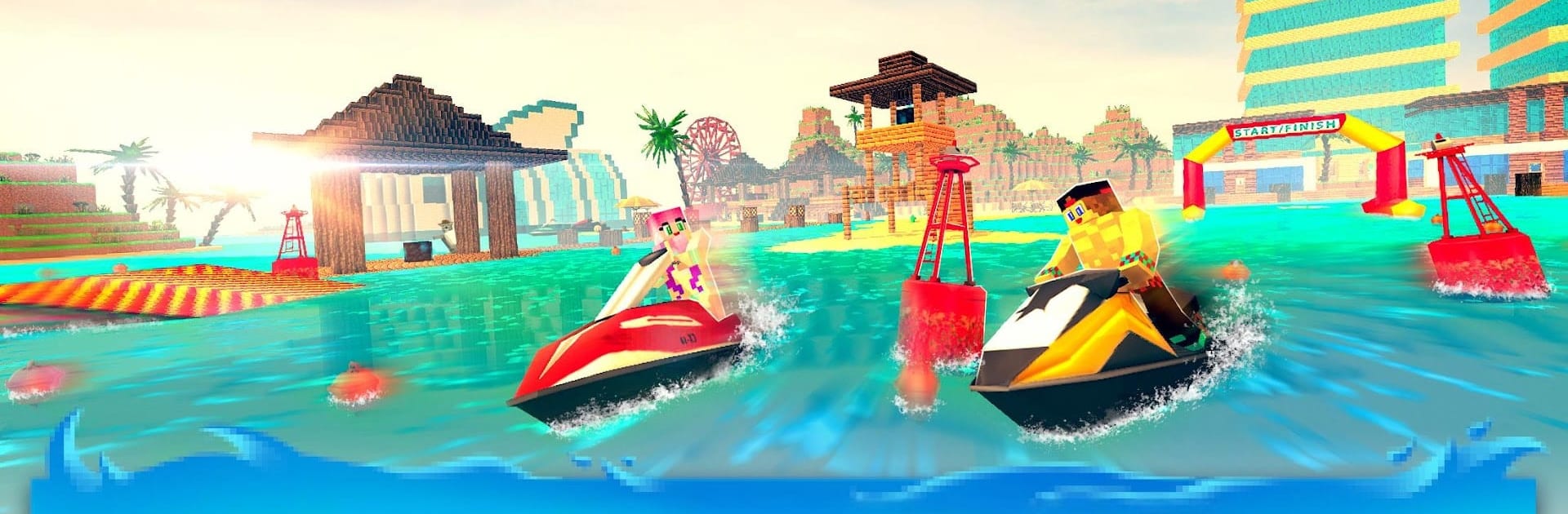
Jet Ski Craft: Crafting, Stunts & Bikini Bottom 3D blends splashy jet-ski action with a relaxed sandbox builder. Blaze across waves pulling ridiculous tricks, then switch to crafting to drop ramps, docks, and a full beach hangout—totally your call. Made by Survival Crafting & Exploration Adventure Games, this Arcade ride also feels right at home on a bigger screen with BlueStacks.

Game Features

  • Build your stunt playground: Use crafting & building tools to shape ramps, floating platforms, docks, and even a cozy island resort to stunt through.
  • Open-water exploration: Roam a chunky, blocky ocean filled with tiny islands, hidden coves, and spots that hint at buried treasure.
  • Stunts that actually feel wild: Hit the throttle, slice through wakes, thread between boats, and chain tricks for bigger bragging rights.
  • Mini-games and quick challenges: Jump into short races, time trials, and treasure hunts when you want something punchy and goal-driven.
  • Create a theme park vibe: Lay out beaches, piers, and scenic builds to turn your map into a water theme park made for big jumps.
  • Powerboat and jetpack moments: Mix up the ride with powerboat bursts or jetpack-style water fun in select setups and routes.
  • Play your way: Take it slow and explore, or embrace a little chaos and test tricky lines in busy spots—the world’s a playground.
  • Easy to pick up: Snappy controls and a flexible camera make it simple to learn and surprisingly satisfying when you nail a clean run.

Make your gaming sessions memorable with precise controls that give you an edge in close combats and visuals that pop up, bringing every character to life.


Game Features

Enhancements

  • Macros
  • Multi Instance
  • Multi Instance Sync
  • Script
  • Enhancements
Macros

Macros

Automate the predictable in Jet Ski Craft: Crafting, Stunts & Bikini Bottom 3D and transform your gameplay with Macros. Get access to inventive Macros in the BlueStacks Macro Community
Multi Instance

Multi Instance

Play Jet Ski Craft: Crafting, Stunts & Bikini Bottom 3D on one window. And chat with your friend on the other. Press CTRL + Shift + 8 to open the Multi-Instance Manager. And start creating fresh instances or clone an existing one.
Multi Instance Sync

Multi Instance Sync

Play Jet Ski Craft: Crafting, Stunts & Bikini Bottom 3D with the power of Multi-Instance Sync. Replicate what you are doing on the main instance on all other instances. Level up faster, play more.
Script

Script

Script your way to gaming glory in Jet Ski Craft: Crafting, Stunts & Bikini Bottom 3D with BlueStacks Script. Write and run a set of commands to automate repeated tasks. Trigger the command by assigning it to any key.
Read More

How to Download and Play Jet Ski Craft: Crafting, Stunts & Bikini Bottom 3D on PC or Mac

  • Download and install BlueStacks on your PC or Mac

  • Complete Google sign-in to access the Play Store, or do it later

  • Look for Jet Ski Craft: Crafting, Stunts & Bikini Bottom 3D in the search bar at the top right corner

  • Click to install Jet Ski Craft: Crafting, Stunts & Bikini Bottom 3D from the search results

  • Complete Google sign-in (if you skipped step 2) to install Jet Ski Craft: Crafting, Stunts & Bikini Bottom 3D

  • Click the Jet Ski Craft: Crafting, Stunts & Bikini Bottom 3D icon on the home screen to start playing

video
Watch Video

Minimum System Requirements

With BlueStacks 5, you can get started on a PC that fulfills the following requirements.

  • Operating System

    Microsoft Windows 7 or above, macOS 11 (Big Sur) or above

  • Processor

    Intel, AMD or Apple Silicon Processor

  • RAM

    at least 4GB

  • HDD

    10GB Free Disk Space

Note:

* You must be an Administrator on your PC. Up to date graphics drivers from Microsoft or the chipset vendor.

Jet Ski Craft: Crafting, Stunts & Bikini Bottom 3D - FAQs

  • How to play Jet Ski Craft: Crafting, Stunts & Bikini Bottom 3D on Windows PC & Mac?

    Play Jet Ski Craft: Crafting, Stunts & Bikini Bottom 3D on your PC or Mac by following these simple steps.

    • Click on 'Play Jet Ski Craft: Crafting, Stunts & Bikini Bottom 3D on PC’ to download BlueStacks
    • Install it and log-in to Google Play Store
    • Launch and play the game.
  • Why is BlueStacks the fastest and safest platform to play games on PC?

    BlueStacks respects your privacy and is always safe and secure to use. It does not carry any malware, spyware, or any sort of additional software that could harm your PC.

    It is engineered to optimize speed and performance for a seamless gaming experience.

  • What are Jet Ski Craft: Crafting, Stunts & Bikini Bottom 3D PC requirements?

    Minimum requirement to run Jet Ski Craft: Crafting, Stunts & Bikini Bottom 3D on your PC

    • OS: Microsoft Windows 7 or above MacOS 11 (Big Sur) or above
    • Processor: Intel, AMD or Apple Silicon Processor
    • RAM: Your PC must have at least 4GB of RAM. (Note that having 4GB or more disk space is not a substitute for RAM)
    • HDD: 10GB Free Disk Space.
    • You must be an Administrator on your PC.