Miner's Edge
Miner's Edge

Miner's Edge

Arcade

| Seher İzzet

Play on PC with BlueStacks or from our cloud

  • Overview
  • Game Features
  • How to Play

Page Modified On: October 24, 2025

Play Miner's Edge on PC or Mac

Explore a whole new adventure with Miner’s Edge, a Arcade game created by Seher İzzet. Experience great gameplay with BlueStacks, the most popular gaming platform to play Android games on your PC or Mac.

About the Game

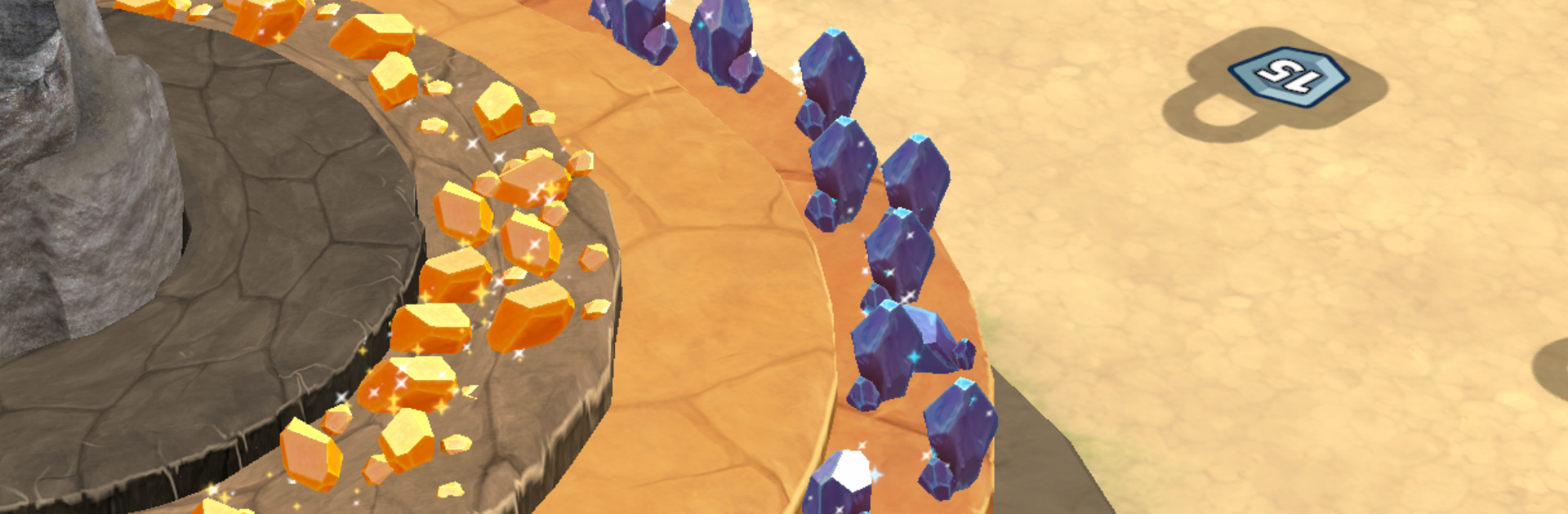
Miner’s Edge is a hands-on, chill-but-strategic Arcade builder from Seher İzzet. You’ll chip away at massive stone slabs, scoop up the good stuff, and slowly turn a rough outpost into a humming mining operation. Play actively for quick bursts or set up automation and let the gears spin while you plan your next upgrade.

Game Features

  • Satisfying Rock Busting: Smash bulky blocks into manageable chunks and watch your haul pile up.
  • Smart Automation: Set drills, crushers, and vacs to keep materials moving while your crew handles the grind.
  • Upgrades That Matter: Boost tools, machines, and workers to speed extraction, processing, and delivery.
  • A Growing Map: Unlock fresh zones as your operation expands, each offering new resources and challenges.
  • Lean, Mean Economy: Balance bottlenecks, tune production lines, and keep storages from clogging.
  • Build the Outpost: Start with scrap and empty ground, end with a busy, well-oiled mining hub.
  • Play Your Way: Go hands-on for fast gains or let the systems run while you focus on strategy.
  • Clean Controls on PC: Prefer a bigger screen and precise input? Miner’s Edge plays comfortably on BlueStacks.

Get ready for a buttery smooth, high-performance gaming action only on BlueStacks.

Game Features

Enhancements

  • Macros
  • Multi Instance
  • Multi Instance Sync
  • Script
  • Enhancements
Macros

Macros

Automate the predictable in Miner's Edge and transform your gameplay with Macros. Get access to inventive Macros in the BlueStacks Macro Community
Multi Instance

Multi Instance

Play Miner's Edge on one window. And chat with your friend on the other. Press CTRL + Shift + 8 to open the Multi-Instance Manager. And start creating fresh instances or clone an existing one.
Multi Instance Sync

Multi Instance Sync

Play Miner's Edge with the power of Multi-Instance Sync. Replicate what you are doing on the main instance on all other instances. Level up faster, play more.
Script

Script

Script your way to gaming glory in Miner's Edge with BlueStacks Script. Write and run a set of commands to automate repeated tasks. Trigger the command by assigning it to any key.
Read More

How to Download and Play Miner's Edge on PC or Mac

  • Download and install BlueStacks on your PC or Mac

  • Complete Google sign-in to access the Play Store, or do it later

  • Look for Miner's Edge in the search bar at the top right corner

  • Click to install Miner's Edge from the search results

  • Complete Google sign-in (if you skipped step 2) to install Miner's Edge

  • Click the Miner's Edge icon on the home screen to start playing

video
Watch Video

Minimum System Requirements

With BlueStacks 5, you can get started on a PC that fulfills the following requirements.

  • Operating System

    Microsoft Windows 7 or above, macOS 11 (Big Sur) or above

  • Processor

    Intel, AMD or Apple Silicon Processor

  • RAM

    at least 4GB

  • HDD

    10GB Free Disk Space

Note:

* You must be an Administrator on your PC. Up to date graphics drivers from Microsoft or the chipset vendor.

Miner's Edge - FAQs

  • How to play Miner's Edge on Windows PC & Mac?

    Play Miner's Edge on your PC or Mac by following these simple steps.

    • Click on 'Play Miner's Edge on PC’ to download BlueStacks
    • Install it and log-in to Google Play Store
    • Launch and play the game.
  • Why is BlueStacks the fastest and safest platform to play games on PC?

    BlueStacks respects your privacy and is always safe and secure to use. It does not carry any malware, spyware, or any sort of additional software that could harm your PC.

    It is engineered to optimize speed and performance for a seamless gaming experience.

  • What are Miner's Edge PC requirements?

    Minimum requirement to run Miner's Edge on your PC

    • OS: Microsoft Windows 7 or above MacOS 11 (Big Sur) or above
    • Processor: Intel, AMD or Apple Silicon Processor
    • RAM: Your PC must have at least 4GB of RAM. (Note that having 4GB or more disk space is not a substitute for RAM)
    • HDD: 10GB Free Disk Space.
    • You must be an Administrator on your PC.