Plants Shooter Defense War

Plants Shooter Defense War

Arcade

| RP FUN GAMES

Play on PC with BlueStacks or from our cloud

  • Overview
  • Game Features
  • How to Play

Page Modified On: September 11, 2026

Play Plants Shooter Defense War on PC or Mac

Bring your A-game to Plants Shooter Defense War, the Arcade game sensation from RP FUN GAMES. Give your gameplay the much-needed boost with precise game controls, high FPS graphics, and top-tier features on your PC or Mac with BlueStacks.

About the Game

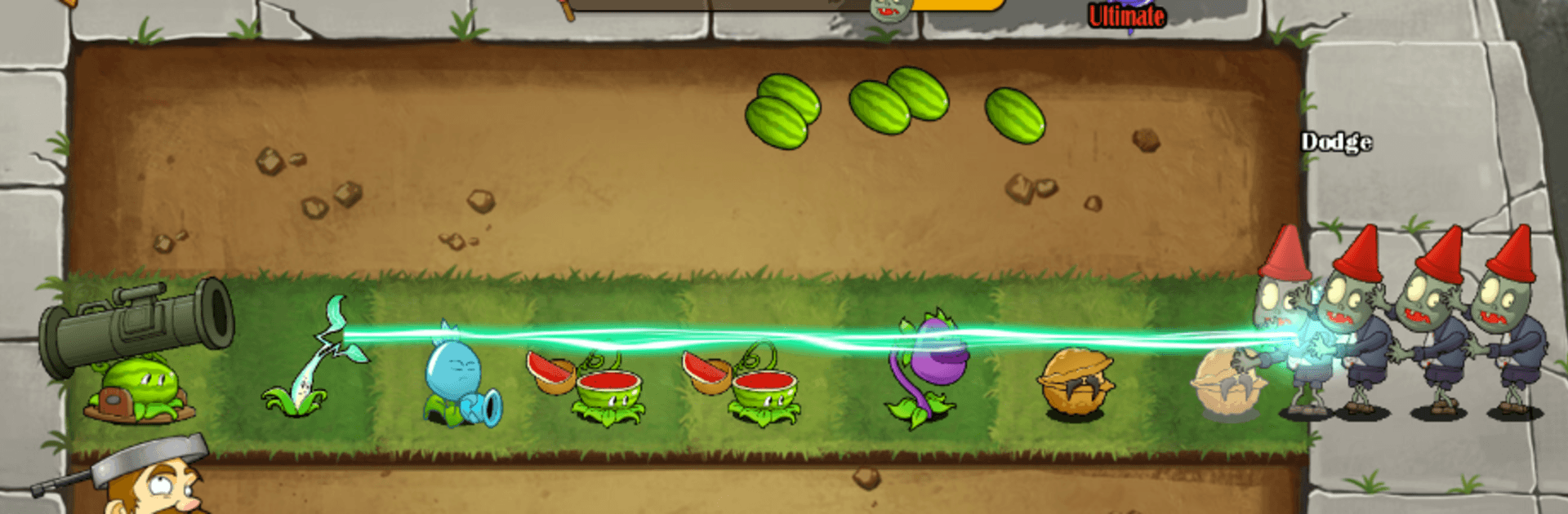
Plants Shooter Defense War is a fast, punchy Arcade take on the classic plants-vs-undead standoff. You’re the farmer in charge, planting quirky green defenders and holding the line as waves of hungry zombies keep pressing in. It’s all about smart placement, quick decisions, and watching your garden evolve into a serious firepower factory. Prefer a bigger screen? It plays nicely on BlueStacks too.

Game Features

  • Evolving Plant Arsenal: Grow basic shooters into outrageous upgrades—think humble pea-slingers turning into rapid-fire turrets and heavy hitters morphing into explosive launchers.
  • Relentless Zombie Variety: Face shambling grunts, shielded brutes, sprinters, and more—each enemy type pushes you to rethink where and when to plant.
  • Tactical Lane Control: Position your plants across lanes, balance offense with defense, and plug gaps before a sneaky zombie slips through.
  • On-the-Fly Upgrades: Add mods that boost range, rate of fire, splash damage, or control effects, then mix and match to counter whatever’s marching your way.
  • Satisfying Combos: Chain plant abilities—slow them, shred armor, then finish with a barrage—to melt waves and set up clean defenses.
  • Fresh Challenges Each Run: New enemy mixes and progression paths keep battles from feeling routine, rewarding experimentation over copy-paste strategies.
  • Clean, Snappy Pacing: Short stages ramp up quickly, perfect for quick sessions that still feel strategic and rewarding.

Ready to top the leaderboard? We bet you do. Let precise controls and sharp visuals optimized on BlueStacks lead you to victory.


Game Features

Enhancements

  • Macros
  • Multi Instance
  • Multi Instance Sync
  • Script
  • Enhancements
Macros

Macros

Automate the predictable in Plants Shooter Defense War and transform your gameplay with Macros. Get access to inventive Macros in the BlueStacks Macro Community
Multi Instance

Multi Instance

Play Plants Shooter Defense War on one window. And chat with your friend on the other. Press CTRL + Shift + 8 to open the Multi-Instance Manager. And start creating fresh instances or clone an existing one.
Multi Instance Sync

Multi Instance Sync

Play Plants Shooter Defense War with the power of Multi-Instance Sync. Replicate what you are doing on the main instance on all other instances. Level up faster, play more.
Script

Script

Script your way to gaming glory in Plants Shooter Defense War with BlueStacks Script. Write and run a set of commands to automate repeated tasks. Trigger the command by assigning it to any key.
Read More

How to Download and Play Plants Shooter Defense War on PC or Mac

  • Download and install BlueStacks on your PC or Mac

  • Complete Google sign-in to access the Play Store, or do it later

  • Look for Plants Shooter Defense War in the search bar at the top right corner

  • Click to install Plants Shooter Defense War from the search results

  • Complete Google sign-in (if you skipped step 2) to install Plants Shooter Defense War

  • Click the Plants Shooter Defense War icon on the home screen to start playing

video
Watch Video

Minimum System Requirements

With BlueStacks 5, you can get started on a PC that fulfills the following requirements.

  • Operating System

    Microsoft Windows 7 or above, macOS 11 (Big Sur) or above

  • Processor

    Intel, AMD or Apple Silicon Processor

  • RAM

    at least 4GB

  • HDD

    10GB Free Disk Space

Note:

* You must be an Administrator on your PC. Up to date graphics drivers from Microsoft or the chipset vendor.

Plants Shooter Defense War - FAQs

  • How to play Plants Shooter Defense War on Windows PC & Mac?

    Play Plants Shooter Defense War on your PC or Mac by following these simple steps.

    • Click on 'Play Plants Shooter Defense War on PC’ to download BlueStacks
    • Install it and log-in to Google Play Store
    • Launch and play the game.
  • Why is BlueStacks the fastest and safest platform to play games on PC?

    BlueStacks respects your privacy and is always safe and secure to use. It does not carry any malware, spyware, or any sort of additional software that could harm your PC.

    It is engineered to optimize speed and performance for a seamless gaming experience.

  • What are Plants Shooter Defense War PC requirements?

    Minimum requirement to run Plants Shooter Defense War on your PC

    • OS: Microsoft Windows 7 or above MacOS 11 (Big Sur) or above
    • Processor: Intel, AMD or Apple Silicon Processor
    • RAM: Your PC must have at least 4GB of RAM. (Note that having 4GB or more disk space is not a substitute for RAM)
    • HDD: 10GB Free Disk Space.
    • You must be an Administrator on your PC.