Playtoys: Cursed House Escape

Playtoys: Cursed House Escape

Simulation

| Zaib Engineering

Play on PC with BlueStacks or from our cloud

  • Overview
  • Game Features
  • How to Play

Page Modified On: June 02, 2026

Play Playtoys: Cursed House Escape on PC or Mac

Playtoys: Cursed House Escape brings the Simulation genre to life, and throws up exciting challenges for gamers. Developed by Zaib Engineering, this Android game is best experienced on BlueStacks, the World’s #1 app player for PC and Mac users.

About the Game

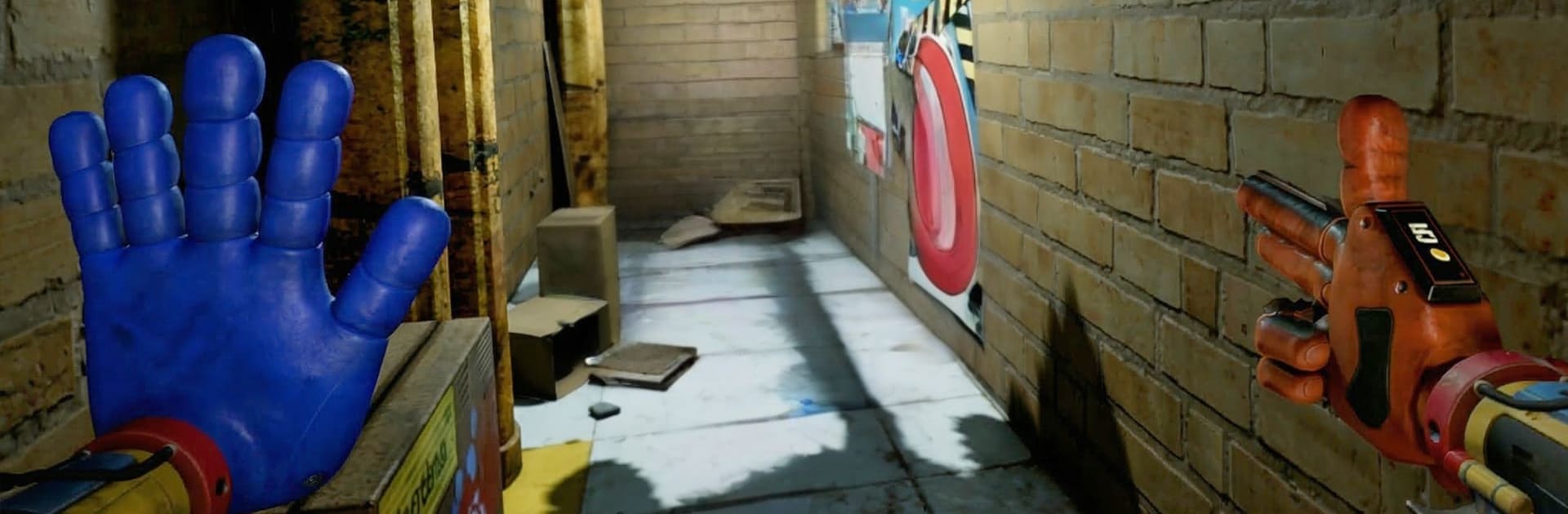
Playtoys: Cursed House Escape drops you in a rotten old mansion that clearly doesn’t want you there. You’re locked in, the lights don’t behave, and something keeps breathing down your neck. It’s a creepy Simulation experience built around smart puzzles, careful exploration, and that tense “do I really want to open this door?” feeling.

Game Features

  • Smart Puzzle Design: Expect logic locks, odd symbols, coded notes, and devices that only make sense once you’ve pieced together the right clues. It’s tricky but fair, and solving one mystery often sparks the next.
  • Eerie, Lived-In Atmosphere: Dusty corridors, warped wallpaper, and rooms that feel watched. The house has a mood—dim lighting, lingering shadows, and tiny details that keep you on edge.
  • Hidden Objects and Clues: Search everything. A key might be taped under a drawer, a hint tucked behind a portrait, or a pattern etched into cracked tiles you almost ignored.
  • Multiple Rooms, One Bad Feeling: Wander through bedrooms, attics, studies, and basements in a loose order. You’ll backtrack with new info, unlock shortcuts, and slowly stitch the layout together.
  • Sound That Messes With You: Floorboards groan, whispers slip through vents, and music swells at the worst times. Headphones make it deliciously uncomfortable.
  • Choices That Change Your Night: What you touch, where you snoop, and when you move all matter. Pick carefully—some routes calm the house, others wake it up.
  • Plays Smoothly on PC: Prefer a bigger screen and quick keyboard clicks? BlueStacks lets you experience the scares with crisp visuals and steady controls.

BlueStacks gives you more room to focus on the game and less time adjusting around mobile limitations.


Game Features

Enhancements

  • Macros
  • Multi Instance
  • Multi Instance Sync
  • Script
  • Enhancements
Macros

Macros

Automate the predictable in Playtoys: Cursed House Escape and transform your gameplay with Macros. Get access to inventive Macros in the BlueStacks Macro Community
Multi Instance

Multi Instance

Play Playtoys: Cursed House Escape on one window. And chat with your friend on the other. Press CTRL + Shift + 8 to open the Multi-Instance Manager. And start creating fresh instances or clone an existing one.
Multi Instance Sync

Multi Instance Sync

Play Playtoys: Cursed House Escape with the power of Multi-Instance Sync. Replicate what you are doing on the main instance on all other instances. Level up faster, play more.
Script

Script

Script your way to gaming glory in Playtoys: Cursed House Escape with BlueStacks Script. Write and run a set of commands to automate repeated tasks. Trigger the command by assigning it to any key.
Read More

How to Download and Play Playtoys: Cursed House Escape on PC or Mac

  • Download and install BlueStacks on your PC or Mac

  • Complete Google sign-in to access the Play Store, or do it later

  • Look for Playtoys: Cursed House Escape in the search bar at the top right corner

  • Click to install Playtoys: Cursed House Escape from the search results

  • Complete Google sign-in (if you skipped step 2) to install Playtoys: Cursed House Escape

  • Click the Playtoys: Cursed House Escape icon on the home screen to start playing

video
Watch Video

Minimum System Requirements

With BlueStacks 5, you can get started on a PC that fulfills the following requirements.

  • Operating System

    Microsoft Windows 7 or above, macOS 11 (Big Sur) or above

  • Processor

    Intel, AMD or Apple Silicon Processor

  • RAM

    at least 4GB

  • HDD

    10GB Free Disk Space

Note:

* You must be an Administrator on your PC. Up to date graphics drivers from Microsoft or the chipset vendor.

Playtoys: Cursed House Escape - FAQs

  • How to play Playtoys: Cursed House Escape on Windows PC & Mac?

    Play Playtoys: Cursed House Escape on your PC or Mac by following these simple steps.

    • Click on 'Play Playtoys: Cursed House Escape on PC’ to download BlueStacks
    • Install it and log-in to Google Play Store
    • Launch and play the game.
  • Why is BlueStacks the fastest and safest platform to play games on PC?

    BlueStacks respects your privacy and is always safe and secure to use. It does not carry any malware, spyware, or any sort of additional software that could harm your PC.

    It is engineered to optimize speed and performance for a seamless gaming experience.

  • What are Playtoys: Cursed House Escape PC requirements?

    Minimum requirement to run Playtoys: Cursed House Escape on your PC

    • OS: Microsoft Windows 7 or above MacOS 11 (Big Sur) or above
    • Processor: Intel, AMD or Apple Silicon Processor
    • RAM: Your PC must have at least 4GB of RAM. (Note that having 4GB or more disk space is not a substitute for RAM)
    • HDD: 10GB Free Disk Space.
    • You must be an Administrator on your PC.