Star Warfare2:Payback

Star Warfare2:Payback

Arcade

| Freyr Games

Play on PC with BlueStacks or from our cloud

  • Overview
  • Game Features
  • How to Play

Page Modified On: December 08, 2025

Play Star Warfare2:Payback on PC or Mac

Star Warfare2:Payback brings the Arcade genre to life, and throws up exciting challenges for gamers. Developed by Freyr Games, this Android game is best experienced on BlueStacks, the World’s #1 app player for PC and Mac users.

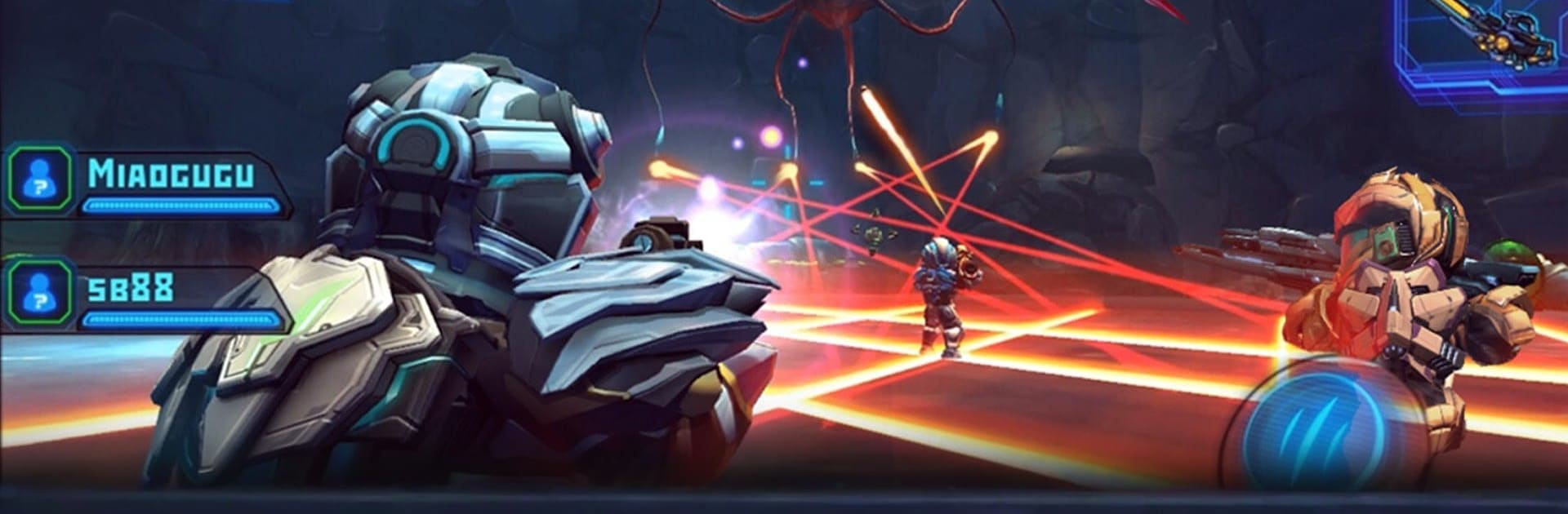
Star Warfare 2: Payback is a sci fi third person shooter with chunky armor suits, big guns, and swarms of weird alien creatures. The campaign throws players into tight, dark maps and pushes out waves fast, then drops a boss that hits hard and forces some pattern learning. It runs offline for solo play and switches to online without fuss when a squad sounds better. Movement is quick, shooting feels snappy, and fights end before they get stale, so it is more arcade energy than tactical sim.

Multiplayer is where it really opens up. Co-op standoffs have a team holding ground while the aliens keep piling in, there is classic capture the flag for objective play, and straight PvP if scoreboard bragging is the goal. There is also a mode where someone gets to be a huge alien boss and stomp around, which is chaotic in a good way. The gear system is nerdy fun, letting weapons, armor, and even vehicles plug together, so builds can get odd and strong in interesting ways. Pets add little bonuses, and a pile of perks nudges different play styles, from glass cannon loadouts to beefy brawlers. Progress leans on earning parts and testing builds rather than realism. On BlueStacks, mouse aim and simple key binds make the chaos easier to manage, which helps the game feel fast and fair on PC.

Get ready for a buttery smooth, high-performance gaming action only on BlueStacks.

Game Features

Enhancements

  • Macros
  • Multi Instance
  • Multi Instance Sync
  • Script
  • Enhancements
Macros

Macros

Automate the predictable in Star Warfare2:Payback and transform your gameplay with Macros. Get access to inventive Macros in the BlueStacks Macro Community
Multi Instance

Multi Instance

Play Star Warfare2:Payback on one window. And chat with your friend on the other. Press CTRL + Shift + 8 to open the Multi-Instance Manager. And start creating fresh instances or clone an existing one.
Multi Instance Sync

Multi Instance Sync

Play Star Warfare2:Payback with the power of Multi-Instance Sync. Replicate what you are doing on the main instance on all other instances. Level up faster, play more.
Script

Script

Script your way to gaming glory in Star Warfare2:Payback with BlueStacks Script. Write and run a set of commands to automate repeated tasks. Trigger the command by assigning it to any key.
Read More

How to Download and Play Star Warfare2:Payback on PC or Mac

  • Download and install BlueStacks on your PC or Mac

  • Complete Google sign-in to access the Play Store, or do it later

  • Look for Star Warfare2:Payback in the search bar at the top right corner

  • Click to install Star Warfare2:Payback from the search results

  • Complete Google sign-in (if you skipped step 2) to install Star Warfare2:Payback

  • Click the Star Warfare2:Payback icon on the home screen to start playing

video
Watch Video

Minimum System Requirements

With BlueStacks 5, you can get started on a PC that fulfills the following requirements.

  • Operating System

    Microsoft Windows 7 or above, macOS 11 (Big Sur) or above

  • Processor

    Intel, AMD or Apple Silicon Processor

  • RAM

    at least 4GB

  • HDD

    10GB Free Disk Space

Note:

* You must be an Administrator on your PC. Up to date graphics drivers from Microsoft or the chipset vendor.

Star Warfare2:Payback - FAQs

  • How to play Star Warfare2:Payback on Windows PC & Mac?

    Play Star Warfare2:Payback on your PC or Mac by following these simple steps.

    • Click on 'Play Star Warfare2:Payback on PC’ to download BlueStacks
    • Install it and log-in to Google Play Store
    • Launch and play the game.
  • Why is BlueStacks the fastest and safest platform to play games on PC?

    BlueStacks respects your privacy and is always safe and secure to use. It does not carry any malware, spyware, or any sort of additional software that could harm your PC.

    It is engineered to optimize speed and performance for a seamless gaming experience.

  • What are Star Warfare2:Payback PC requirements?

    Minimum requirement to run Star Warfare2:Payback on your PC

    • OS: Microsoft Windows 7 or above MacOS 11 (Big Sur) or above
    • Processor: Intel, AMD or Apple Silicon Processor
    • RAM: Your PC must have at least 4GB of RAM. (Note that having 4GB or more disk space is not a substitute for RAM)
    • HDD: 10GB Free Disk Space.
    • You must be an Administrator on your PC.