Stella Voyager
Stella Voyager

Stella Voyager

Arcade

| KESOFTGAMES

Play on PC with BlueStacks or from our cloud

  • Overview
  • Game Features
  • How to Play

Page Modified On: May 18, 2026

Play Stella Voyager on PC or Mac

Explore a whole new adventure with Stella Voyager, a Arcade game created by KESOFTGAMES. Experience great gameplay with BlueStacks, the most popular gaming platform to play Android games on your PC or Mac.

About the Game

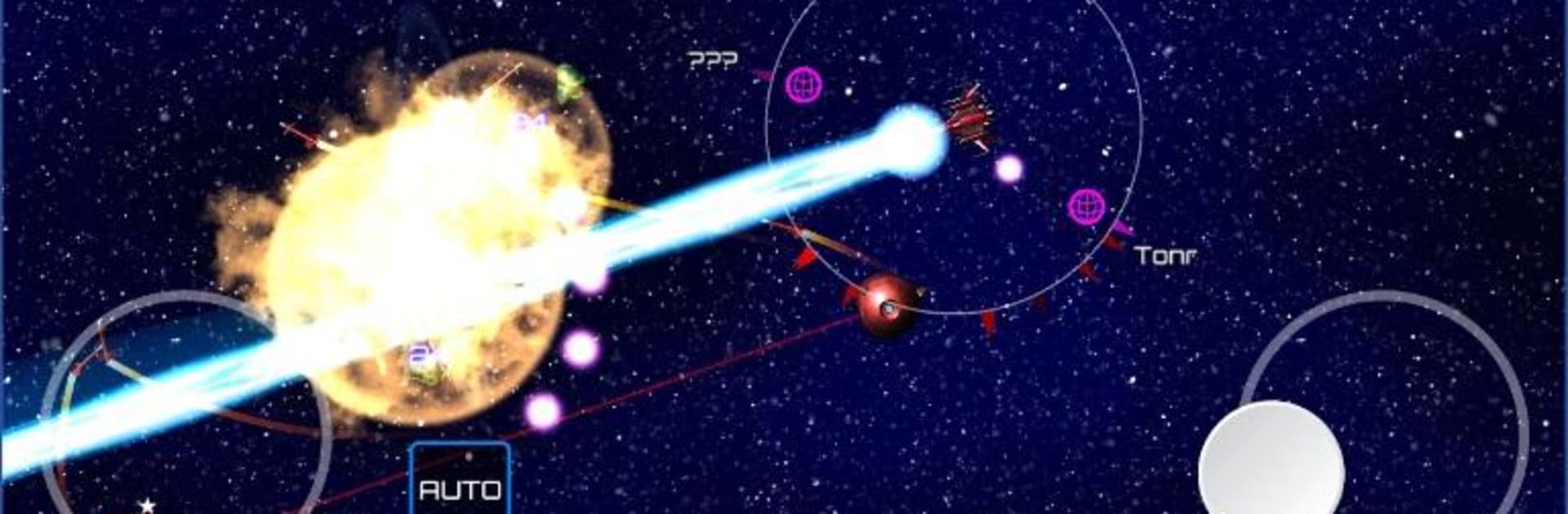
Stella Voyager is an Arcade space sandbox from KESOFTGAMES where you roam a vast galaxy, pick your battles, and build your fortune through smart trading. Start with a humble ship, then chart routes, fight off outlaws, and even nudge entire planets forward with the facilities you build. Want to be a space sheriff, a trade mogul, or a wandering explorer? It’s all on the table.

Game Features

  • Open galaxy: A star map packed with 120+ planets to discover, each with its own quirks, markets, and opportunities.
  • Play your way: No fixed path—pursue bounties, run trade routes, explore uncharted systems, or juggle all three.
  • Real-time economy: Prices shift based on each planet’s tech level and needs, so timing and route planning can make—or break—your profits.
  • Build and influence: Construct facilities on planets to earn steady returns and subtly move local markets in your favor.
  • Tactical space combat: Outlaws are everywhere. Engage in fast skirmishes, collect bounties and loot, and upgrade to stay one step ahead.
  • Deep ship customization: Outfit your vessel with 100+ modules—combat gear, cargo upgrades, scanners, and more—to match your style.
  • Striking presentation: Crisp 3D ships, punchy effects, and a sweeping orchestral score set the mood for long hauls among the stars.
  • Controller friendly: Full gamepad support—steer with the left stick, aim/fire on the right; open the map with Y/Triangle; toggle autocruise on LB/L1; hit Overdrive with RB/R1.
  • Social perks: Google Play Games achievements and leaderboards let you compare progress and bragging rights with friends.
  • PC-friendly option: Prefer a desk setup? Stella Voyager also feels great on BlueStacks with keyboard, mouse, or a controller.

Start your journey now. Download the game on BlueStacks, invite your friends, and march on a new adventure.


Game Features

Enhancements

  • Macros
  • Multi Instance
  • Multi Instance Sync
  • Script
  • Enhancements
Macros

Macros

Automate the predictable in Stella Voyager and transform your gameplay with Macros. Get access to inventive Macros in the BlueStacks Macro Community
Multi Instance

Multi Instance

Play Stella Voyager on one window. And chat with your friend on the other. Press CTRL + Shift + 8 to open the Multi-Instance Manager. And start creating fresh instances or clone an existing one.
Multi Instance Sync

Multi Instance Sync

Play Stella Voyager with the power of Multi-Instance Sync. Replicate what you are doing on the main instance on all other instances. Level up faster, play more.
Script

Script

Script your way to gaming glory in Stella Voyager with BlueStacks Script. Write and run a set of commands to automate repeated tasks. Trigger the command by assigning it to any key.
Read More

How to Download and Play Stella Voyager on PC or Mac

  • Download and install BlueStacks on your PC or Mac

  • Complete Google sign-in to access the Play Store, or do it later

  • Look for Stella Voyager in the search bar at the top right corner

  • Click to install Stella Voyager from the search results

  • Complete Google sign-in (if you skipped step 2) to install Stella Voyager

  • Click the Stella Voyager icon on the home screen to start playing

video
Watch Video

Minimum System Requirements

With BlueStacks 5, you can get started on a PC that fulfills the following requirements.

  • Operating System

    Microsoft Windows 7 or above, macOS 11 (Big Sur) or above

  • Processor

    Intel, AMD or Apple Silicon Processor

  • RAM

    at least 4GB

  • HDD

    10GB Free Disk Space

Note:

* You must be an Administrator on your PC. Up to date graphics drivers from Microsoft or the chipset vendor.

Stella Voyager - FAQs

  • How to play Stella Voyager on Windows PC & Mac?

    Play Stella Voyager on your PC or Mac by following these simple steps.

    • Click on 'Play Stella Voyager on PC’ to download BlueStacks
    • Install it and log-in to Google Play Store
    • Launch and play the game.
  • Why is BlueStacks the fastest and safest platform to play games on PC?

    BlueStacks respects your privacy and is always safe and secure to use. It does not carry any malware, spyware, or any sort of additional software that could harm your PC.

    It is engineered to optimize speed and performance for a seamless gaming experience.

  • What are Stella Voyager PC requirements?

    Minimum requirement to run Stella Voyager on your PC

    • OS: Microsoft Windows 7 or above MacOS 11 (Big Sur) or above
    • Processor: Intel, AMD or Apple Silicon Processor
    • RAM: Your PC must have at least 4GB of RAM. (Note that having 4GB or more disk space is not a substitute for RAM)
    • HDD: 10GB Free Disk Space.
    • You must be an Administrator on your PC.