Stretch Brawl
Stretch Brawl

Stretch Brawl

Arcade

| Superstar.Games

Play on PC with BlueStacks or from our cloud

  • Overview
  • Game Features
  • How to Play

Page Modified On: August 03, 2026

Play Stretch Brawl on PC or Mac

Play Stretch Brawl by Superstar.Games on PC or Mac with BlueStacks. Use a bigger screen, mouse and keyboard controls, and smoother performance while you play.

About the Game

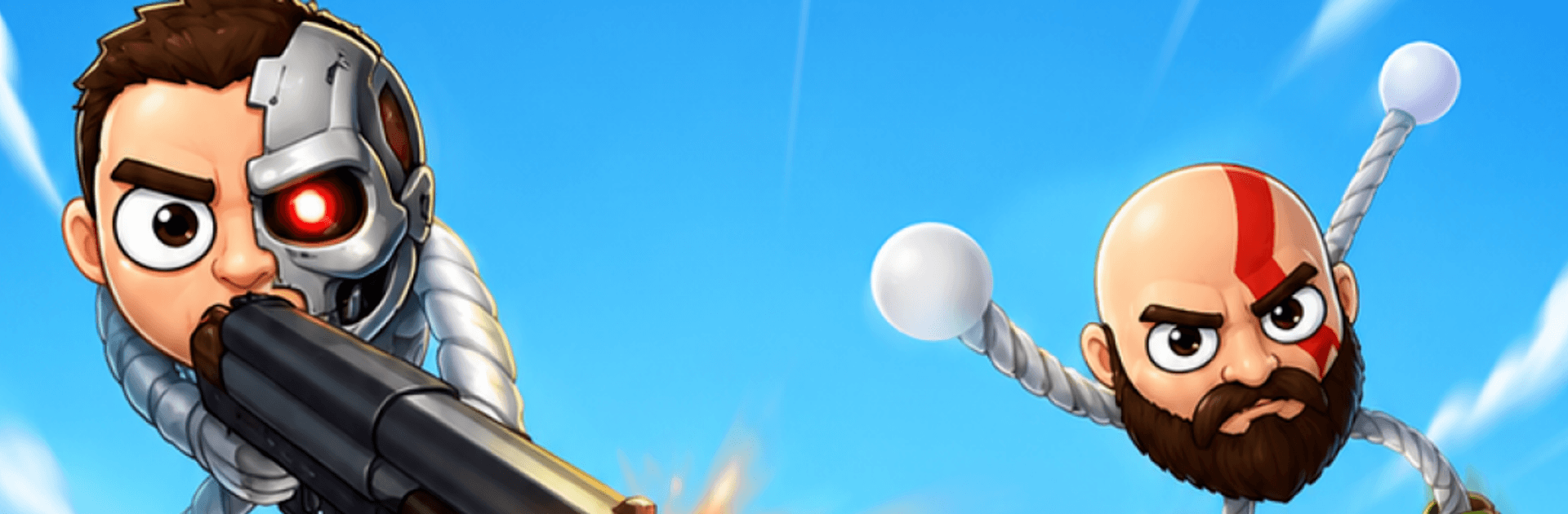
Stretch Brawl is a wild Arcade brawler where your fighters are basically human slingshots. Grab those elastic arms, pull back, and launch them across crowded arenas like you’re firing a rubber-band rocket. You’ll be flying through the air, blasting enemies, smashing into props, and laughing at the ridiculous ragdoll moments that follow.

Every fight plays out differently thanks to lively physics and chaotic bounces. One perfect fling can clear a lane; one bad ricochet can send you pinwheeling into a trap. It’s fast, goofy, and surprisingly tactical once you get the hang of the timing.

Game Features

  • Slingshot Combat: Pull, aim, and release your stretchy hero to crash into foes and kick off chain reactions.
  • Midair Mayhem: Fire weapons while you’re airborne, turning jumps into drive-by shootouts.
  • Ragdoll Physics Chaos: Expect ricochets, tumbles, and unpredictable collisions that keep battles fresh.
  • Wild Weapons: From axes to shotguns and other oddities, mix tools for hilarious (and effective) takedowns.
  • Collectible Oddballs: Unlock a roster of funny heroes with distinct looks and animations to suit your style.
  • Trap-Filled Arenas: Fight across stages packed with hazards, breakables, explosions, and sneaky shortcuts.
  • Simple, Punchy Controls: Drag, aim, and launch—easy to learn, with plenty of room to master tricky shots.
  • Quick-Fire Arcade Rounds: Short bouts that are perfect for spur-of-the-moment play and endless experimentation.
  • Satisfying Feedback: Crunchy hits, bouncy physics, and over-the-top reactions make every impact feel great.
  • Play Smooth on PC: Run Stretch Brawl on BlueStacks for comfy sessions and crisp mouse aim without fuss.

Ready to top the leaderboard? We bet you do. Let precise controls and sharp visuals optimized on BlueStacks lead you to victory.


Game Features

Enhancements

  • Macros
  • Multi Instance
  • Multi Instance Sync
  • Script
  • Enhancements
Macros

Macros

Automate the predictable in Stretch Brawl and transform your gameplay with Macros. Get access to inventive Macros in the BlueStacks Macro Community
Multi Instance

Multi Instance

Play Stretch Brawl on one window. And chat with your friend on the other. Press CTRL + Shift + 8 to open the Multi-Instance Manager. And start creating fresh instances or clone an existing one.
Multi Instance Sync

Multi Instance Sync

Play Stretch Brawl with the power of Multi-Instance Sync. Replicate what you are doing on the main instance on all other instances. Level up faster, play more.
Script

Script

Script your way to gaming glory in Stretch Brawl with BlueStacks Script. Write and run a set of commands to automate repeated tasks. Trigger the command by assigning it to any key.
Read More

How to Download and Play Stretch Brawl on PC or Mac

  • Download and install BlueStacks on your PC or Mac

  • Complete Google sign-in to access the Play Store, or do it later

  • Look for Stretch Brawl in the search bar at the top right corner

  • Click to install Stretch Brawl from the search results

  • Complete Google sign-in (if you skipped step 2) to install Stretch Brawl

  • Click the Stretch Brawl icon on the home screen to start playing

video
Watch Video

Minimum System Requirements

With BlueStacks 5, you can get started on a PC that fulfills the following requirements.

  • Operating System

    Microsoft Windows 7 or above, macOS 11 (Big Sur) or above

  • Processor

    Intel, AMD or Apple Silicon Processor

  • RAM

    at least 4GB

  • HDD

    10GB Free Disk Space

Note:

* You must be an Administrator on your PC. Up to date graphics drivers from Microsoft or the chipset vendor.

Stretch Brawl - FAQs

  • How to play Stretch Brawl on Windows PC & Mac?

    Play Stretch Brawl on your PC or Mac by following these simple steps.

    • Click on 'Play Stretch Brawl on PC’ to download BlueStacks
    • Install it and log-in to Google Play Store
    • Launch and play the game.
  • Why is BlueStacks the fastest and safest platform to play games on PC?

    BlueStacks respects your privacy and is always safe and secure to use. It does not carry any malware, spyware, or any sort of additional software that could harm your PC.

    It is engineered to optimize speed and performance for a seamless gaming experience.

  • What are Stretch Brawl PC requirements?

    Minimum requirement to run Stretch Brawl on your PC

    • OS: Microsoft Windows 7 or above MacOS 11 (Big Sur) or above
    • Processor: Intel, AMD or Apple Silicon Processor
    • RAM: Your PC must have at least 4GB of RAM. (Note that having 4GB or more disk space is not a substitute for RAM)
    • HDD: 10GB Free Disk Space.
    • You must be an Administrator on your PC.