Tank war city: Battles legend

Tank war city: Battles legend

Arcade

| Classic Arcade games

Play on PC with BlueStacks or from our cloud

  • Overview
  • Game Features
  • How to Play

Page Modified On: May 11, 2026

Play Tank war city: Battles legend on PC or Mac

Join millions to experience Tank war city: Battles legend, an exciting Arcade game from Classic Arcade games. With BlueStacks App Player, you are always a step ahead of your opponent, ready to outplay them with faster gameplay and better control with the mouse and keyboard on your PC or Mac.

About the Game

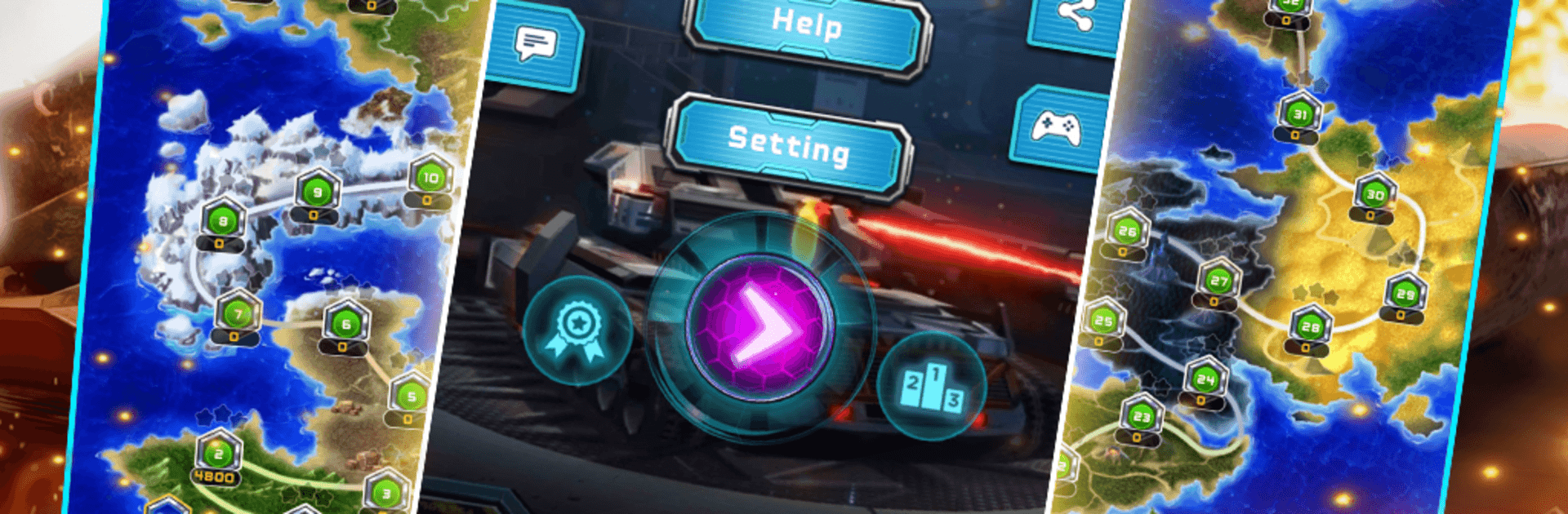
Tank war city: Battles legend from Classic Arcade games is a fast, no-nonsense Arcade tank shooter where every second counts. You’re steering a lone tank across tight arenas, blasting through enemy armor while guarding your base like it’s your last stand. It’s simple to pick up, surprisingly tactical, and feels great on mobile—or with mouse and keyboard on PC using BlueStacks.

Game Features

  • Classic multi-directional combat: Move and fire in any direction, weave through gunfire, and line up clean shots while enemies pour in from the top of the screen.
  • Defend the base: Clear each stage by wiping out the enemy wave, but don’t let them crack your base—or your last life.
  • 94 handcrafted stages: Battle through a big set of tight 13×13 arenas, each with its own layout and pacing to keep you on your toes.
  • Terrain that matters: Blow apart brick walls, earn the power to pierce steel, hide in bushes, slip across icy ground, and plan around water you can’t normally cross.
  • Smarter foes, bigger stakes: Four enemy types ramp up the pressure, with decoy tactics that try to lure you away from your base at the worst moment.
  • Power-ups with punch: Grab stars to upgrade your tank (faster shots, double shots, steel-smashing), snag bombs to wipe the screen, clocks to freeze enemies, shovels to fortify your base, shields for brief invulnerability, a gun boost to break steel, and a ship boost to cross water.
  • Modes for any mood: Tackle structured Level Mode or chase endless runs in—well—Endless Mode.
  • Build your own battlefields: Use the map maker to create custom stages and keep the action fresh.
  • Score-chasers welcome: Go for achievements, climb multiple leaderboards, and set that Top High Score.
  • Smooth on PC with BlueStacks: Prefer a bigger screen and crisp controls? Playing through BlueStacks feels right at home without changing the core Arcade feel.

Slay your opponents with your epic moves. Play it your way on BlueStacks and dominate the battlefield.


Game Features

Enhancements

  • Macros
  • Multi Instance
  • Multi Instance Sync
  • Script
  • Enhancements
Macros

Macros

Automate the predictable in Tank war city: Battles legend and transform your gameplay with Macros. Get access to inventive Macros in the BlueStacks Macro Community
Multi Instance

Multi Instance

Play Tank war city: Battles legend on one window. And chat with your friend on the other. Press CTRL + Shift + 8 to open the Multi-Instance Manager. And start creating fresh instances or clone an existing one.
Multi Instance Sync

Multi Instance Sync

Play Tank war city: Battles legend with the power of Multi-Instance Sync. Replicate what you are doing on the main instance on all other instances. Level up faster, play more.
Script

Script

Script your way to gaming glory in Tank war city: Battles legend with BlueStacks Script. Write and run a set of commands to automate repeated tasks. Trigger the command by assigning it to any key.
Read More

How to Download and Play Tank war city: Battles legend on PC or Mac

  • Download and install BlueStacks on your PC or Mac

  • Complete Google sign-in to access the Play Store, or do it later

  • Look for Tank war city: Battles legend in the search bar at the top right corner

  • Click to install Tank war city: Battles legend from the search results

  • Complete Google sign-in (if you skipped step 2) to install Tank war city: Battles legend

  • Click the Tank war city: Battles legend icon on the home screen to start playing

video
Watch Video

Minimum System Requirements

With BlueStacks 5, you can get started on a PC that fulfills the following requirements.

  • Operating System

    Microsoft Windows 7 or above, macOS 11 (Big Sur) or above

  • Processor

    Intel, AMD or Apple Silicon Processor

  • RAM

    at least 4GB

  • HDD

    10GB Free Disk Space

Note:

* You must be an Administrator on your PC. Up to date graphics drivers from Microsoft or the chipset vendor.

Tank war city: Battles legend - FAQs

  • How to play Tank war city: Battles legend on Windows PC & Mac?

    Play Tank war city: Battles legend on your PC or Mac by following these simple steps.

    • Click on 'Play Tank war city: Battles legend on PC’ to download BlueStacks
    • Install it and log-in to Google Play Store
    • Launch and play the game.
  • Why is BlueStacks the fastest and safest platform to play games on PC?

    BlueStacks respects your privacy and is always safe and secure to use. It does not carry any malware, spyware, or any sort of additional software that could harm your PC.

    It is engineered to optimize speed and performance for a seamless gaming experience.

  • What are Tank war city: Battles legend PC requirements?

    Minimum requirement to run Tank war city: Battles legend on your PC

    • OS: Microsoft Windows 7 or above MacOS 11 (Big Sur) or above
    • Processor: Intel, AMD or Apple Silicon Processor
    • RAM: Your PC must have at least 4GB of RAM. (Note that having 4GB or more disk space is not a substitute for RAM)
    • HDD: 10GB Free Disk Space.
    • You must be an Administrator on your PC.