Unreal Parkour
Unreal Parkour

Unreal Parkour

Arcade

| Racktell

Play on PC with BlueStacks or from our cloud

  • Overview
  • Game Features
  • How to Play

Page Modified On: July 14, 2026

Play Unreal Parkour on PC or Mac

Explore a whole new adventure with Unreal Parkour, a Arcade game created by Racktell. Experience great gameplay with BlueStacks, the most popular gaming platform to play Android games on your PC or Mac.

About the Game

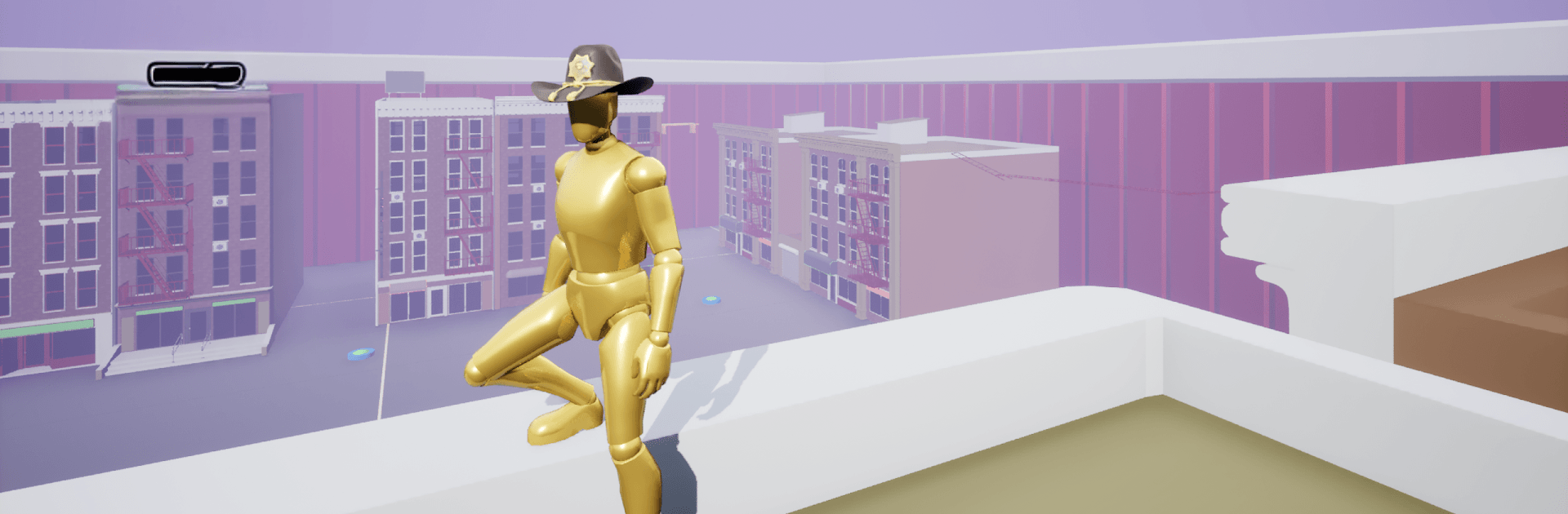
Unreal Parkour is a fast, kinetic Arcade runner built around split‑second choices and clean movement. You’ll sprint, jump, and dodge through bright, abstract arenas while chasing personal bests and edging up worldwide ranks. Prefer playing on PC? It runs smoothly on BlueStacks, too.

Game Features

  • Skill-first parkour: Every run comes down to speed, reflexes, and a bit of memory. Miss a beat and you’ll feel it; nail the flow and watch the timer melt.
  • Five ways to play:
  • Free Parkour for carefree exploration and practice
  • Time Attack on Color Boom, Last Jump, and Star Run
  • Survival Mode on Blender and Dodgeball, where one mistake ends it
  • Memory Mode’s Rainbow Path, all about recalling the correct route
  • Co‑op on Dodgeball, Abyss, and Red Light to tackle challenges with friends
  • Global competition: Climb five worldwide leaderboards, compare runs, and keep pushing records that actually matter.
  • Achievements and progression: Unlock 14 achievements and track steady improvement with a clear record system.
  • Character customization: Tweak your look so your runner feels like yours, not just another ghost on the track.
  • Lively presentation: A colorful robotic cyberpunk style pairs with two chatty announcers that celebrate great moves—and call out your blunders.
  • Built for convenience: Cloud saves keep progress safe, and 13 supported languages make it easy to play wherever you are.

BlueStacks gives you more room to focus on the game and less time adjusting around mobile limitations.


Game Features

Enhancements

  • Macros
  • Multi Instance
  • Multi Instance Sync
  • Script
  • Enhancements
Macros

Macros

Automate the predictable in Unreal Parkour and transform your gameplay with Macros. Get access to inventive Macros in the BlueStacks Macro Community
Multi Instance

Multi Instance

Play Unreal Parkour on one window. And chat with your friend on the other. Press CTRL + Shift + 8 to open the Multi-Instance Manager. And start creating fresh instances or clone an existing one.
Multi Instance Sync

Multi Instance Sync

Play Unreal Parkour with the power of Multi-Instance Sync. Replicate what you are doing on the main instance on all other instances. Level up faster, play more.
Script

Script

Script your way to gaming glory in Unreal Parkour with BlueStacks Script. Write and run a set of commands to automate repeated tasks. Trigger the command by assigning it to any key.
Read More

How to Download and Play Unreal Parkour on PC or Mac

  • Download and install BlueStacks on your PC or Mac

  • Complete Google sign-in to access the Play Store, or do it later

  • Look for Unreal Parkour in the search bar at the top right corner

  • Click to install Unreal Parkour from the search results

  • Complete Google sign-in (if you skipped step 2) to install Unreal Parkour

  • Click the Unreal Parkour icon on the home screen to start playing

video
Watch Video

Minimum System Requirements

With BlueStacks 5, you can get started on a PC that fulfills the following requirements.

  • Operating System

    Microsoft Windows 7 or above, macOS 11 (Big Sur) or above

  • Processor

    Intel, AMD or Apple Silicon Processor

  • RAM

    at least 4GB

  • HDD

    10GB Free Disk Space

Note:

* You must be an Administrator on your PC. Up to date graphics drivers from Microsoft or the chipset vendor.

Unreal Parkour - FAQs

  • How to play Unreal Parkour on Windows PC & Mac?

    Play Unreal Parkour on your PC or Mac by following these simple steps.

    • Click on 'Play Unreal Parkour on PC’ to download BlueStacks
    • Install it and log-in to Google Play Store
    • Launch and play the game.
  • Why is BlueStacks the fastest and safest platform to play games on PC?

    BlueStacks respects your privacy and is always safe and secure to use. It does not carry any malware, spyware, or any sort of additional software that could harm your PC.

    It is engineered to optimize speed and performance for a seamless gaming experience.

  • What are Unreal Parkour PC requirements?

    Minimum requirement to run Unreal Parkour on your PC

    • OS: Microsoft Windows 7 or above MacOS 11 (Big Sur) or above
    • Processor: Intel, AMD or Apple Silicon Processor
    • RAM: Your PC must have at least 4GB of RAM. (Note that having 4GB or more disk space is not a substitute for RAM)
    • HDD: 10GB Free Disk Space.
    • You must be an Administrator on your PC.