ZeroVector
ZeroVector

ZeroVector

Arcade

| blackpawn

Play on PC with BlueStacks or from our cloud

  • Overview
  • Game Features
  • How to Play

Page Modified On: June 25, 2026

Play ZeroVector on PC or Mac

ZeroVector by blackpawn has plenty to keep you busy. BlueStacks lets you play it on PC or Mac with more screen space, better control, and fewer mobile limits.

About the Game

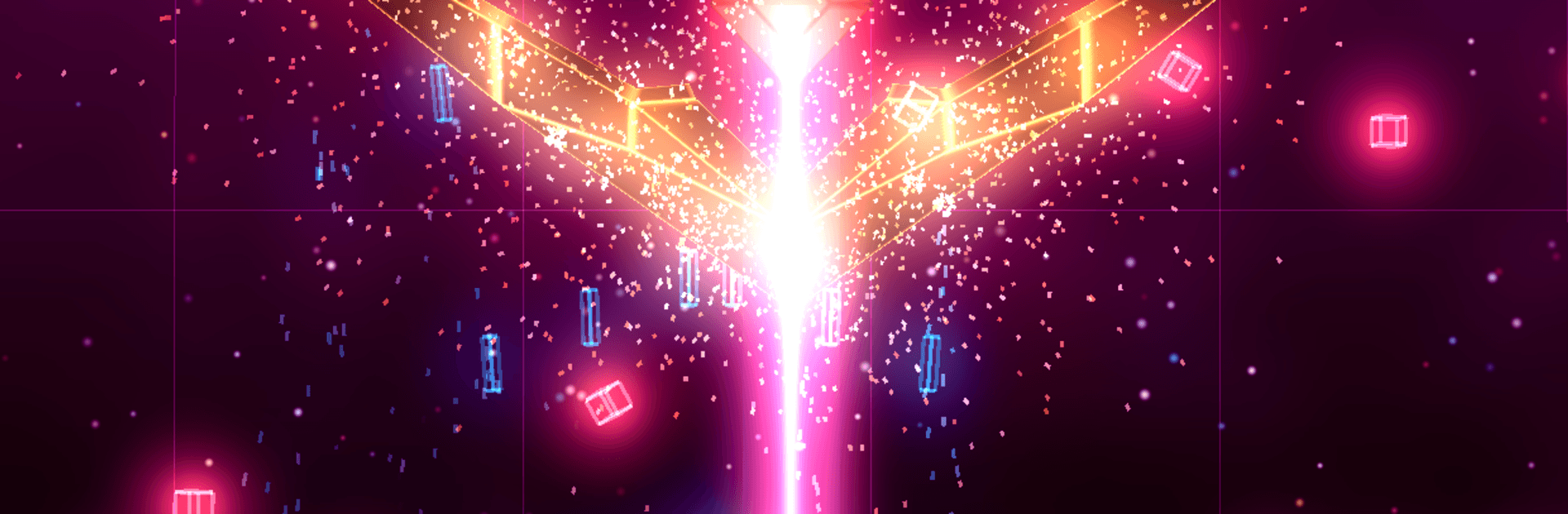
ZeroVector is a fast, retro-styled Arcade vertical shooter built for tense dodging, smart timing, and big score chases. Waves of enemies flood the screen while you snag power-ups and pull off clutch moves that turn chaos into fireworks—easy to try, dangerously hard to quit. Want more screen space for those bullet curtains? It plays great on PC with BlueStacks.

Game Features

  • Endless survival: Classic vertical shoot-’em-up action where the goal is simple—last longer than your previous run and push that high score a little higher.
  • REVERSAL flip: A special charge fills every 20 seconds; double-tap (or tap with a second finger) to flip enemy bullets into homing missiles that blast a path through the mess.
  • Stackable power-ups: Grab shields, EMP, bombs, and weapon boosts. Pick up the same utility twice in a row to supercharge it for a brief but satisfying power spike.
  • Four distinct bosses: Each boss brings unique bullet patterns and rhythms, so learning their quirks pays off as much as raw reflexes.
  • Conquest multiplayer: Join one of three factions and fight for hex-shaped sectors on a global map by setting the highest score on each tile.
  • Dynamic territory control: Sector ownership fades over time, so you can jump back in to defend your turf. Locking down neighboring tiles adds a buffer that helps protect what you’ve captured.
  • Clean retro readability: A crisp, throwback look with clear projectiles and effects makes it easier to parse the mayhem when the screen gets busy.

Start your journey now. Download the game on BlueStacks, invite your friends, and march on a new adventure.


Game Features

Enhancements

  • Macros
  • Multi Instance
  • Multi Instance Sync
  • Script
  • Enhancements
Macros

Macros

Automate the predictable in ZeroVector and transform your gameplay with Macros. Get access to inventive Macros in the BlueStacks Macro Community
Multi Instance

Multi Instance

Play ZeroVector on one window. And chat with your friend on the other. Press CTRL + Shift + 8 to open the Multi-Instance Manager. And start creating fresh instances or clone an existing one.
Multi Instance Sync

Multi Instance Sync

Play ZeroVector with the power of Multi-Instance Sync. Replicate what you are doing on the main instance on all other instances. Level up faster, play more.
Script

Script

Script your way to gaming glory in ZeroVector with BlueStacks Script. Write and run a set of commands to automate repeated tasks. Trigger the command by assigning it to any key.
Read More

How to Download and Play ZeroVector on PC or Mac

  • Download and install BlueStacks on your PC or Mac

  • Complete Google sign-in to access the Play Store, or do it later

  • Look for ZeroVector in the search bar at the top right corner

  • Click to install ZeroVector from the search results

  • Complete Google sign-in (if you skipped step 2) to install ZeroVector

  • Click the ZeroVector icon on the home screen to start playing

video
Watch Video

Minimum System Requirements

With BlueStacks 5, you can get started on a PC that fulfills the following requirements.

  • Operating System

    Microsoft Windows 7 or above, macOS 11 (Big Sur) or above

  • Processor

    Intel, AMD or Apple Silicon Processor

  • RAM

    at least 4GB

  • HDD

    10GB Free Disk Space

Note:

* You must be an Administrator on your PC. Up to date graphics drivers from Microsoft or the chipset vendor.

ZeroVector - FAQs

  • How to play ZeroVector on Windows PC & Mac?

    Play ZeroVector on your PC or Mac by following these simple steps.

    • Click on 'Play ZeroVector on PC’ to download BlueStacks
    • Install it and log-in to Google Play Store
    • Launch and play the game.
  • Why is BlueStacks the fastest and safest platform to play games on PC?

    BlueStacks respects your privacy and is always safe and secure to use. It does not carry any malware, spyware, or any sort of additional software that could harm your PC.

    It is engineered to optimize speed and performance for a seamless gaming experience.

  • What are ZeroVector PC requirements?

    Minimum requirement to run ZeroVector on your PC

    • OS: Microsoft Windows 7 or above MacOS 11 (Big Sur) or above
    • Processor: Intel, AMD or Apple Silicon Processor
    • RAM: Your PC must have at least 4GB of RAM. (Note that having 4GB or more disk space is not a substitute for RAM)
    • HDD: 10GB Free Disk Space.
    • You must be an Administrator on your PC.