Brazilian Damas - Online

Brazilian Damas - Online

Board

| Miroslav Kisly

Play on PC with BlueStacks or from our cloud

  • Overview
  • Game Features
  • How to Play

Page Modified On: January 02, 2026

Play Brazilian Damas - Online on PC or Mac

From the innovators and creators at Miroslav Kisly, Brazilian Damas – Online is another fun addition to the World of Board games. Go beyond your mobile screen and play it bigger and better on your PC or Mac. An immersive experience awaits you.

About the Game

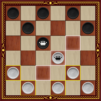
Brazilian Damas – Online brings the classic Brazilian take on checkers to your phone with smooth online play and plenty of ways to practice. It’s a thoughtful, strategic Board game from Miroslav Kisly that feels friendly to newcomers and still tough enough for veterans. Want a bigger view? You can also play it on PC with BlueStacks.

Game Features

  • Online matches with ELO and chat: Jump into real-time games, climb the rating ladder, send invites to friends, and keep it social with built-in chat.
  • Smart single-player: Tackle 11 AI difficulty levels, from easygoing practice to a serious challenge that’ll make you think a few moves ahead.
  • Local and Bluetooth play: Share a device for quick pass-and-play, or connect via Bluetooth when you’re not online.
  • Puzzles and custom setups: Work through checkers problems or craft your own board positions to study traps, endgames, and creative ideas.
  • Save, continue, and analyze: Auto-save keeps your progress safe; revisit finished games, step through moves, and review critical moments.
  • Handy controls: Made a slip? Undo is there. Parental control helps keep matches fair and kid-friendly.
  • Classic look, multiple boards: Enjoy a clean, wooden style with several board designs to suit your mood.
  • Stats that matter: Track your results, streaks, and trends so you can see how your play evolves over time.
  • Authentic Brazilian rules: Light pieces start. Captures are mandatory, and men can take both forward and backward. Kings move and capture across multiple squares and must complete the largest possible capture. Reach the far edge to crown, win by leaving your opponent without a legal move, and expect draws by repetition or when neither side can realistically win.

Ready to top the leaderboard? We bet you do. Let precise controls and sharp visuals optimized on BlueStacks lead you to victory.


Game Features

Enhancements

  • Macros
  • Multi Instance
  • Multi Instance Sync
  • Script
  • Enhancements
Macros

Macros

Automate the predictable in Brazilian Damas - Online and transform your gameplay with Macros. Get access to inventive Macros in the BlueStacks Macro Community
Multi Instance

Multi Instance

Play Brazilian Damas - Online on one window. And chat with your friend on the other. Press CTRL + Shift + 8 to open the Multi-Instance Manager. And start creating fresh instances or clone an existing one.
Multi Instance Sync

Multi Instance Sync

Play Brazilian Damas - Online with the power of Multi-Instance Sync. Replicate what you are doing on the main instance on all other instances. Level up faster, play more.
Script

Script

Script your way to gaming glory in Brazilian Damas - Online with BlueStacks Script. Write and run a set of commands to automate repeated tasks. Trigger the command by assigning it to any key.
Read More

How to Download and Play Brazilian Damas - Online on PC or Mac

  • Download and install BlueStacks on your PC or Mac

  • Complete Google sign-in to access the Play Store, or do it later

  • Look for Brazilian Damas - Online in the search bar at the top right corner

  • Click to install Brazilian Damas - Online from the search results

  • Complete Google sign-in (if you skipped step 2) to install Brazilian Damas - Online

  • Click the Brazilian Damas - Online icon on the home screen to start playing

video
Watch Video

Minimum System Requirements

With BlueStacks 5, you can get started on a PC that fulfills the following requirements.

  • Operating System

    Microsoft Windows 7 or above, macOS 11 (Big Sur) or above

  • Processor

    Intel, AMD or Apple Silicon Processor

  • RAM

    at least 4GB

  • HDD

    10GB Free Disk Space

Note:

* You must be an Administrator on your PC. Up to date graphics drivers from Microsoft or the chipset vendor.

Brazilian Damas - Online - FAQs

  • How to play Brazilian Damas - Online on Windows PC & Mac?

    Play Brazilian Damas - Online on your PC or Mac by following these simple steps.

    • Click on 'Play Brazilian Damas - Online on PC’ to download BlueStacks
    • Install it and log-in to Google Play Store
    • Launch and play the game.
  • Why is BlueStacks the fastest and safest platform to play games on PC?

    BlueStacks respects your privacy and is always safe and secure to use. It does not carry any malware, spyware, or any sort of additional software that could harm your PC.

    It is engineered to optimize speed and performance for a seamless gaming experience.

  • What are Brazilian Damas - Online PC requirements?

    Minimum requirement to run Brazilian Damas - Online on your PC

    • OS: Microsoft Windows 7 or above MacOS 11 (Big Sur) or above
    • Processor: Intel, AMD or Apple Silicon Processor
    • RAM: Your PC must have at least 4GB of RAM. (Note that having 4GB or more disk space is not a substitute for RAM)
    • HDD: 10GB Free Disk Space.
    • You must be an Administrator on your PC.