Christmas Drops 3 - Match thre

Christmas Drops 3 - Match thre

Board

| BULLBITZ

Play on PC with BlueStacks or from our cloud

  • Overview
  • Game Features
  • How to Play

Page Modified On: January 09, 2026

Play Christmas Drops 3 - Match thre on PC or Mac

Bring your A-game to Christmas Drops 3 – Match thre, the Board game sensation from BULLBITZ. Give your gameplay the much-needed boost with precise game controls, high FPS graphics, and top-tier features on your PC or Mac with BlueStacks.

About the Game

Christmas Drops 3 – Match thre is a cheerful, holiday-themed match-3 that keeps the cozy vibes while steadily cranking up the challenge. It starts out easy, then layers in clever goals and tricky blockers that make every board feel fresh. Built by BULLBITZ, it’s the kind of puzzle game you can play for a quick break or settle into for that “one more try” loop.

Game Features

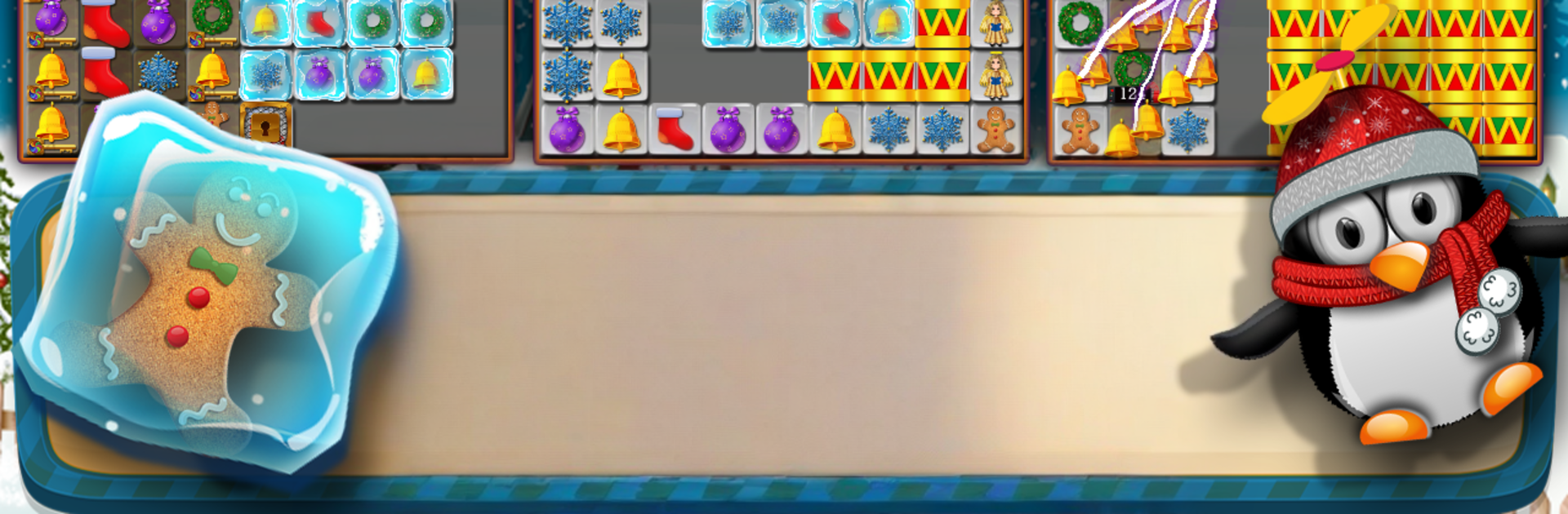
  • Festive match-3 gameplay: Swap shiny pieces to meet fun goals—score targets, bring down candy canes, crack nets and dark tiles, thaw frozen items, pop orbs, collect angels, wreaths, and stars, and even use penguin skips when things get tight.
  • Smart difficulty curve: Early levels teach the ropes; later boards introduce the Ice-Bringer, Snowman, Drums, Gap Bringer, and Ticking Bombs that shake up your strategy without feeling unfair.
  • Goal-focused challenges: Beat stages by finishing objectives under a timer or within a limited number of moves. It’s quick to learn, but planning ahead really pays off.
  • Power-ups with personality: Trigger Santa Claus boosts, wrap the board with Ribbon Frame effects, double up Christmas pieces, and fire off “Last” tools like Last Orb, Last Gap Bringer, and Last Ice Bringer to clean up stubborn tiles.
  • Special mechanics to uncover: Vaulted and keyed items plus mystery pieces add little surprises that keep boards interesting.
  • Play your way: Disable auto hints, music, sound, or banners to keep things clean and distraction-free.
  • Pay once, that’s it: No in-app purchases—your whole Board game experience is included.
  • Comfortable on any screen: Works great on mobile and also plays nicely on PC through BlueStacks if you prefer a bigger view.

Get ready for a buttery smooth, high-performance gaming action only on BlueStacks.

Game Features

Enhancements

  • Macros
  • Multi Instance
  • Multi Instance Sync
  • Script
  • Enhancements
Macros

Macros

Automate the predictable in Christmas Drops 3 - Match thre and transform your gameplay with Macros. Get access to inventive Macros in the BlueStacks Macro Community
Multi Instance

Multi Instance

Play Christmas Drops 3 - Match thre on one window. And chat with your friend on the other. Press CTRL + Shift + 8 to open the Multi-Instance Manager. And start creating fresh instances or clone an existing one.
Multi Instance Sync

Multi Instance Sync

Play Christmas Drops 3 - Match thre with the power of Multi-Instance Sync. Replicate what you are doing on the main instance on all other instances. Level up faster, play more.
Script

Script

Script your way to gaming glory in Christmas Drops 3 - Match thre with BlueStacks Script. Write and run a set of commands to automate repeated tasks. Trigger the command by assigning it to any key.
Read More

How to Download and Play Christmas Drops 3 - Match thre on PC or Mac

  • Download and install BlueStacks on your PC or Mac

  • Complete Google sign-in to access the Play Store, or do it later

  • Look for Christmas Drops 3 - Match thre in the search bar at the top right corner

  • Click to install Christmas Drops 3 - Match thre from the search results

  • Complete Google sign-in (if you skipped step 2) to install Christmas Drops 3 - Match thre

  • Click the Christmas Drops 3 - Match thre icon on the home screen to start playing

video
Watch Video

Minimum System Requirements

With BlueStacks 5, you can get started on a PC that fulfills the following requirements.

  • Operating System

    Microsoft Windows 7 or above, macOS 11 (Big Sur) or above

  • Processor

    Intel, AMD or Apple Silicon Processor

  • RAM

    at least 4GB

  • HDD

    10GB Free Disk Space

Note:

* You must be an Administrator on your PC. Up to date graphics drivers from Microsoft or the chipset vendor.

Christmas Drops 3 - Match thre - FAQs

  • How to play Christmas Drops 3 - Match thre on Windows PC & Mac?

    Play Christmas Drops 3 - Match thre on your PC or Mac by following these simple steps.

    • Click on 'Play Christmas Drops 3 - Match thre on PC’ to download BlueStacks
    • Install it and log-in to Google Play Store
    • Launch and play the game.
  • Why is BlueStacks the fastest and safest platform to play games on PC?

    BlueStacks respects your privacy and is always safe and secure to use. It does not carry any malware, spyware, or any sort of additional software that could harm your PC.

    It is engineered to optimize speed and performance for a seamless gaming experience.

  • What are Christmas Drops 3 - Match thre PC requirements?

    Minimum requirement to run Christmas Drops 3 - Match thre on your PC

    • OS: Microsoft Windows 7 or above MacOS 11 (Big Sur) or above
    • Processor: Intel, AMD or Apple Silicon Processor
    • RAM: Your PC must have at least 4GB of RAM. (Note that having 4GB or more disk space is not a substitute for RAM)
    • HDD: 10GB Free Disk Space.
    • You must be an Administrator on your PC.